
PlayerF20 - Minecraft Skins & Skin History
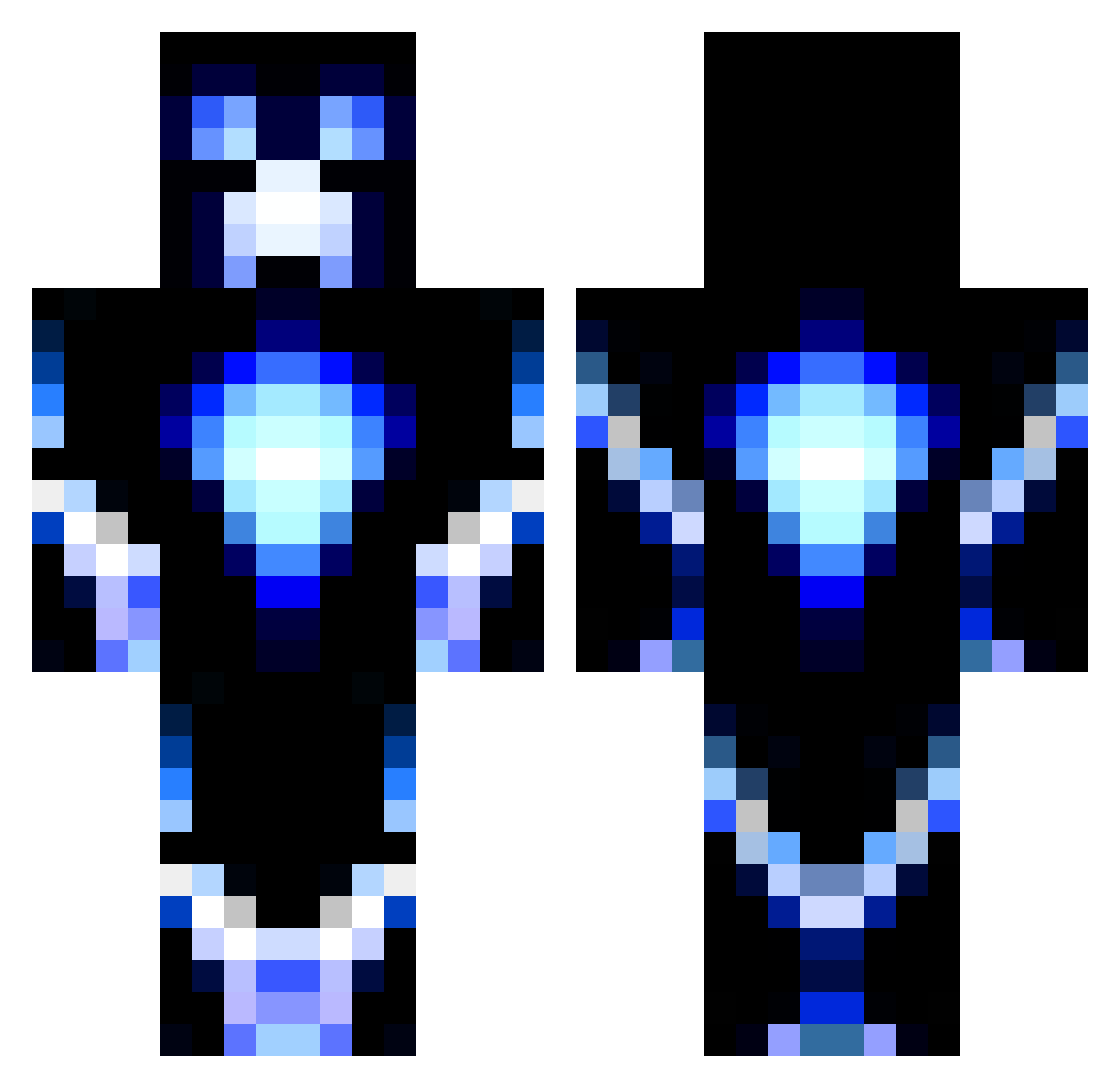
Current Minecraft skin of the player PlayerF20, loaded from the official Mojang API. Rotate the 3D model with your mouse or finger, then download the skin as a PNG file and use it in Minecraft: Bedrock Edition or Java Edition for free. When PlayerF20 changes their skin, this page updates automatically and the old skin stays in the history below.
Other players with this skin (1194)
PlayerF20 was the 729th player we have seen with this skin, first spotted on 01.10.2026. The same skin was seen on these players. Open a nickname to see their current skin and skin history.
 PumpPrism Datboiclay adellile brownielover4 peach_123 Scuderia12 DNAMouse thelegendbubba Make07 BerryFizz ZombieTamer13 Hypnoticky chicken_hulk eike1608 madsquid54 LucusUnited ravenreno555 ChanningEthan DeathRaider100 SuperCannon07 DeadliestDad BillygoatTom KillaKam17 connorq12 TB1402 Hughstar21 ganggut Razorboy2013 N_Tom landon_lawson93 godofgames97 AshBlocks Killersnippe RicardoDario Isse_N katykat521 Jare_the_Bear rediscover99 Statick13 midjuneau Dsantos12 JKZocker danmaddo97 noachim VamHam jdcalhoun Eduardk2005 TyTykeeBu4 thehuntinglover1 Weapon_X_ cucumber331 TheMathews Pareura grandmast3rr stucdor MJC007 ElectricBoltMC MaddiMines adudu1 Jack13690
More Glowing Minecraft skins
How to install the PlayerF20 skin
- Press the Download button above to save the skin as a PNG file.
- Minecraft: Bedrock Edition (PE): open the Dressing Room from the main menu (or tap your character → Edit Character), go to Classic Skins → Owned, press the + (new skin) button, choose the downloaded PNG and pick the Classic (Steve) model. Works on PC and mobile; consoles cannot import custom skins.
- Minecraft: Java Edition: open the Minecraft Launcher, go to the Skins tab, click New Skin, load the PNG, pick the Classic (Steve) model and press Save & Use. You can also upload it at minecraft.net → Profile → Change Skin.
The skin does not show up after import - what should I do?
Restart Minecraft and open the Dressing Room again - imported skins sometimes appear only after a restart. Also make sure you selected the imported skin and picked the Classic (Steve) model.
Which model should I choose, Classic or Slim?
This skin is designed for the Classic (Steve) model. If you pick the wrong model, the arms of the skin will look stretched or squeezed.
Is the skin of PlayerF20 free to download?
Yes. Press Download, save the PNG file and use it in Minecraft: Bedrock Edition or Java Edition - no payment or registration needed. The skin also works on multiplayer servers and Realms.
More skins
Looking for more? Go back to all Minecraft skins and check the top skins of the week, month and all time, or find any player's skin by nickname.