
Pikolinoo - Minecraft Skins & Skin History
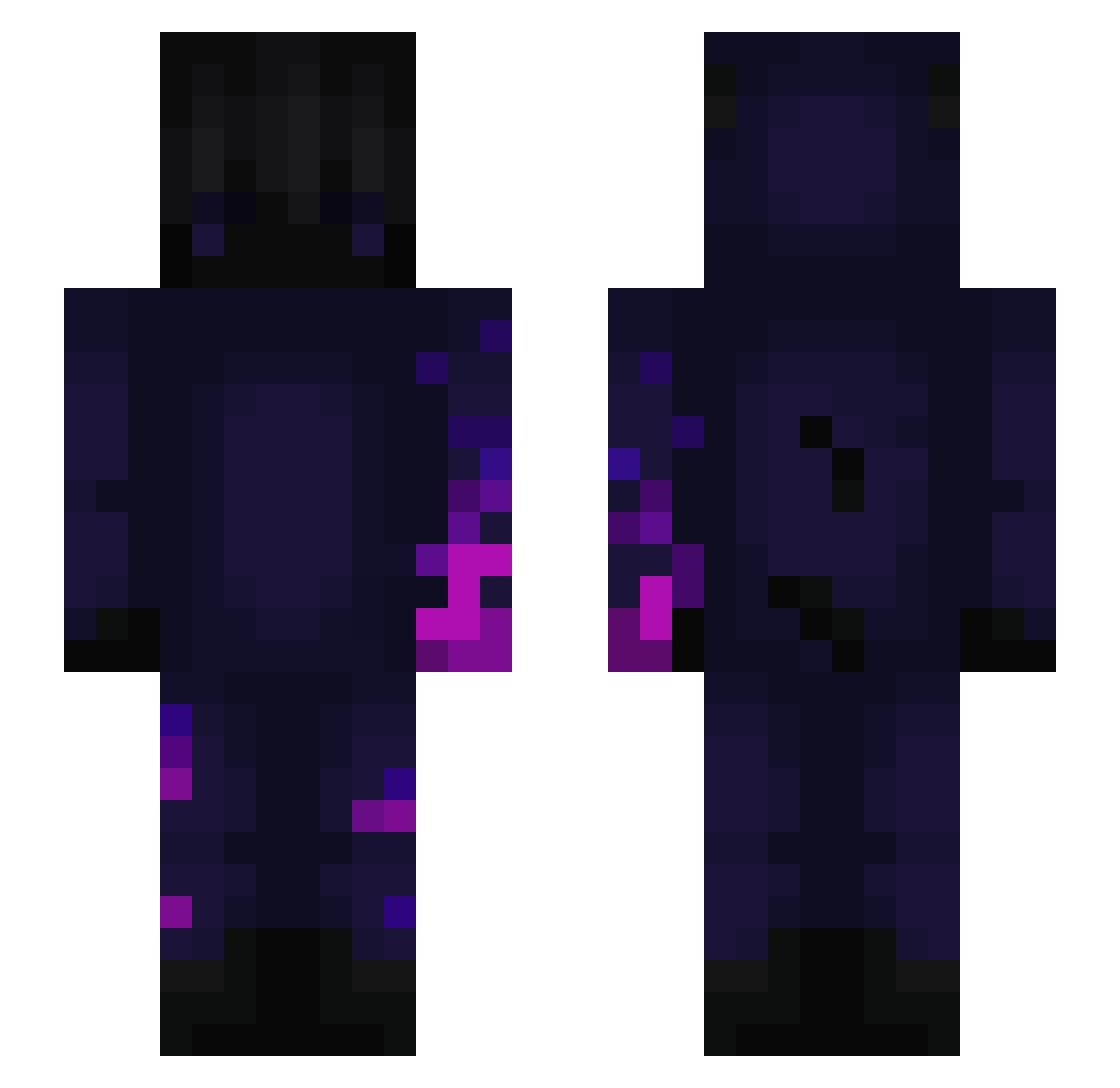
Current Minecraft skin of the player Pikolinoo, loaded from the official Mojang API. Rotate the 3D model with your mouse or finger, then download the skin as a PNG file and use it in Minecraft: Bedrock Edition or Java Edition for free. When Pikolinoo changes their skin, this page updates automatically and the old skin stays in the history below.
Other players with this skin (177)
Pikolinoo was the 79th player we have seen with this skin, first spotted on 03.09.2026. The same skin was seen on these players. Open a nickname to see their current skin and skin history.
 Dacota_ ImNoOne_ Daemoniwnl YT_GameBros nestore24 Agentnugget1 hondenlaaier oscar7mar ilan___ Rezixx_ wHCOUw SL4DT ksylax _Moutmout_ Surgexn Chq0s BrisngrKing SECRETmattoncino ivanfil Dreyss_ Darkwing579 Erzi33 KrzakTV kenshonen Bradipo11 BannexLost RumuneG Jaizari ALEXBOLIK6 japa176 inoriusz xzaremba500 babyvition DrDres MagiMigi g4l4 SavageFaith Minozzy 5MR9 t460p Rion_Chaos Ixtachix Jawoop24hnd Cosmicado Jackie_Djs Bananouilles NoondayAxefall Ghost_Zinho E4G Skillopus JulioCesar_ IPERATOR Zrj0318 Luxysucx NASDA7843 Carlito_364 Ar1st0tel Roccorpii xhs18 Bryanprua66
More Glowing Minecraft skins
How to install the Pikolinoo skin
- Press the Download button above to save the skin as a PNG file.
- Minecraft: Bedrock Edition (PE): open the Dressing Room from the main menu (or tap your character → Edit Character), go to Classic Skins → Owned, press the + (new skin) button, choose the downloaded PNG and pick the Slim (Alex) model. Works on PC and mobile; consoles cannot import custom skins.
- Minecraft: Java Edition: open the Minecraft Launcher, go to the Skins tab, click New Skin, load the PNG, pick the Slim (Alex) model and press Save & Use. You can also upload it at minecraft.net → Profile → Change Skin.
The skin does not show up after import - what should I do?
Restart Minecraft and open the Dressing Room again - imported skins sometimes appear only after a restart. Also make sure you selected the imported skin and picked the Slim (Alex) model.
Which model should I choose, Classic or Slim?
This skin is designed for the Slim (Alex) model. If you pick the wrong model, the arms of the skin will look stretched or squeezed.
Is the skin of Pikolinoo free to download?
Yes. Press Download, save the PNG file and use it in Minecraft: Bedrock Edition or Java Edition - no payment or registration needed. The skin also works on multiplayer servers and Realms.
More skins
Looking for more? Go back to all Minecraft skins and check the top skins of the week, month and all time, or find any player's skin by nickname.