
Roccorpii - Minecraft Skins & Skin History
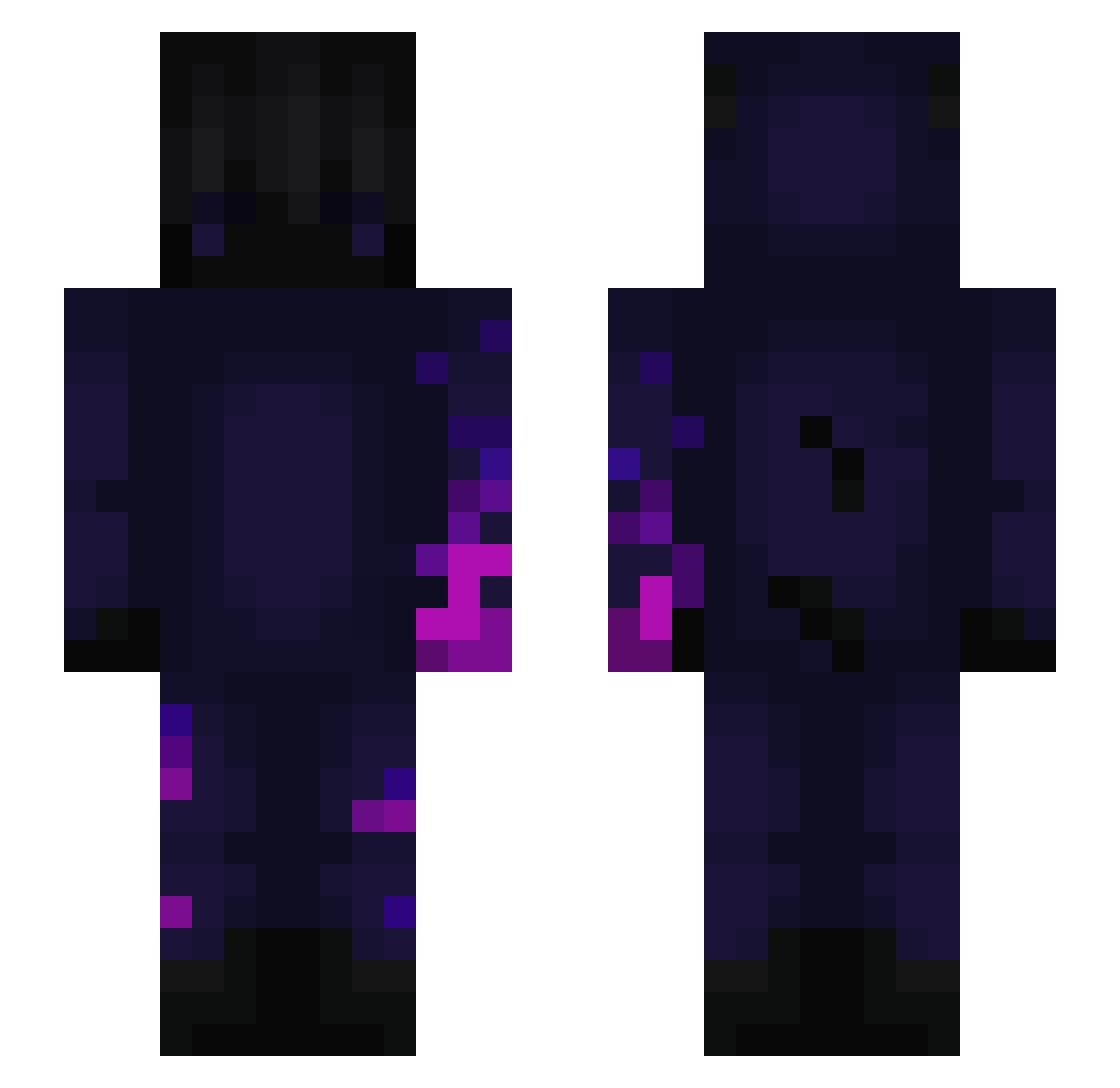
Current Minecraft skin of the player Roccorpii, loaded from the official Mojang API. Rotate the 3D model with your mouse or finger, then download the skin as a PNG file and use it in Minecraft: Bedrock Edition or Java Edition for free. When Roccorpii changes their skin, this page updates automatically and the old skin stays in the history below.
Other players with this skin (177)
Roccorpii was the 51st player we have seen with this skin, first spotted on 14.08.2026. The same skin was seen on these players. Open a nickname to see their current skin and skin history.
 Bryanprua66 Volcan10111 KirikouBlanc1 Carlito_364 ktkgv Luxysucx Zrj0318 IPERATOR Less_beds inveko Spooky_45 Ghost_Zinho Bananouilles Cosmicado Jawoop24hnd Xalewa LeNorja TricksterSpirit Flawless__8 GoogleTab jaydenstruiken t460p 5MR9 SavageFaith minecraftgod1_4 MagiMigi oPathetic Heff2397 KartoffelsalatX Zockerbaguette ALEXBOLIK6 akimovbr nik56ma XuFamily mathisnymax Amanonloso Lamowsky_ Bradipo11 ryzowski Chicho42 Stormhaze Itami675 JGamingz Dreyss_ Titou_Suzuya lucky39 ivanfil milan2000985 Chq0s Djozu _Moutmout_ Est14 wHCOUw ID12 LYIEZZ Rezixx_ ilan___ oscar7mar gaultier17 ZyroxAim
More Glowing Minecraft skins
How to install the Roccorpii skin
- Press the Download button above to save the skin as a PNG file.
- Minecraft: Bedrock Edition (PE): open the Dressing Room from the main menu (or tap your character → Edit Character), go to Classic Skins → Owned, press the + (new skin) button, choose the downloaded PNG and pick the Slim (Alex) model. Works on PC and mobile; consoles cannot import custom skins.
- Minecraft: Java Edition: open the Minecraft Launcher, go to the Skins tab, click New Skin, load the PNG, pick the Slim (Alex) model and press Save & Use. You can also upload it at minecraft.net → Profile → Change Skin.
The skin does not show up after import - what should I do?
Restart Minecraft and open the Dressing Room again - imported skins sometimes appear only after a restart. Also make sure you selected the imported skin and picked the Slim (Alex) model.
Which model should I choose, Classic or Slim?
This skin is designed for the Slim (Alex) model. If you pick the wrong model, the arms of the skin will look stretched or squeezed.
Is the skin of Roccorpii free to download?
Yes. Press Download, save the PNG file and use it in Minecraft: Bedrock Edition or Java Edition - no payment or registration needed. The skin also works on multiplayer servers and Realms.
More skins
Looking for more? Go back to all Minecraft skins and check the top skins of the week, month and all time, or find any player's skin by nickname.