
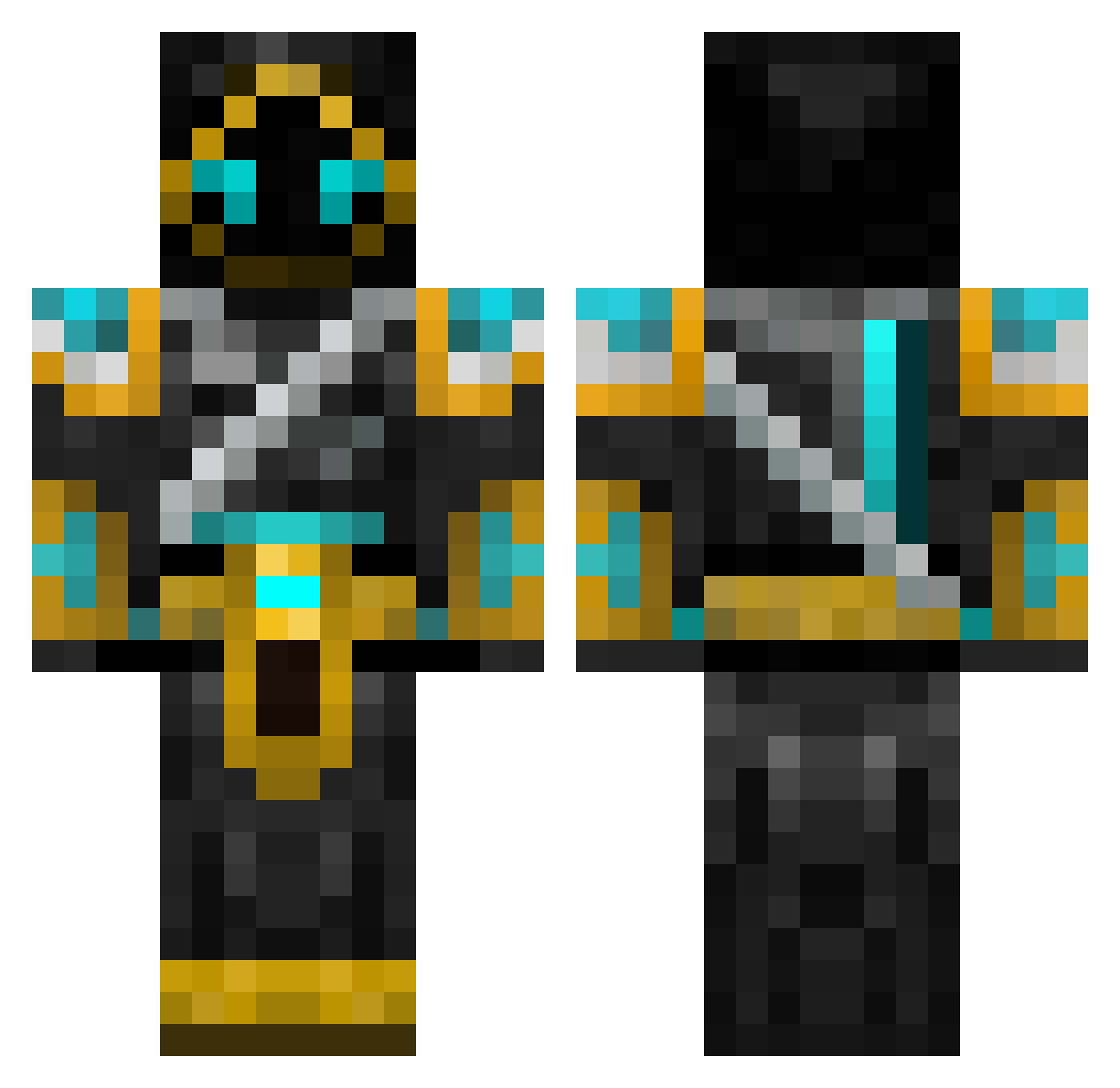
Current Minecraft skin of the player PieOrigins100, loaded from the official Mojang API. Rotate the 3D model with your mouse or finger, then download the skin as a PNG file and use it in Minecraft: Bedrock Edition or Java Edition for free. When PieOrigins100 changes their skin, this page updates automatically and the old skin stays in the history below.
Other players with this skin (547)
PieOrigins100 was the 133rd player we have seen with this skin, first spotted on 18.08.2026. The same skin was seen on these players. Open a nickname to see their current skin and skin history.
 markhail PapaWarlock OmegaBladeX KittySpark22 Zestrial BlueKaiTheEnd MCJ7474 AdrenaBean Steelewise Samskara ShadowHunter2598 JerseyArsenal Ashund lukeforgan Games720 Dyzmatik mc4986 Emilson03 BlackHawk_03 BakaFrenFri Speedieman Sikemc2 Jaw_Dan Blazin_Glory Brian019283 jobbeh Fandernal TdotRecon Goldy72000 vrosty MrIllogical Ametetsaru55 KazakhPvP smurk585 Meta_Dragon142 ArgetSol Bowie35 camomonk XCHysell13 Pady1997 trutotheman encwinter Insane_brawler Peacemaker1015 StoneSoldier Virtual_Gravity Nirolf bigpoe1 lizzak BountyHuntBeaver Ulbi2003 xemmes hotwheelguy123 Donkamilo Maverick1970 Gitarchi Kasha_07 SpiritualBlaster jony_ Edu4rdo123
More Hooded Warrior Minecraft skins
See all 40 Hooded Warrior skins
How to install the PieOrigins100 skin
- Press the Download button above to save the skin as a PNG file.
- Minecraft: Bedrock Edition (PE): open the Dressing Room from the main menu (or tap your character → Edit Character), go to Classic Skins → Owned, press the + (new skin) button, choose the downloaded PNG and pick the Classic (Steve) model. Works on PC and mobile; consoles cannot import custom skins.
- Minecraft: Java Edition: open the Minecraft Launcher, go to the Skins tab, click New Skin, load the PNG, pick the Classic (Steve) model and press Save & Use. You can also upload it at minecraft.net → Profile → Change Skin.
The skin does not show up after import - what should I do?
Restart Minecraft and open the Dressing Room again - imported skins sometimes appear only after a restart. Also make sure you selected the imported skin and picked the Classic (Steve) model.
Which model should I choose, Classic or Slim?
This skin is designed for the Classic (Steve) model. If you pick the wrong model, the arms of the skin will look stretched or squeezed.
Is the skin of PieOrigins100 free to download?
Yes. Press Download, save the PNG file and use it in Minecraft: Bedrock Edition or Java Edition - no payment or registration needed. The skin also works on multiplayer servers and Realms.
More skins
Looking for more? Go back to all Minecraft skins and check the top skins of the week, month and all time, or find any player's skin by nickname.