
PiZta - Minecraft Skins & Skin History
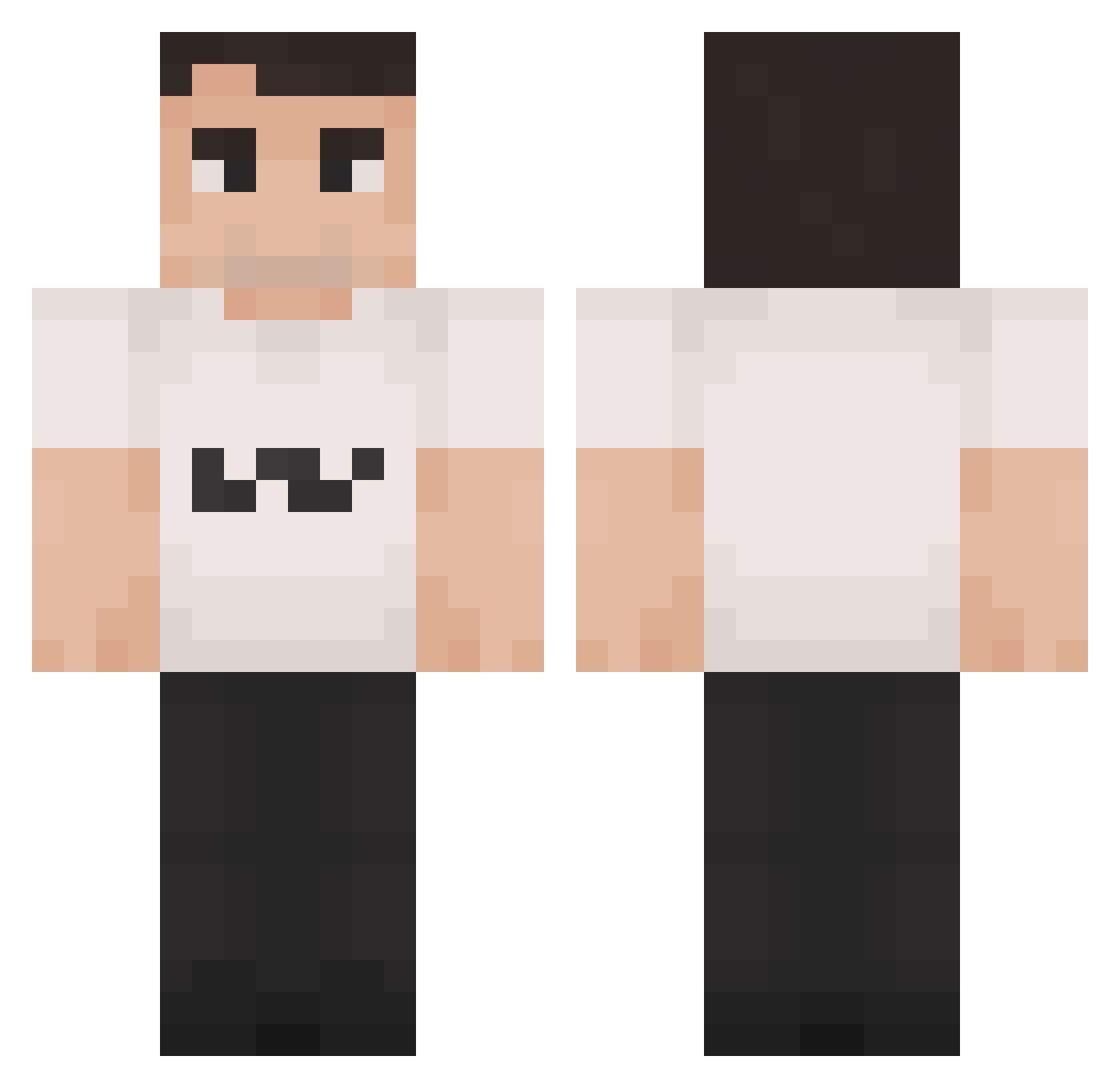
Current Minecraft skin of the player PiZta, loaded from the official Mojang API. Rotate the 3D model with your mouse or finger, then download the skin as a PNG file and use it in Minecraft: Bedrock Edition or Java Edition for free. When PiZta changes their skin, this page updates automatically and the old skin stays in the history below.
Other players with this skin (1421)
PiZta was the 1081st player we have seen with this skin, first spotted on 14.10.2026. The same skin was seen on these players. Open a nickname to see their current skin and skin history.
 kerrie0 jrjmma Igorek40i4 Emrald13 dayday222 MyBroKnows vmxos viixoo0o V0IDV4 2Hollis_real CE0_of_PERC q9q9q9q9 Zavcl nasheman777 Strider78 Piwodojarka T3chn02 dandy_TTV frvnco19 TheTaxCollector8 dullbobb jackgyver XxSolarXx125 CRGclam theHrony Teuncoolgamer10 gaspard69420 NolgeDog DezNutzBih CharlieKirkCPVP dikvarken29 XxxWeegeexxX sk8terr floppitybopps yxruu BambusBandit dukafi huu37 hallowplug TeusTurbo scopeturned Mystic2773 grieel GhrineeR charliekirk6979 ImTHATJay_ Dronerusher11 AnneFrankfurt8 Vlaskov DDD958 imannaufal2 Jimiromaiton 123whatudoing agarthanga RagingWaters17 legroszacko LeBeav Legitfountain17 LoopySoup1 nosaboM_
More Schlatt Minecraft skins
How to install the PiZta skin
- Press the Download button above to save the skin as a PNG file.
- Minecraft: Bedrock Edition (PE): open the Dressing Room from the main menu (or tap your character → Edit Character), go to Classic Skins → Owned, press the + (new skin) button, choose the downloaded PNG and pick the Classic (Steve) model. Works on PC and mobile; consoles cannot import custom skins.
- Minecraft: Java Edition: open the Minecraft Launcher, go to the Skins tab, click New Skin, load the PNG, pick the Classic (Steve) model and press Save & Use. You can also upload it at minecraft.net → Profile → Change Skin.
The skin does not show up after import - what should I do?
Restart Minecraft and open the Dressing Room again - imported skins sometimes appear only after a restart. Also make sure you selected the imported skin and picked the Classic (Steve) model.
Which model should I choose, Classic or Slim?
This skin is designed for the Classic (Steve) model. If you pick the wrong model, the arms of the skin will look stretched or squeezed.
Is the skin of PiZta free to download?
Yes. Press Download, save the PNG file and use it in Minecraft: Bedrock Edition or Java Edition - no payment or registration needed. The skin also works on multiplayer servers and Realms.
More skins
Looking for more? Go back to all Minecraft skins and check the top skins of the week, month and all time, or find any player's skin by nickname.