
legroszacko - Minecraft Skins & Skin History
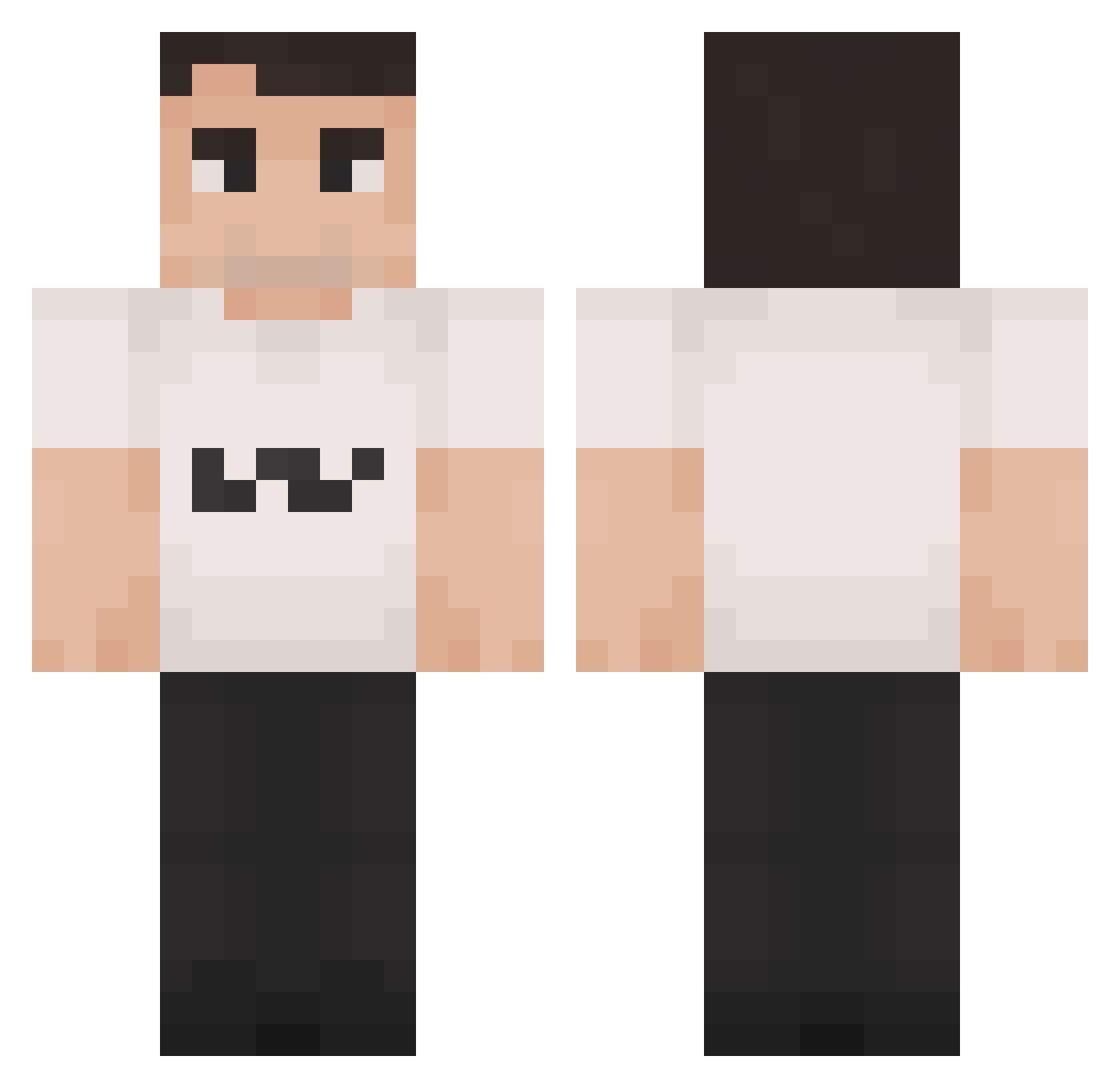
Current Minecraft skin of the player legroszacko, loaded from the official Mojang API. Rotate the 3D model with your mouse or finger, then download the skin as a PNG file and use it in Minecraft: Bedrock Edition or Java Edition for free. When legroszacko changes their skin, this page updates automatically and the old skin stays in the history below.
Other players with this skin (1421)
legroszacko was the 1049th player we have seen with this skin, first spotted on 12.10.2026. The same skin was seen on these players. Open a nickname to see their current skin and skin history.
 LeBeav RagingWaters17 LoopySoup1 nosaboM_ 123whatudoing NotFastEnough KaiPeanut Shadow153 MIRODEMAN DDD958 Diodoru AnneFrankfurt8 Dronerusher11 PenguinK0ng ImTHATJay_ charliekirk6979 ushidexx ChazMcDazy_ Lavabo1 Gravanita scopeturned Mustigusti ulrikethurl ImSwaggySwagster Burger433 BambusBandit gcorpgregor sk8terr Preme_YT LEJENFOLIE dikvarken29 Piotrek435 CharlieKirkCPVP softStars DezNutzBih gaspard69420 Teuncoolgamer10 bananaeater1795 N0vaXD CRGclam bustingrusty Charlie_K1rk67 jackgyver dullbobb Sewer_2K j0sti TheTaxCollector8 frvnco19 dandy_TTV T3chn02 nasheman777 Zavcl Acoran780 antonfb10 Madsontrill 2Hollis_real Ssimon88 Chudmaxxing Toperman Vacci067
More Schlatt Minecraft skins
How to install the legroszacko skin
- Press the Download button above to save the skin as a PNG file.
- Minecraft: Bedrock Edition (PE): open the Dressing Room from the main menu (or tap your character → Edit Character), go to Classic Skins → Owned, press the + (new skin) button, choose the downloaded PNG and pick the Classic (Steve) model. Works on PC and mobile; consoles cannot import custom skins.
- Minecraft: Java Edition: open the Minecraft Launcher, go to the Skins tab, click New Skin, load the PNG, pick the Classic (Steve) model and press Save & Use. You can also upload it at minecraft.net → Profile → Change Skin.
The skin does not show up after import - what should I do?
Restart Minecraft and open the Dressing Room again - imported skins sometimes appear only after a restart. Also make sure you selected the imported skin and picked the Classic (Steve) model.
Which model should I choose, Classic or Slim?
This skin is designed for the Classic (Steve) model. If you pick the wrong model, the arms of the skin will look stretched or squeezed.
Is the skin of legroszacko free to download?
Yes. Press Download, save the PNG file and use it in Minecraft: Bedrock Edition or Java Edition - no payment or registration needed. The skin also works on multiplayer servers and Realms.
More skins
Looking for more? Go back to all Minecraft skins and check the top skins of the week, month and all time, or find any player's skin by nickname.