
PiYciK - Minecraft Skins & Skin History
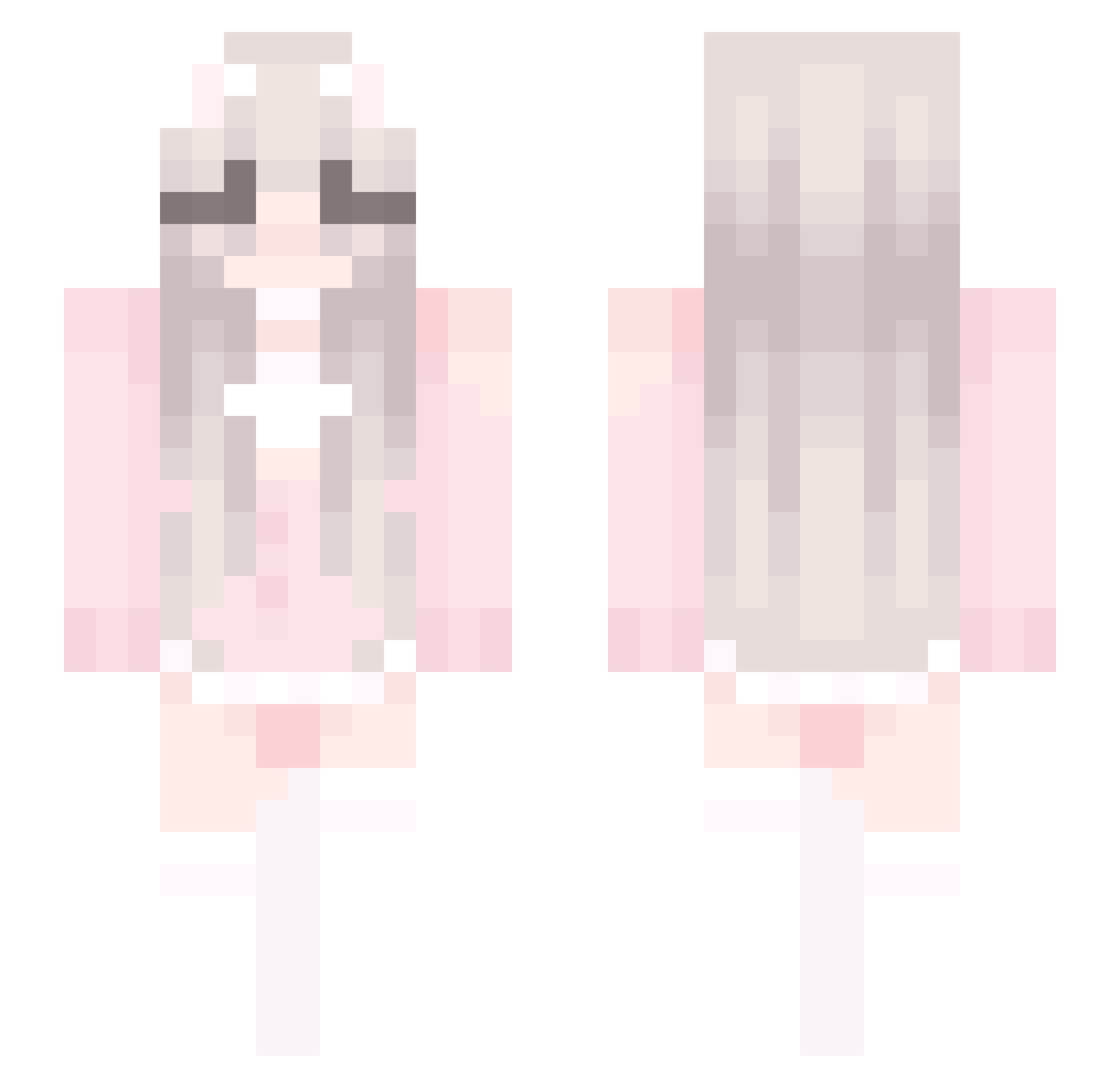
Current Minecraft skin of the player PiYciK, loaded from the official Mojang API. Rotate the 3D model with your mouse or finger, then download the skin as a PNG file and use it in Minecraft: Bedrock Edition or Java Edition for free. When PiYciK changes their skin, this page updates automatically and the old skin stays in the history below.
Other players with this skin (447)
PiYciK was the 330th player we have seen with this skin, first spotted on 13.10.2026. The same skin was seen on these players. Open a nickname to see their current skin and skin history.
 PumpleNickel kuaishouaihen BannedByAdmin Bethedream lyf24 YILING10 xiechengyun tsjggs Juzrd ebela20 JNTMc Stitch_9 qingyuuo MagdalenkaH Kerze6263 wsfn12345 athiya_ cloudybowl Mooniiao OzNix_XU Laayyla MarcWindu yKatyusha juharZZ Ling_77 Amadeushzc Moodychen znzmzn Ut2ao Winlikewin Xin_ke fire_axolotl1 Arleneyh Tokine1217 zhuxu06 Oeny SnakyChart48953 DFiary DK_Scarlet jlczj wq8754 Wes0324 Alien_wan 3917 93LingTuT duxiu002 FUNDNIGHT vivianelizabeth Mtrcnm glloy CowgirlLady WaterBottleH20 LCAWQY jHassanovitc biankmmm OldEnglish233 awiohrou8w EpicBotato12 QXqwq Caelestis_Stella
More Cute Minecraft skins
How to install the PiYciK skin
- Press the Download button above to save the skin as a PNG file.
- Minecraft: Bedrock Edition (PE): open the Dressing Room from the main menu (or tap your character → Edit Character), go to Classic Skins → Owned, press the + (new skin) button, choose the downloaded PNG and pick the Slim (Alex) model. Works on PC and mobile; consoles cannot import custom skins.
- Minecraft: Java Edition: open the Minecraft Launcher, go to the Skins tab, click New Skin, load the PNG, pick the Slim (Alex) model and press Save & Use. You can also upload it at minecraft.net → Profile → Change Skin.
The skin does not show up after import - what should I do?
Restart Minecraft and open the Dressing Room again - imported skins sometimes appear only after a restart. Also make sure you selected the imported skin and picked the Slim (Alex) model.
Which model should I choose, Classic or Slim?
This skin is designed for the Slim (Alex) model. If you pick the wrong model, the arms of the skin will look stretched or squeezed.
Is the skin of PiYciK free to download?
Yes. Press Download, save the PNG file and use it in Minecraft: Bedrock Edition or Java Edition - no payment or registration needed. The skin also works on multiplayer servers and Realms.
More skins
Looking for more? Go back to all Minecraft skins and check the top skins of the week, month and all time, or find any player's skin by nickname.