
Phorod - Minecraft Skins & Skin History
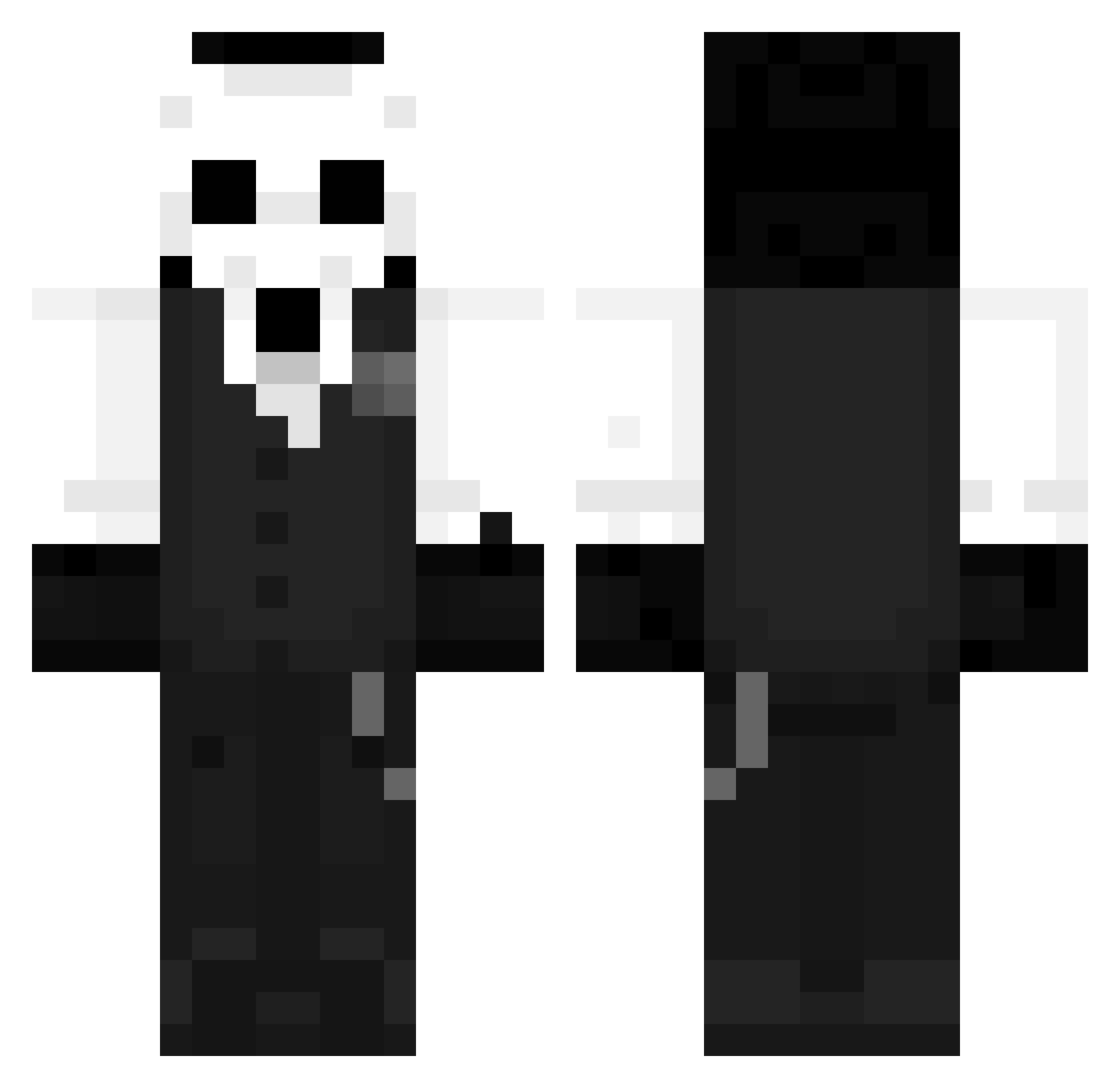
Current Minecraft skin of the player Phorod, loaded from the official Mojang API. Rotate the 3D model with your mouse or finger, then download the skin as a PNG file and use it in Minecraft: Bedrock Edition or Java Edition for free. When Phorod changes their skin, this page updates automatically and the old skin stays in the history below.
Other players with this skin (1273)
Phorod was the 294th player we have seen with this skin, first spotted on 18.08.2026. The same skin was seen on these players. Open a nickname to see their current skin and skin history.
 ElzeBubX Tarvaious JAHR3011 plix_op AlexRyan_Y OverseerOnyx _NightDeath_ GiioS3 StoodyZz Autumn_rain233 Travanca Adriana97 Renqiumu kikinboy e4rth123 Jaimiyo8098 ___Shinra___ Lo_Ne1y Adeemech FelipeRosah ChuangCZI DonDiyos Zelzarax Aian7142 DantuchiMZ Kmarik zTremple RaymondPearson Whitesund t0vaGG MCfaker1123 Molly_SuS Travelbird cloasn Birbzy DJ_Here Mythic03 Su_Clu Liam2362 MrBlueIsCookie00 fcn1969c Albertillo_Mr VAXITI Ano0034 mommymommy Banana_Ncm HollowZohar Ahto02 offline0824 nzjl111
 ElNikoooo Voltheas KyleRam02 DzoniMax ferransl Dmncbn mtn123 Mio0916 LysaNadula Timmagerquark
More Sans Minecraft skins
How to install the Phorod skin
- Press the Download button above to save the skin as a PNG file.
- Minecraft: Bedrock Edition (PE): open the Dressing Room from the main menu (or tap your character → Edit Character), go to Classic Skins → Owned, press the + (new skin) button, choose the downloaded PNG and pick the Classic (Steve) model. Works on PC and mobile; consoles cannot import custom skins.
- Minecraft: Java Edition: open the Minecraft Launcher, go to the Skins tab, click New Skin, load the PNG, pick the Classic (Steve) model and press Save & Use. You can also upload it at minecraft.net → Profile → Change Skin.
The skin does not show up after import - what should I do?
Restart Minecraft and open the Dressing Room again - imported skins sometimes appear only after a restart. Also make sure you selected the imported skin and picked the Classic (Steve) model.
Which model should I choose, Classic or Slim?
This skin is designed for the Classic (Steve) model. If you pick the wrong model, the arms of the skin will look stretched or squeezed.
Is the skin of Phorod free to download?
Yes. Press Download, save the PNG file and use it in Minecraft: Bedrock Edition or Java Edition - no payment or registration needed. The skin also works on multiplayer servers and Realms.
More skins
Looking for more? Go back to all Minecraft skins and check the top skins of the week, month and all time, or find any player's skin by nickname.