
PhoenixLider - Minecraft Skins & Skin History
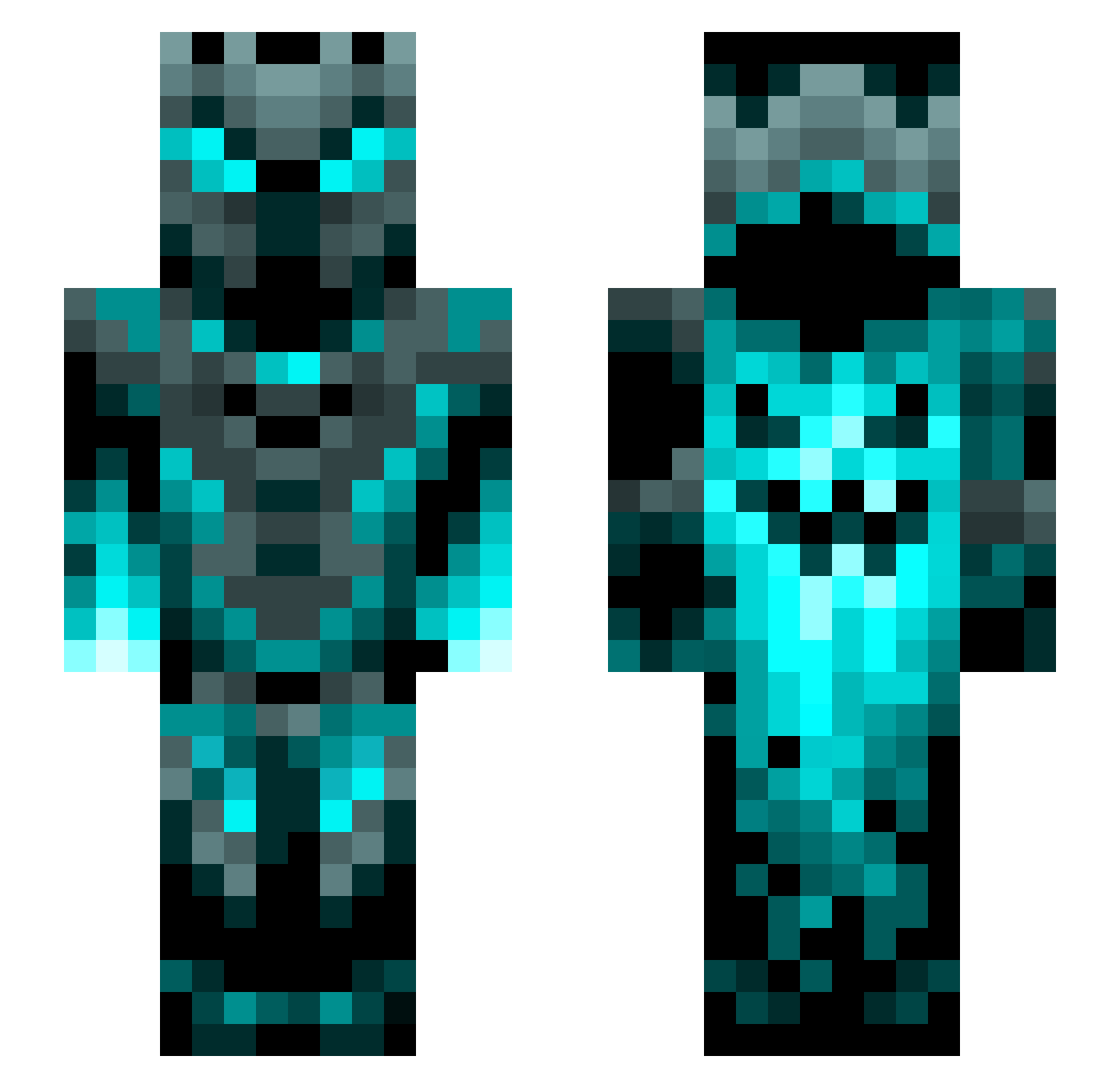
Current Minecraft skin of the player PhoenixLider, loaded from the official Mojang API. Rotate the 3D model with your mouse or finger, then download the skin as a PNG file and use it in Minecraft: Bedrock Edition or Java Edition for free. When PhoenixLider changes their skin, this page updates automatically and the old skin stays in the history below.
Other players with this skin (1200)
PhoenixLider was the 1002nd player we have seen with this skin, first spotted on 18.10.2026. The same skin was seen on these players. Open a nickname to see their current skin and skin history.
 Meta_Aveng3d jay9ine9 soloon1123 GamersGanG8 TheMrMarcz DragonLord01_ dngpals AvengedShadow Malcom1976 BerryB69 xXconnor DEM2006 Gunslinger123 BNPlayzz Littleladh DaddyPhantom777 CrazyPanda2010 sarahkemp2022 NightJack378148 karateluke Cardrinjr M0RR0W Nicolas2333 clifor332211 Berryegg NoFinerMiner33 billyhenson_ RangerFox42 AJC29 Tek_No PlanearChaos Asaditoo MagicCards34 emiliobip LividEssense Saul_Goodman_648 KingKhloud rEiChArDt92 ODanixO BlazeNemesis9z Sinfunny_ LordAwesome45 basboy33 ScullCrusher006 SunyataSan elmaco78 ArticleNinja GabAnna0928 Destroyer_2022 AserBoss99 NikoHenny Sandro_TV lxxxxxxxxxxxxxl NotValle devthanos Karasu117 Michimi92 BlackMagic88 Sakura1597 GenosFR
More Phantom Minecraft skins
How to install the PhoenixLider skin
- Press the Download button above to save the skin as a PNG file.
- Minecraft: Bedrock Edition (PE): open the Dressing Room from the main menu (or tap your character → Edit Character), go to Classic Skins → Owned, press the + (new skin) button, choose the downloaded PNG and pick the Slim (Alex) model. Works on PC and mobile; consoles cannot import custom skins.
- Minecraft: Java Edition: open the Minecraft Launcher, go to the Skins tab, click New Skin, load the PNG, pick the Slim (Alex) model and press Save & Use. You can also upload it at minecraft.net → Profile → Change Skin.
The skin does not show up after import - what should I do?
Restart Minecraft and open the Dressing Room again - imported skins sometimes appear only after a restart. Also make sure you selected the imported skin and picked the Slim (Alex) model.
Which model should I choose, Classic or Slim?
This skin is designed for the Slim (Alex) model. If you pick the wrong model, the arms of the skin will look stretched or squeezed.
Is the skin of PhoenixLider free to download?
Yes. Press Download, save the PNG file and use it in Minecraft: Bedrock Edition or Java Edition - no payment or registration needed. The skin also works on multiplayer servers and Realms.
More skins
Looking for more? Go back to all Minecraft skins and check the top skins of the week, month and all time, or find any player's skin by nickname.