
PhillyDaFragger - Minecraft Skins & Skin History
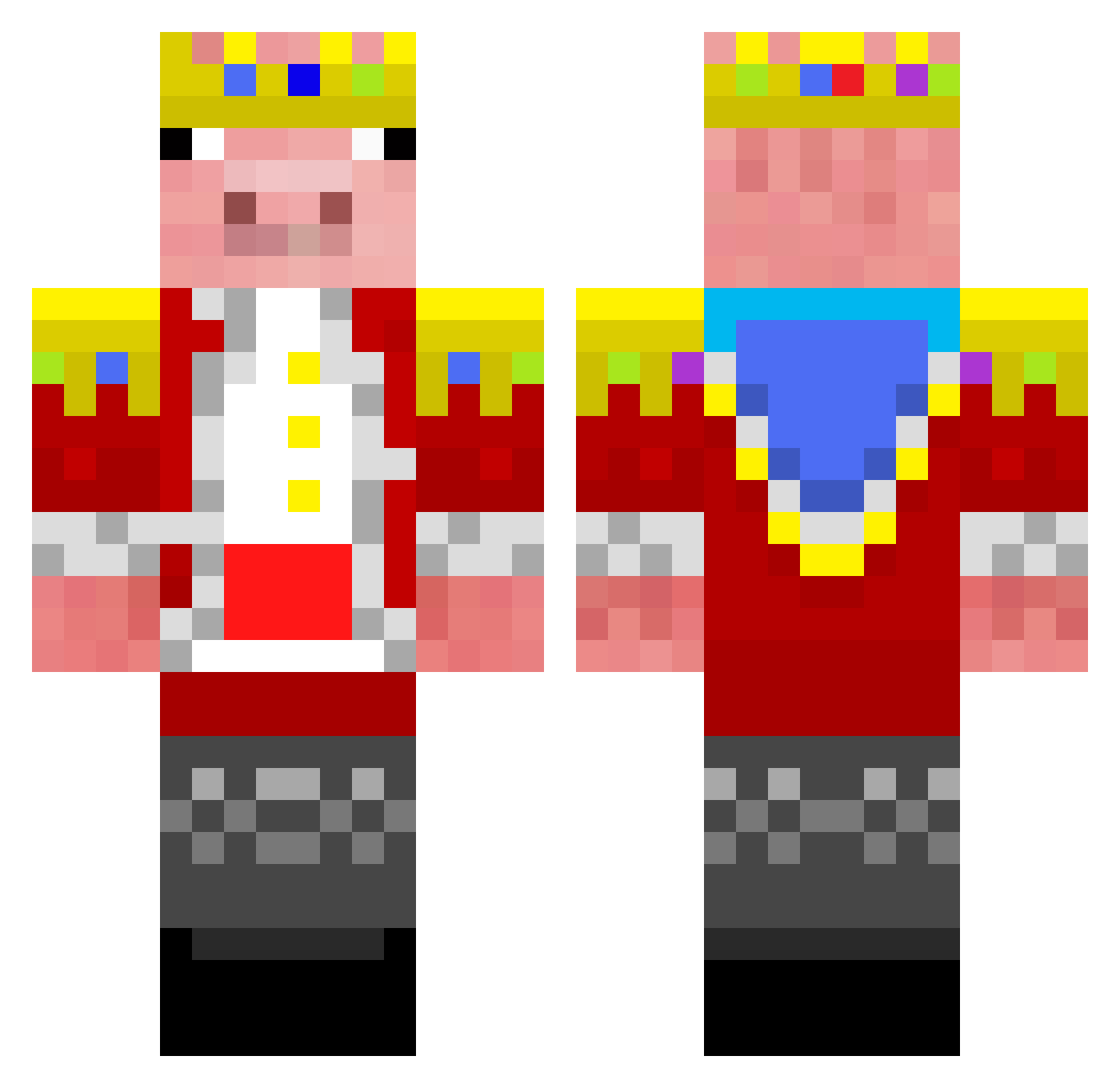
Current Minecraft skin of the player PhillyDaFragger, loaded from the official Mojang API. Rotate the 3D model with your mouse or finger, then download the skin as a PNG file and use it in Minecraft: Bedrock Edition or Java Edition for free. When PhillyDaFragger changes their skin, this page updates automatically and the old skin stays in the history below.
Other players with this skin (285)
PhillyDaFragger was the 113th player we have seen with this skin, first spotted on 09.09.2026. The same skin was seen on these players. Open a nickname to see their current skin and skin history.
 eisie_ Aatrox0021 sc1pn3t BillowyTiara944 5mw_ jarness little_AciX ChikaHagiwarav gogetablaze cesariscool2015 LiuHaiTao deanloveu Sleepypig P5l_ mikehawk3241 mhckccf BananamanQc BOB34543 BigLadIsaac69 _Pln_ ilpoderososium Ismaeel33 Moumen10 SamuGM2009 Yukky_Br Domthebomb66666 Nitrofy WojannnYT BM4TV biho1020 SonicArrow123 LuhCreams GCEpicPro tricipping FatBoyYoda668776 itsGamerOp Conquest4Lifee XFireDragon3291 efechenko0 ff22ff kdw1205 rafaninn L3thalMelon LichaFan waxylol DarkDelta1973 WillimaJGB134 immad1234 ztczy Daniel2an liuguoquan Scarme09 14cky VibrioidSiren79 pqpq4613 JerseyLegand L7W3n1e Str8whiteman57 FannyHsu Strxemux
More Pig Minecraft skins
How to install the PhillyDaFragger skin
- Press the Download button above to save the skin as a PNG file.
- Minecraft: Bedrock Edition (PE): open the Dressing Room from the main menu (or tap your character → Edit Character), go to Classic Skins → Owned, press the + (new skin) button, choose the downloaded PNG and pick the Classic (Steve) model. Works on PC and mobile; consoles cannot import custom skins.
- Minecraft: Java Edition: open the Minecraft Launcher, go to the Skins tab, click New Skin, load the PNG, pick the Classic (Steve) model and press Save & Use. You can also upload it at minecraft.net → Profile → Change Skin.
The skin does not show up after import - what should I do?
Restart Minecraft and open the Dressing Room again - imported skins sometimes appear only after a restart. Also make sure you selected the imported skin and picked the Classic (Steve) model.
Which model should I choose, Classic or Slim?
This skin is designed for the Classic (Steve) model. If you pick the wrong model, the arms of the skin will look stretched or squeezed.
Is the skin of PhillyDaFragger free to download?
Yes. Press Download, save the PNG file and use it in Minecraft: Bedrock Edition or Java Edition - no payment or registration needed. The skin also works on multiplayer servers and Realms.
More skins
Looking for more? Go back to all Minecraft skins and check the top skins of the week, month and all time, or find any player's skin by nickname.