
Phayre - Minecraft Skins & Skin History
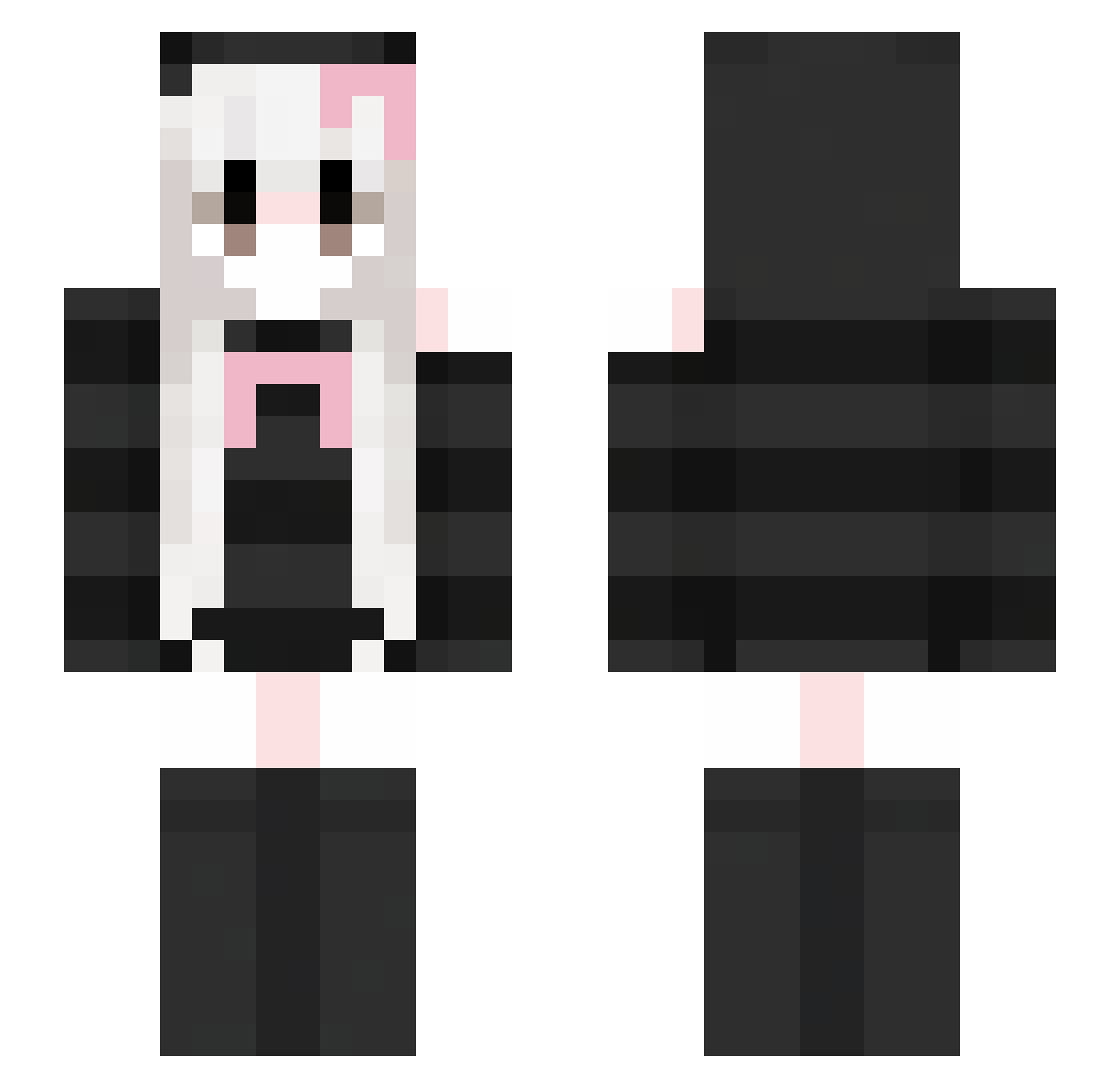
Current Minecraft skin of the player Phayre, loaded from the official Mojang API. Rotate the 3D model with your mouse or finger, then download the skin as a PNG file and use it in Minecraft: Bedrock Edition or Java Edition for free. When Phayre changes their skin, this page updates automatically and the old skin stays in the history below.
Other players with this skin (419)
Phayre was the 211th player we have seen with this skin, first spotted on 21.09.2026. The same skin was seen on these players. Open a nickname to see their current skin and skin history.
 mika03k xiOwOxi RandomPlayer21 M_Minn Chibi_Uroco Hanasia0 HDU_TT irotod20 Captainwinking llunasz Robertos9 YuChe_ Moonpostman xiaolu1314 Aram73 Scoxta patnase rabbit_GG30cm qigtl tpbanz1k Sakura257 whalqri rootscat serrw kotetsus lian_411 Cookie6631 Chicky_time Missa5 YOONSIA Pineapple_Knife Fannnovo TAT_Box EricEnzo_ Rekui swb778 m_finger
 xawmZz ghoulfren Irysital xiao_chao2 Raystudd A_Zai jaziqs herfire263 Feeliru TruEssence_ MMAAAYO AUS_HUATAD lulululu729 ColdArtemis Pop_sky hyprocite henten1313 Atziin taylorissuperrg baiyan11 leequor KittyAmyy Qurpy_
More Face Mask Minecraft skins
How to install the Phayre skin
- Press the Download button above to save the skin as a PNG file.
- Minecraft: Bedrock Edition (PE): open the Dressing Room from the main menu (or tap your character → Edit Character), go to Classic Skins → Owned, press the + (new skin) button, choose the downloaded PNG and pick the Slim (Alex) model. Works on PC and mobile; consoles cannot import custom skins.
- Minecraft: Java Edition: open the Minecraft Launcher, go to the Skins tab, click New Skin, load the PNG, pick the Slim (Alex) model and press Save & Use. You can also upload it at minecraft.net → Profile → Change Skin.
The skin does not show up after import - what should I do?
Restart Minecraft and open the Dressing Room again - imported skins sometimes appear only after a restart. Also make sure you selected the imported skin and picked the Slim (Alex) model.
Which model should I choose, Classic or Slim?
This skin is designed for the Slim (Alex) model. If you pick the wrong model, the arms of the skin will look stretched or squeezed.
Is the skin of Phayre free to download?
Yes. Press Download, save the PNG file and use it in Minecraft: Bedrock Edition or Java Edition - no payment or registration needed. The skin also works on multiplayer servers and Realms.
More skins
Looking for more? Go back to all Minecraft skins and check the top skins of the week, month and all time, or find any player's skin by nickname.