
Peterpan420 - Minecraft Skins & Skin History
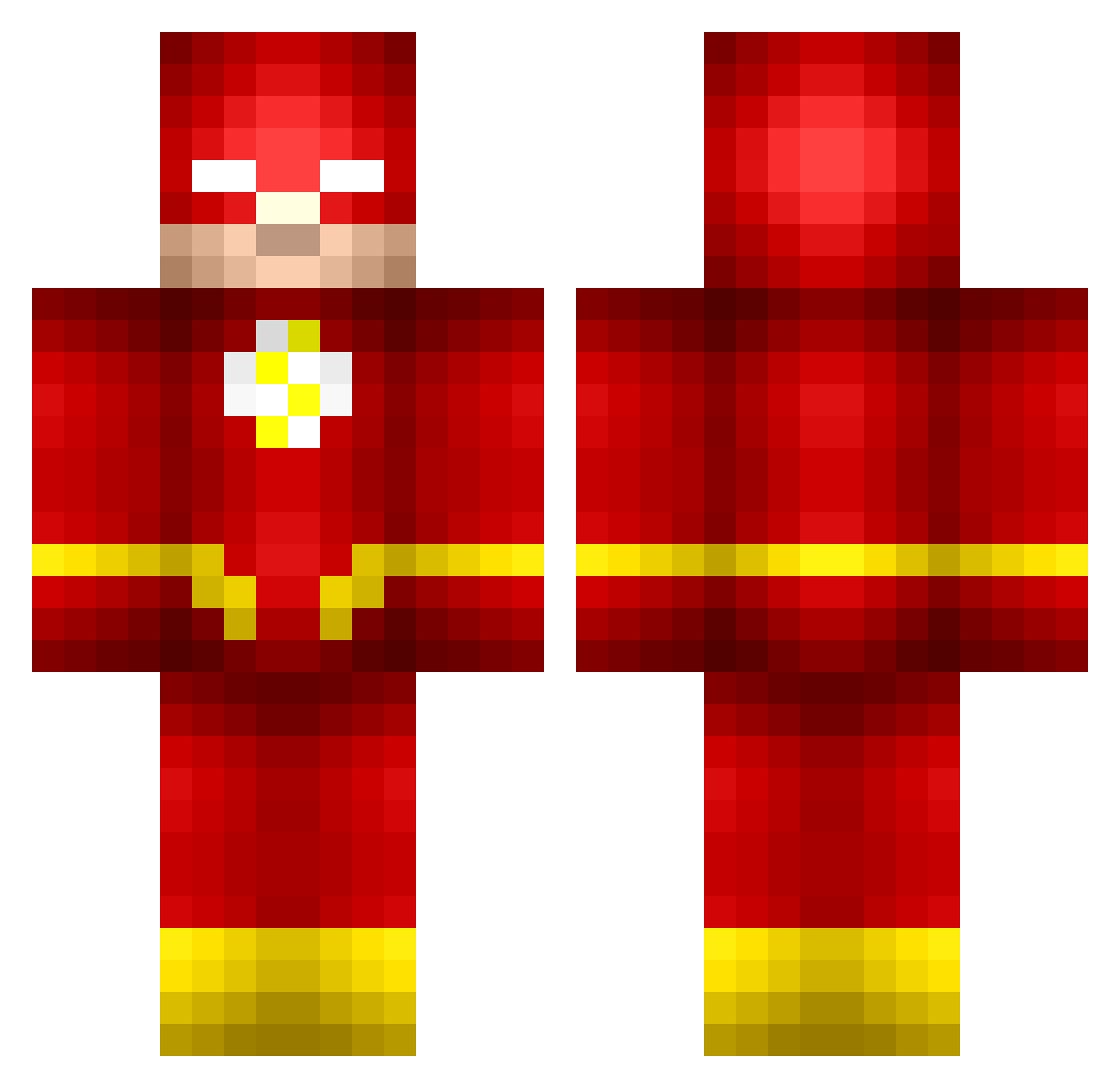
Current Minecraft skin of the player Peterpan420, loaded from the official Mojang API. Rotate the 3D model with your mouse or finger, then download the skin as a PNG file and use it in Minecraft: Bedrock Edition or Java Edition for free. When Peterpan420 changes their skin, this page updates automatically and the old skin stays in the history below.
Other players with this skin (673)
Peterpan420 was the 222nd player we have seen with this skin, first spotted on 30.08.2026. The same skin was seen on these players. Open a nickname to see their current skin and skin history.
 aydineo flashdragon2006 lmeakin11 Seattle602 dannyly123 Nelson05 SealTeamSix26 gimme_diamonds75 Henrik_And SimCasper killerghost6574 aaronp98 speedyflash426 EnvyVX colecar looloobobby28 Azdeano moltar2000 Zentlox Theflash1978 MMX0ZXLBNSF jaiman127 ThatGuyMax_ GuidoBranko avatar_maximus II_ECHO_II AssuminqUrGender Nicholmania CrispyPotatoSkin riggy14 Legionaire42 Jmackicker Captain__Sassy timejumper22 mlamoca nicothebro1 Mich1110 ParkerGlenn JoshD2689 FAHAR Bashmore Wallace0219 profielder skilltombstone JAZZYover9999 Purgation SukMyTo robbyrockerz8 Jurio_HD Flash9l JKhan1 AwesomeDudeMan55 roadhouse EmosYage Griffinm55 notColum cheesenip1105 Volpi_ZA Thejucie HeartlessD3mon
More The Flash Minecraft skins
How to install the Peterpan420 skin
- Press the Download button above to save the skin as a PNG file.
- Minecraft: Bedrock Edition (PE): open the Dressing Room from the main menu (or tap your character → Edit Character), go to Classic Skins → Owned, press the + (new skin) button, choose the downloaded PNG and pick the Classic (Steve) model. Works on PC and mobile; consoles cannot import custom skins.
- Minecraft: Java Edition: open the Minecraft Launcher, go to the Skins tab, click New Skin, load the PNG, pick the Classic (Steve) model and press Save & Use. You can also upload it at minecraft.net → Profile → Change Skin.
The skin does not show up after import - what should I do?
Restart Minecraft and open the Dressing Room again - imported skins sometimes appear only after a restart. Also make sure you selected the imported skin and picked the Classic (Steve) model.
Which model should I choose, Classic or Slim?
This skin is designed for the Classic (Steve) model. If you pick the wrong model, the arms of the skin will look stretched or squeezed.
Is the skin of Peterpan420 free to download?
Yes. Press Download, save the PNG file and use it in Minecraft: Bedrock Edition or Java Edition - no payment or registration needed. The skin also works on multiplayer servers and Realms.
More skins
Looking for more? Go back to all Minecraft skins and check the top skins of the week, month and all time, or find any player's skin by nickname.