
PedroTB345 - Minecraft Skins & Skin History
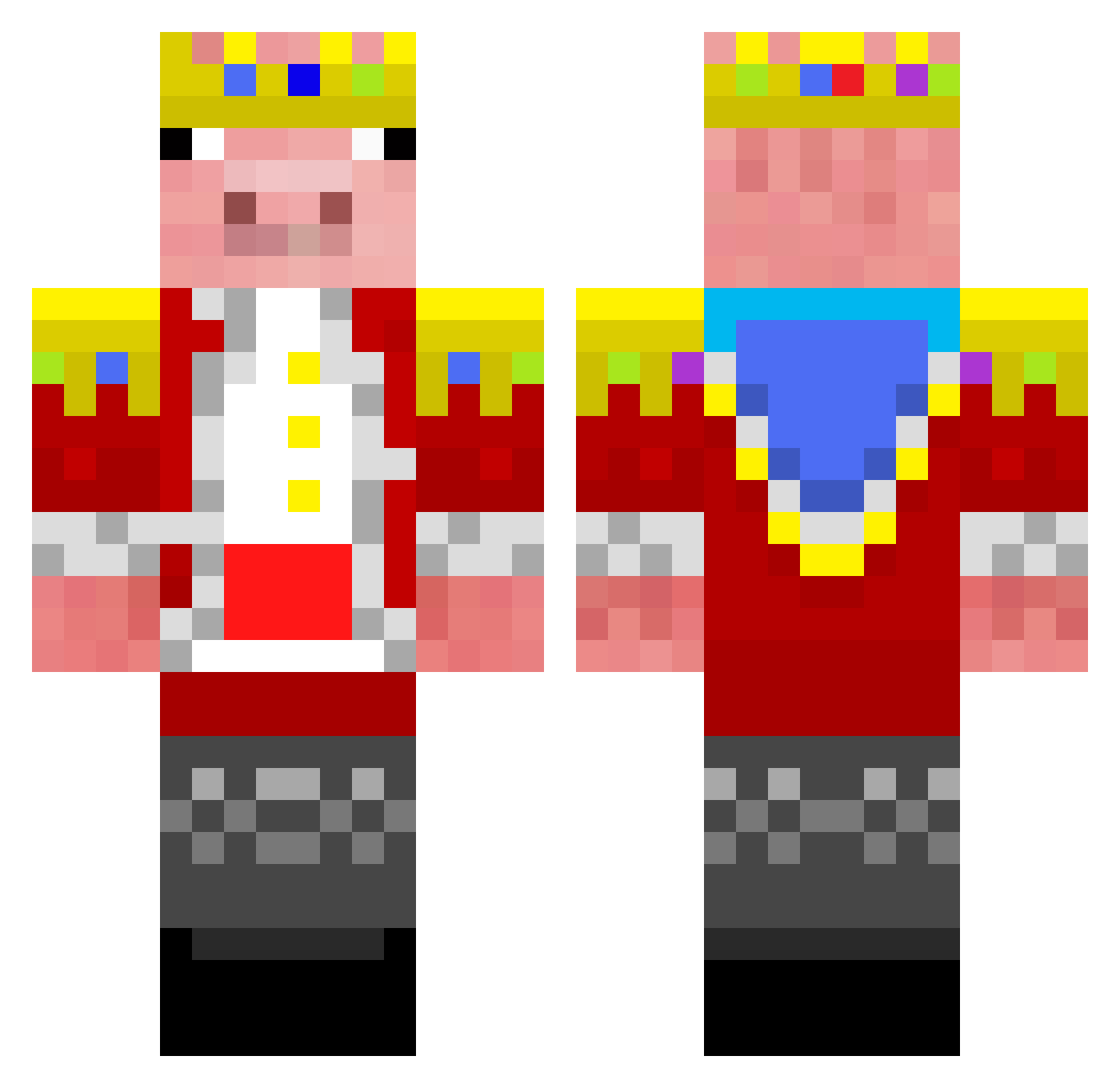
Current Minecraft skin of the player PedroTB345, loaded from the official Mojang API. Rotate the 3D model with your mouse or finger, then download the skin as a PNG file and use it in Minecraft: Bedrock Edition or Java Edition for free. When PedroTB345 changes their skin, this page updates automatically and the old skin stays in the history below.
Other players with this skin (285)
PedroTB345 was the 87th player we have seen with this skin, first spotted on 26.08.2026. The same skin was seen on these players. Open a nickname to see their current skin and skin history.
 DerBarbar99 96m_ FannyHsu SORNEROSO22 Whowonyay2 Howitser Tytornado2019 GHOST_Jop VibrioidSiren79 _NubMaster_ TekBasina chenxi12585 nyomnyomPancakes Scarme09 hemperorOG liuguoquan ztczy immad1234 WillimaJGB134 LlewellynVoid Xx_jazz_xX _Technoblade_0 L3thalMelon rafaninn kdw1205 efechenko0 XFireDragon3291 Ed_hard snetyx LuhCreams SonicArrow123 Slovakia_ biho1020 Nitrofy TypicalOne SamuGM2009 POVLOX tomdave1234 HTB19 _Pln_ ArianaGrande17 TerminatorHD98 BOB34543 ZeDDrot Beiliudu serefcylk mhckccf LEGL00CKER migueldesbanido mikehawk3241 P5l_ Sleepypig bruxo_sx zxy0306 little_AciX Minato_minecraft gaygaychoi domthebomb222222 TItoFary vitkalo
More Pig Minecraft skins
How to install the PedroTB345 skin
- Press the Download button above to save the skin as a PNG file.
- Minecraft: Bedrock Edition (PE): open the Dressing Room from the main menu (or tap your character → Edit Character), go to Classic Skins → Owned, press the + (new skin) button, choose the downloaded PNG and pick the Classic (Steve) model. Works on PC and mobile; consoles cannot import custom skins.
- Minecraft: Java Edition: open the Minecraft Launcher, go to the Skins tab, click New Skin, load the PNG, pick the Classic (Steve) model and press Save & Use. You can also upload it at minecraft.net → Profile → Change Skin.
The skin does not show up after import - what should I do?
Restart Minecraft and open the Dressing Room again - imported skins sometimes appear only after a restart. Also make sure you selected the imported skin and picked the Classic (Steve) model.
Which model should I choose, Classic or Slim?
This skin is designed for the Classic (Steve) model. If you pick the wrong model, the arms of the skin will look stretched or squeezed.
Is the skin of PedroTB345 free to download?
Yes. Press Download, save the PNG file and use it in Minecraft: Bedrock Edition or Java Edition - no payment or registration needed. The skin also works on multiplayer servers and Realms.
More skins
Looking for more? Go back to all Minecraft skins and check the top skins of the week, month and all time, or find any player's skin by nickname.