
Papouapou - Minecraft Skins & Skin History
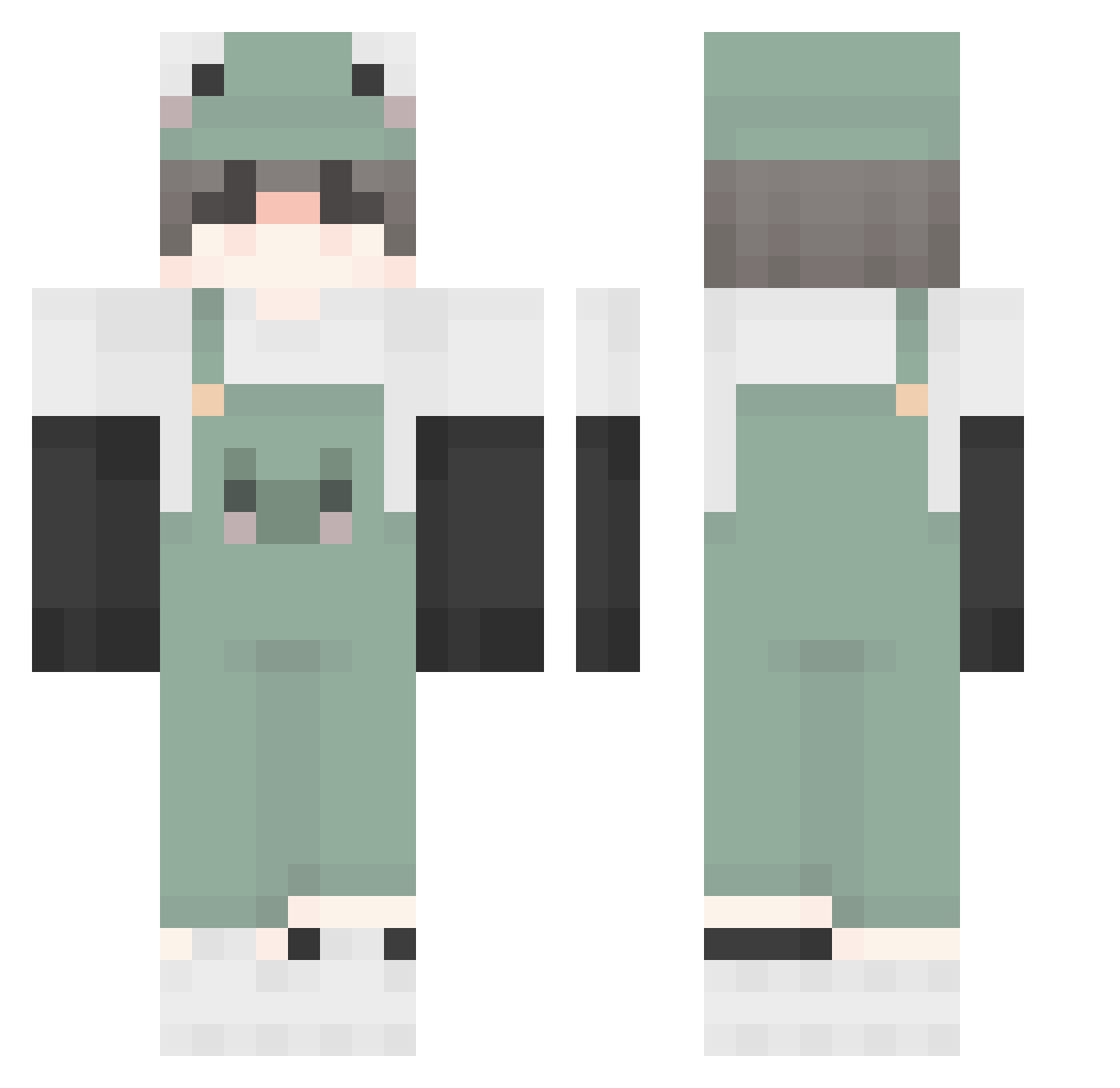
Current Minecraft skin of the player Papouapou, loaded from the official Mojang API. Rotate the 3D model with your mouse or finger, then download the skin as a PNG file and use it in Minecraft: Bedrock Edition or Java Edition for free. When Papouapou changes their skin, this page updates automatically and the old skin stays in the history below.
Other players with this skin (503)
Papouapou was the 24th player we have seen with this skin, first spotted on 30.07.2026. The same skin was seen on these players. Open a nickname to see their current skin and skin history.
 Johnibee amar0zzz TriSumSushi felaypo dejavu_0716 TrueDestiny omaewam0u Spectrum29 gabwyxz MasterRnGoD sleep_walking Nienjaunjaun MrWichtig Dell650 __Zuzaa__ Akitauya Lypemanie lhy147 Goyass LeP0ulpeMalade Whothatboi NHzer Azurred EuphoricAlex LebronsForehead
 rame_0 Mvlannn__ qngeepk ruerruer CzeskiPodrywacz mossten cold_and_long zBackKaran shermstic Olleh_KT MistZegion iiRainbow Tails_Tech Gud056 kidcameron375 pixelman123 lovlymoon nalonz Timice
 yulzzi Judeism youyizhou Chanyoung01 5838_ MasterSE2534 qt_sage_ Dedyara zJoseCausa_ w0onnie Luka252 GroeneGeeske carlos229 Calgary429 RabbitCandy Kabcos
More Frog Minecraft skins
How to install the Papouapou skin
- Press the Download button above to save the skin as a PNG file.
- Minecraft: Bedrock Edition (PE): open the Dressing Room from the main menu (or tap your character → Edit Character), go to Classic Skins → Owned, press the + (new skin) button, choose the downloaded PNG and pick the Classic (Steve) model. Works on PC and mobile; consoles cannot import custom skins.
- Minecraft: Java Edition: open the Minecraft Launcher, go to the Skins tab, click New Skin, load the PNG, pick the Classic (Steve) model and press Save & Use. You can also upload it at minecraft.net → Profile → Change Skin.
The skin does not show up after import - what should I do?
Restart Minecraft and open the Dressing Room again - imported skins sometimes appear only after a restart. Also make sure you selected the imported skin and picked the Classic (Steve) model.
Which model should I choose, Classic or Slim?
This skin is designed for the Classic (Steve) model. If you pick the wrong model, the arms of the skin will look stretched or squeezed.
Is the skin of Papouapou free to download?
Yes. Press Download, save the PNG file and use it in Minecraft: Bedrock Edition or Java Edition - no payment or registration needed. The skin also works on multiplayer servers and Realms.
More skins
Looking for more? Go back to all Minecraft skins and check the top skins of the week, month and all time, or find any player's skin by nickname.