
Pantro77 - Minecraft Skins & Skin History
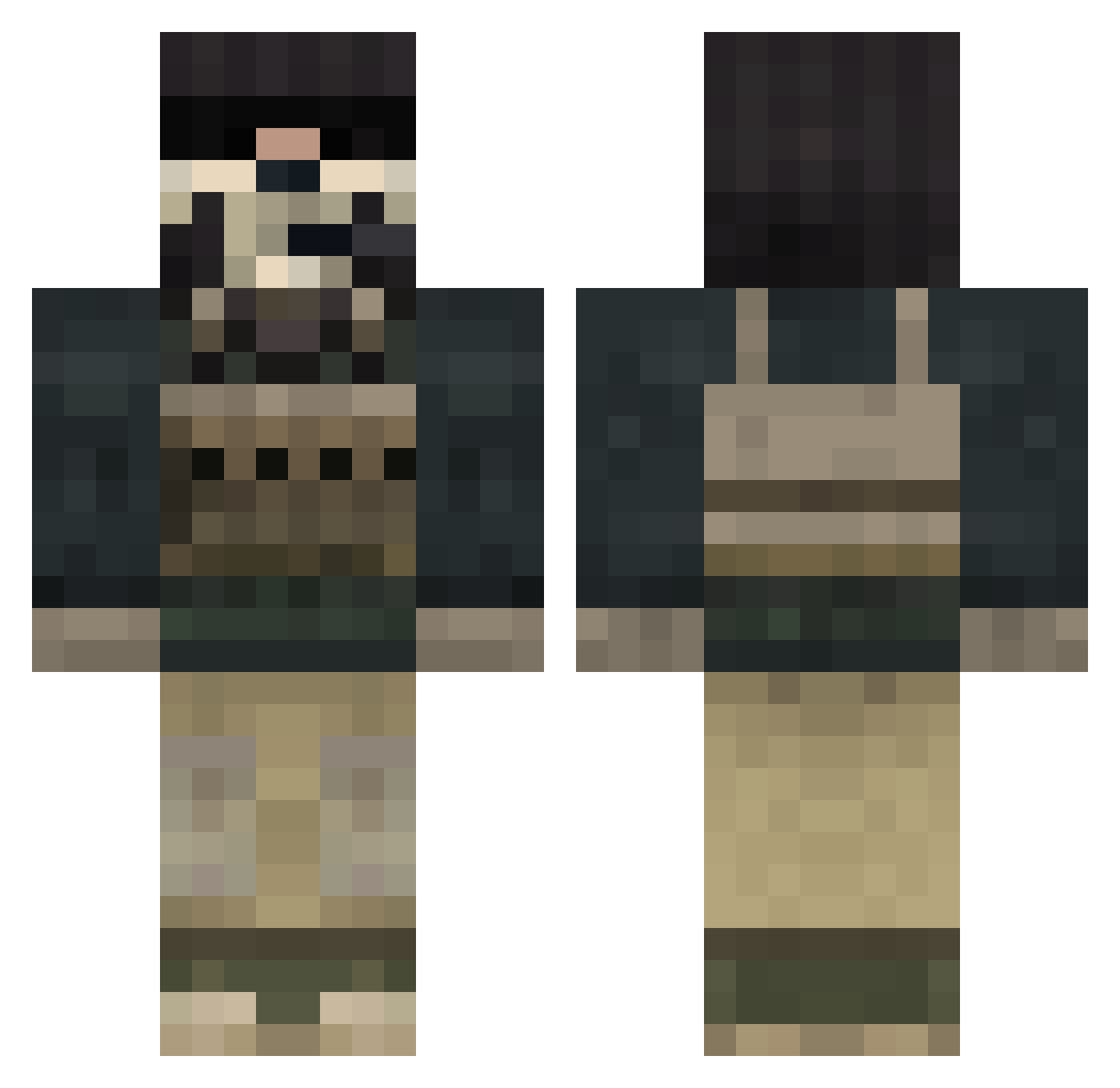
Current Minecraft skin of the player Pantro77, loaded from the official Mojang API. Rotate the 3D model with your mouse or finger, then download the skin as a PNG file and use it in Minecraft: Bedrock Edition or Java Edition for free. When Pantro77 changes their skin, this page updates automatically and the old skin stays in the history below.
Other players with this skin (833)
Pantro77 was the 201st player we have seen with this skin, first spotted on 22.08.2026. The same skin was seen on these players. Open a nickname to see their current skin and skin history.
 aaron_chris BBQman123 brianmj03 BigBadJohn08 redguy5595 Notseek thedropbeat philjav3 nothingguys roopewww harrykp1 maxc247 HBeeezy FredFred_Burger blackking2002 LewaFG crafterboy23 troncologne thearcher5 no_average_nate rabbitabc123 Ballista310 Orzul jacouch pchan0620 Jerdong cpt_emak beastboy9 0kb_ E_Train715 BMarino924 wheelsdude SoulStalker03 Smoker69 Ice_123 tukikoro09 VikingBeef fat_123 GHOST3870 JigglyLegs StompingSnowman RivalConflict jackminer1919 jt_98 EasternFront41 pillageman1 liammacc nestor95 TriggaFinga22 enderbro446 i_MrKing4500 skulljb Solate loffe1954 Campin1234 Nois273 reservant zOmgItsJohn xVolvz nobilion
More Call Of Duty Minecraft skins
See all 172 Call Of Duty skins
How to install the Pantro77 skin
- Press the Download button above to save the skin as a PNG file.
- Minecraft: Bedrock Edition (PE): open the Dressing Room from the main menu (or tap your character → Edit Character), go to Classic Skins → Owned, press the + (new skin) button, choose the downloaded PNG and pick the Classic (Steve) model. Works on PC and mobile; consoles cannot import custom skins.
- Minecraft: Java Edition: open the Minecraft Launcher, go to the Skins tab, click New Skin, load the PNG, pick the Classic (Steve) model and press Save & Use. You can also upload it at minecraft.net → Profile → Change Skin.
The skin does not show up after import - what should I do?
Restart Minecraft and open the Dressing Room again - imported skins sometimes appear only after a restart. Also make sure you selected the imported skin and picked the Classic (Steve) model.
Which model should I choose, Classic or Slim?
This skin is designed for the Classic (Steve) model. If you pick the wrong model, the arms of the skin will look stretched or squeezed.
Is the skin of Pantro77 free to download?
Yes. Press Download, save the PNG file and use it in Minecraft: Bedrock Edition or Java Edition - no payment or registration needed. The skin also works on multiplayer servers and Realms.
More skins
Looking for more? Go back to all Minecraft skins and check the top skins of the week, month and all time, or find any player's skin by nickname.