
Palocool123 - Minecraft Skins & Skin History
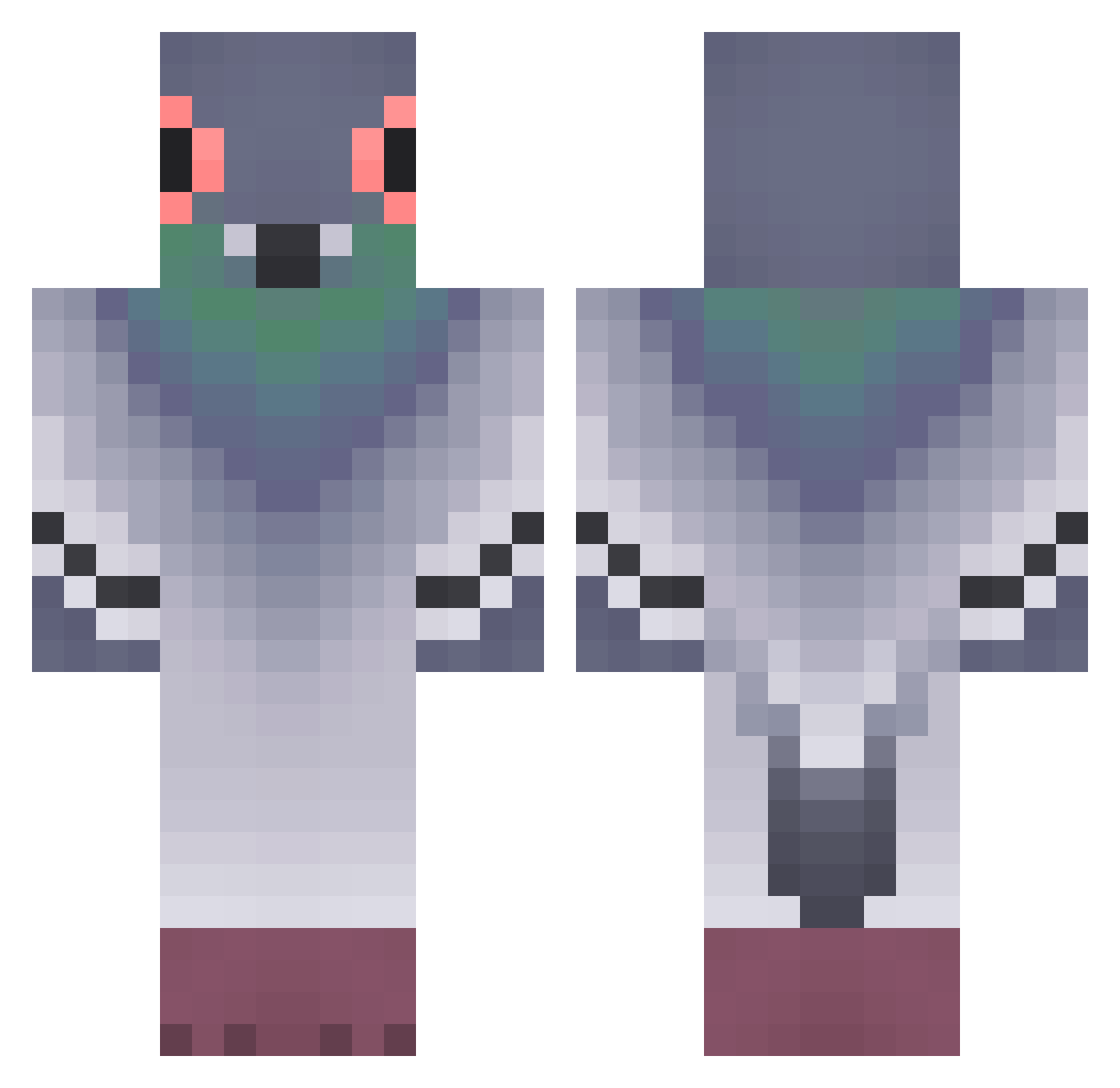
Current Minecraft skin of the player Palocool123, loaded from the official Mojang API. Rotate the 3D model with your mouse or finger, then download the skin as a PNG file and use it in Minecraft: Bedrock Edition or Java Edition for free. When Palocool123 changes their skin, this page updates automatically and the old skin stays in the history below.
Other players with this skin (320)
Palocool123 was the 259th player we have seen with this skin, first spotted on 05.10.2026. The same skin was seen on these players. Open a nickname to see their current skin and skin history.
 sppork EXTREMEPIGEON21 guerp N0ue5 pairko Apolline002 Saiber_ Alpha__kennybody VFerrazZ Oreopun KartofelBoss MagicWagon54 MartinCrafter ErenM13 bolkeino daddyPigeon maircd Catlin_1211 Woosoung cheez_sticks elachenwan Matix12351 Babuuzz chaeindigo Wieen Great272 KatyAp13 juliaozk shadowWorier24 Orrieler 0waw0 duxwoo LarsMedVinger478 naaaaaam RLASKEKS zion2526 Ryjek19 rtydjfhdu kasuma777 jdcortazard Forgpt n3onpluto nnorikaaa pocketpigeon97 puredlsks potito777XD menebe GagoKingX TheVipper3024 lyna1234 Kotik200 bunnyrabbit0898 ThomasKam parkinho intaemachine G0ldTunaFish __Sypano__ da_pigeon_man sungive Airfryerlover911
More Pigeon Minecraft skins
How to install the Palocool123 skin
- Press the Download button above to save the skin as a PNG file.
- Minecraft: Bedrock Edition (PE): open the Dressing Room from the main menu (or tap your character → Edit Character), go to Classic Skins → Owned, press the + (new skin) button, choose the downloaded PNG and pick the Classic (Steve) model. Works on PC and mobile; consoles cannot import custom skins.
- Minecraft: Java Edition: open the Minecraft Launcher, go to the Skins tab, click New Skin, load the PNG, pick the Classic (Steve) model and press Save & Use. You can also upload it at minecraft.net → Profile → Change Skin.
The skin does not show up after import - what should I do?
Restart Minecraft and open the Dressing Room again - imported skins sometimes appear only after a restart. Also make sure you selected the imported skin and picked the Classic (Steve) model.
Which model should I choose, Classic or Slim?
This skin is designed for the Classic (Steve) model. If you pick the wrong model, the arms of the skin will look stretched or squeezed.
Is the skin of Palocool123 free to download?
Yes. Press Download, save the PNG file and use it in Minecraft: Bedrock Edition or Java Edition - no payment or registration needed. The skin also works on multiplayer servers and Realms.
More skins
Looking for more? Go back to all Minecraft skins and check the top skins of the week, month and all time, or find any player's skin by nickname.