
Pacho0705 - Minecraft Skins & Skin History
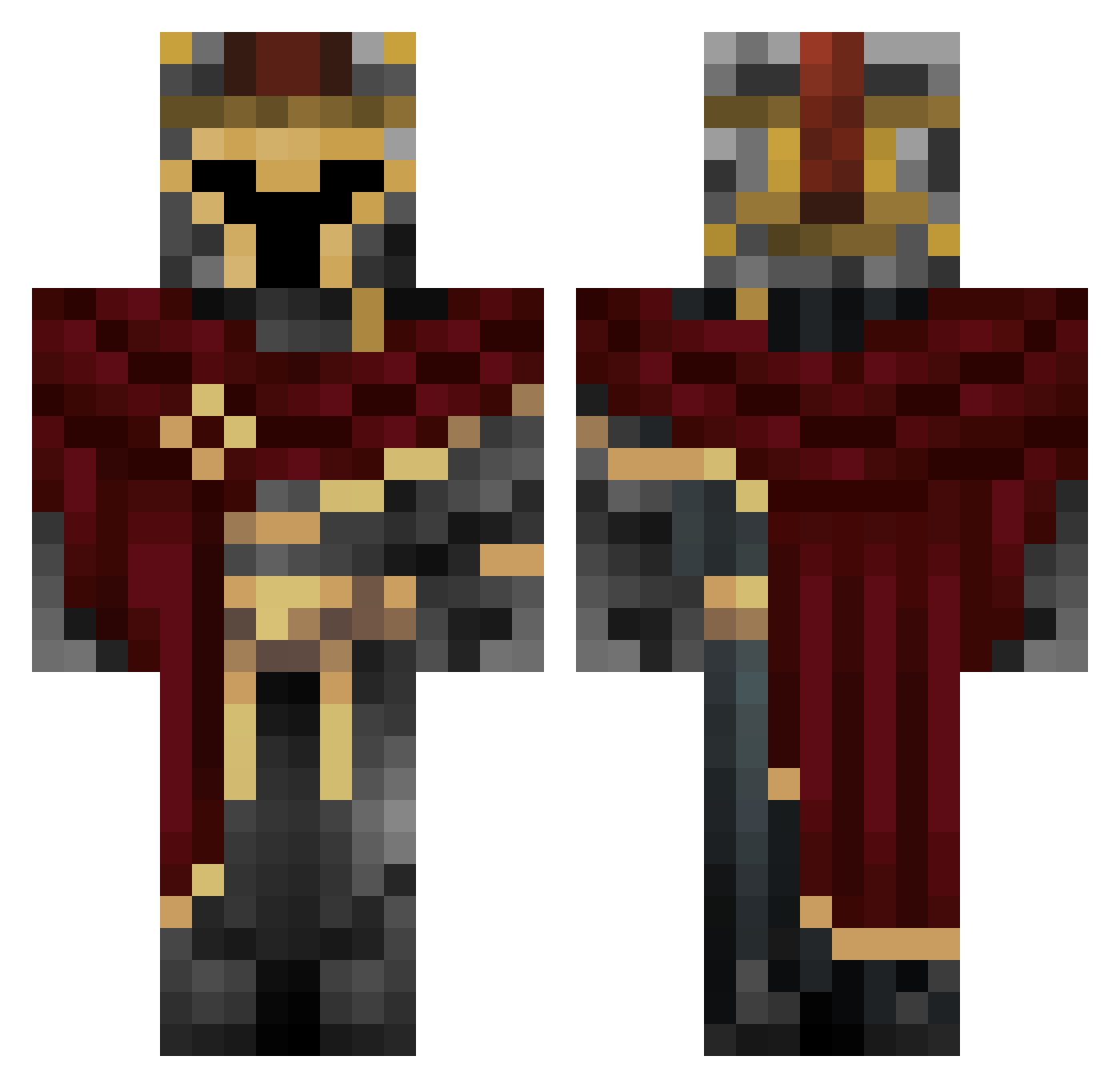
Current Minecraft skin of the player Pacho0705, loaded from the official Mojang API. Rotate the 3D model with your mouse or finger, then download the skin as a PNG file and use it in Minecraft: Bedrock Edition or Java Edition for free. When Pacho0705 changes their skin, this page updates automatically and the old skin stays in the history below.
Other players with this skin (814)
Pacho0705 was the 756th player we have seen with this skin, first spotted on 11.11.2026. The same skin was seen on these players. Open a nickname to see their current skin and skin history.
 ManLikeJP Alewars250 TheDemoNCurse Capyman68 foxfox55 Xthenys J_Bomb2010 Craftifly Masce732124 JtotheB618 SleepingForFun DarkphoenixReb GPang Hentron2000 strongvenom280 Mateos12 slimey8911 Pichu31 Luivi_0 Bordersoul username312 itz_mask Willi4m_CZ BigBubbaGuts botatinho flabbergastedw1 Zoryiak emores2006 _Jar__ ScriptedGuy UNSCSpartan219 vHollow_ Felony_7x NinjaLive23 Jazzfury99 Banibel Zeni223 Pevaxo weirune sonuvaaabish 5pr1te_ tjiink Zpuck05 zippyprince1 DarkDefender02 YagoCH Aidenrose08 BeanUnbeanched David_Gonzalez1 fracri2006 Pemo13 Olizel Freak_Bob_420 Slichast TheHunter3735 Yuzuxih muffintime744 BlitzKrieg31 frederico07 Gugusthebest7
More Spartan Minecraft skins
How to install the Pacho0705 skin
- Press the Download button above to save the skin as a PNG file.
- Minecraft: Bedrock Edition (PE): open the Dressing Room from the main menu (or tap your character → Edit Character), go to Classic Skins → Owned, press the + (new skin) button, choose the downloaded PNG and pick the Classic (Steve) model. Works on PC and mobile; consoles cannot import custom skins.
- Minecraft: Java Edition: open the Minecraft Launcher, go to the Skins tab, click New Skin, load the PNG, pick the Classic (Steve) model and press Save & Use. You can also upload it at minecraft.net → Profile → Change Skin.
The skin does not show up after import - what should I do?
Restart Minecraft and open the Dressing Room again - imported skins sometimes appear only after a restart. Also make sure you selected the imported skin and picked the Classic (Steve) model.
Which model should I choose, Classic or Slim?
This skin is designed for the Classic (Steve) model. If you pick the wrong model, the arms of the skin will look stretched or squeezed.
Is the skin of Pacho0705 free to download?
Yes. Press Download, save the PNG file and use it in Minecraft: Bedrock Edition or Java Edition - no payment or registration needed. The skin also works on multiplayer servers and Realms.
More skins
Looking for more? Go back to all Minecraft skins and check the top skins of the week, month and all time, or find any player's skin by nickname.