
PTego - Minecraft Skins & Skin History
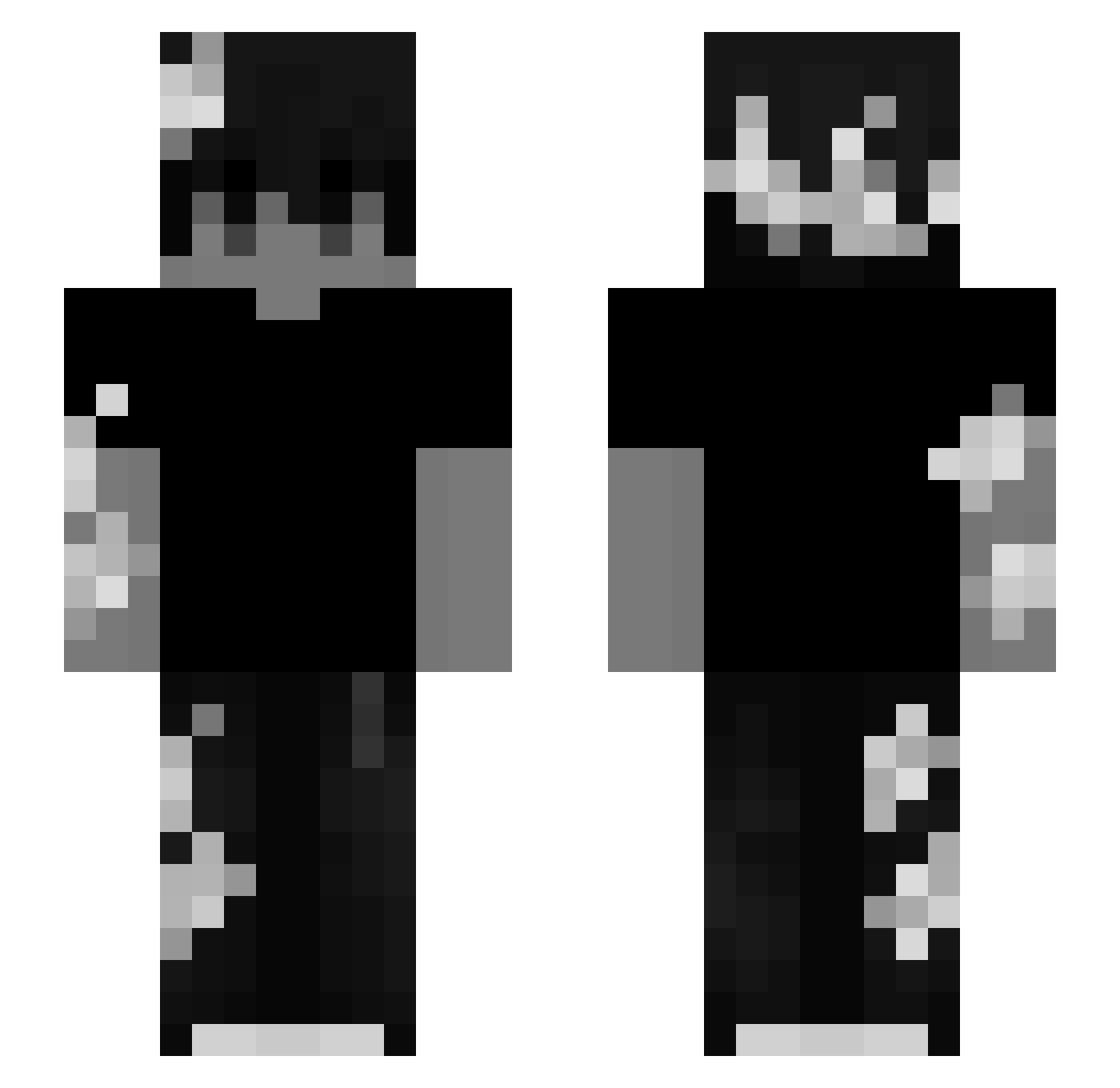
Current Minecraft skin of the player PTego, loaded from the official Mojang API. Rotate the 3D model with your mouse or finger, then download the skin as a PNG file and use it in Minecraft: Bedrock Edition or Java Edition for free. When PTego changes their skin, this page updates automatically and the old skin stays in the history below.
Other players with this skin (104)
PTego was the 31st player we have seen with this skin, first spotted on 18.08.2026. The same skin was seen on these players. Open a nickname to see their current skin and skin history.
 PixelPionier2453
 N3rdyApe Drxqq TormentTW kawwazaki AdriRed72014 UtraGoy Lxkas666
 ChaosAiden radiation_limit1 EmanExceptional GlitchStrike
 bkcpvp Rafton1 philman_ Alex_MZKS
 makkeuu Holy_1_ salyma K7CezaR yczong Mag456 troyzun ahds RTX_DeMoN aidan34
 BiggusButtuckus
 alexander2123423 Nathanieldogg XicFromDenmark craftsunset jahsgone Akrozzz1 Xunos oov_ ItsJedX LegitAndrews
 lol_lev TheRealTitus Err0rX Ksbugs Elppafix Karem18 wolfmousey Jiuyixia Yuweeei mxxvment dziobax
 mutej Hmnisam _x7x_ Lynq67 ConnerAngel qBbenNp hir0shxe DarIIIann Palostek EmanLiam Spicytaco7722 DatNewGuy
More Monochrome Minecraft skins
How to install the PTego skin
- Press the Download button above to save the skin as a PNG file.
- Minecraft: Bedrock Edition (PE): open the Dressing Room from the main menu (or tap your character → Edit Character), go to Classic Skins → Owned, press the + (new skin) button, choose the downloaded PNG and pick the Slim (Alex) model. Works on PC and mobile; consoles cannot import custom skins.
- Minecraft: Java Edition: open the Minecraft Launcher, go to the Skins tab, click New Skin, load the PNG, pick the Slim (Alex) model and press Save & Use. You can also upload it at minecraft.net → Profile → Change Skin.
The skin does not show up after import - what should I do?
Restart Minecraft and open the Dressing Room again - imported skins sometimes appear only after a restart. Also make sure you selected the imported skin and picked the Slim (Alex) model.
Which model should I choose, Classic or Slim?
This skin is designed for the Slim (Alex) model. If you pick the wrong model, the arms of the skin will look stretched or squeezed.
Is the skin of PTego free to download?
Yes. Press Download, save the PNG file and use it in Minecraft: Bedrock Edition or Java Edition - no payment or registration needed. The skin also works on multiplayer servers and Realms.
More skins
Looking for more? Go back to all Minecraft skins and check the top skins of the week, month and all time, or find any player's skin by nickname.