
PQxanzie - Minecraft Skins & Skin History
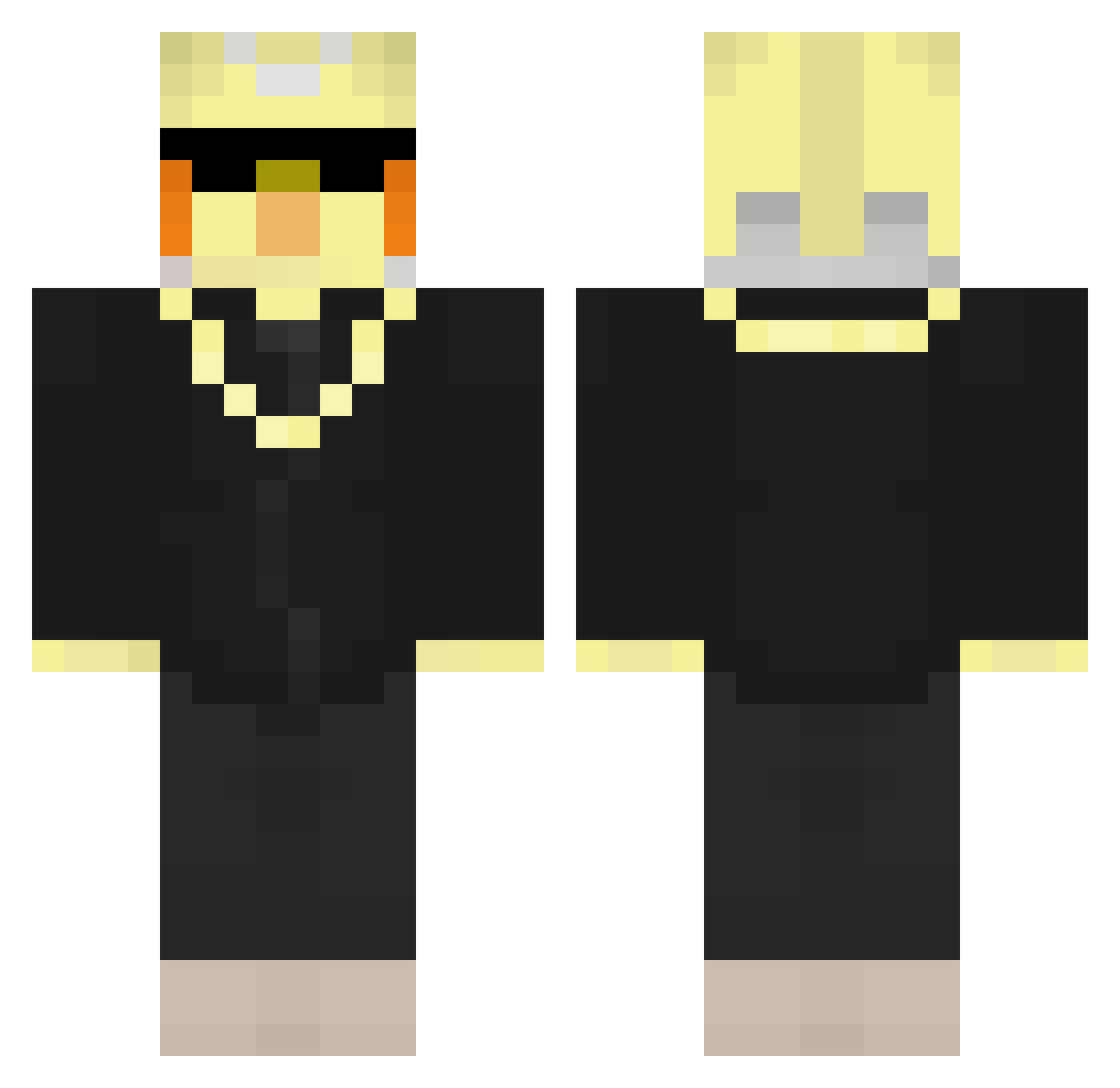
Current Minecraft skin of the player PQxanzie, loaded from the official Mojang API. Rotate the 3D model with your mouse or finger, then download the skin as a PNG file and use it in Minecraft: Bedrock Edition or Java Edition for free. When PQxanzie changes their skin, this page updates automatically and the old skin stays in the history below.
Other players with this skin (228)
PQxanzie was the 33rd player we have seen with this skin, first spotted on 08.08.2026. The same skin was seen on these players. Open a nickname to see their current skin and skin history.
 Glowy_Orange ItzRealBirb Antek9114715 ThecBaldTheBirb
 HerraHuttunen BW0R
 sakultas underine Leonardo_boy
 skakqoq EZ4Eat
 Peacienuut Aldrei_cc
 thorneexx
 okarow ex3s_
 DKTheBird Lil_Ducki
 Fabious_MC 3NGINE MarlonVog
 Sennix1
 Aknyh TheobaldBird Vegito691
 Hackdruff
 FrozonoPr1m3 MIGHTYWOLVERINE thebaldthebird_ mgzinnLX Riojas_
 swightdecendent
 ItzRealN0OB_
 blade_berrylover finnGHG08 Gimogo ultrazca Re_laxman
 ColonelFoot__
 AysLt4
 Juorix KusursuzSalih Switzuu27 HooniganV2 Jovislogoflash Mr_J0N3S XMelihS
 VynrosTheEmperor
 TheobaldTheLarp Zusunie Gimmickj TheobaldTheBird Hubi1084
 NightfallXXXX
 will_burger17 PureKats ItsDerox
 WobblyxYT
 NowiRune Raycho_
More Bird Minecraft skins
How to install the PQxanzie skin
- Press the Download button above to save the skin as a PNG file.
- Minecraft: Bedrock Edition (PE): open the Dressing Room from the main menu (or tap your character → Edit Character), go to Classic Skins → Owned, press the + (new skin) button, choose the downloaded PNG and pick the Classic (Steve) model. Works on PC and mobile; consoles cannot import custom skins.
- Minecraft: Java Edition: open the Minecraft Launcher, go to the Skins tab, click New Skin, load the PNG, pick the Classic (Steve) model and press Save & Use. You can also upload it at minecraft.net → Profile → Change Skin.
The skin does not show up after import - what should I do?
Restart Minecraft and open the Dressing Room again - imported skins sometimes appear only after a restart. Also make sure you selected the imported skin and picked the Classic (Steve) model.
Which model should I choose, Classic or Slim?
This skin is designed for the Classic (Steve) model. If you pick the wrong model, the arms of the skin will look stretched or squeezed.
Is the skin of PQxanzie free to download?
Yes. Press Download, save the PNG file and use it in Minecraft: Bedrock Edition or Java Edition - no payment or registration needed. The skin also works on multiplayer servers and Realms.
More skins
Looking for more? Go back to all Minecraft skins and check the top skins of the week, month and all time, or find any player's skin by nickname.