
PJs_World - Minecraft Skins & Skin History
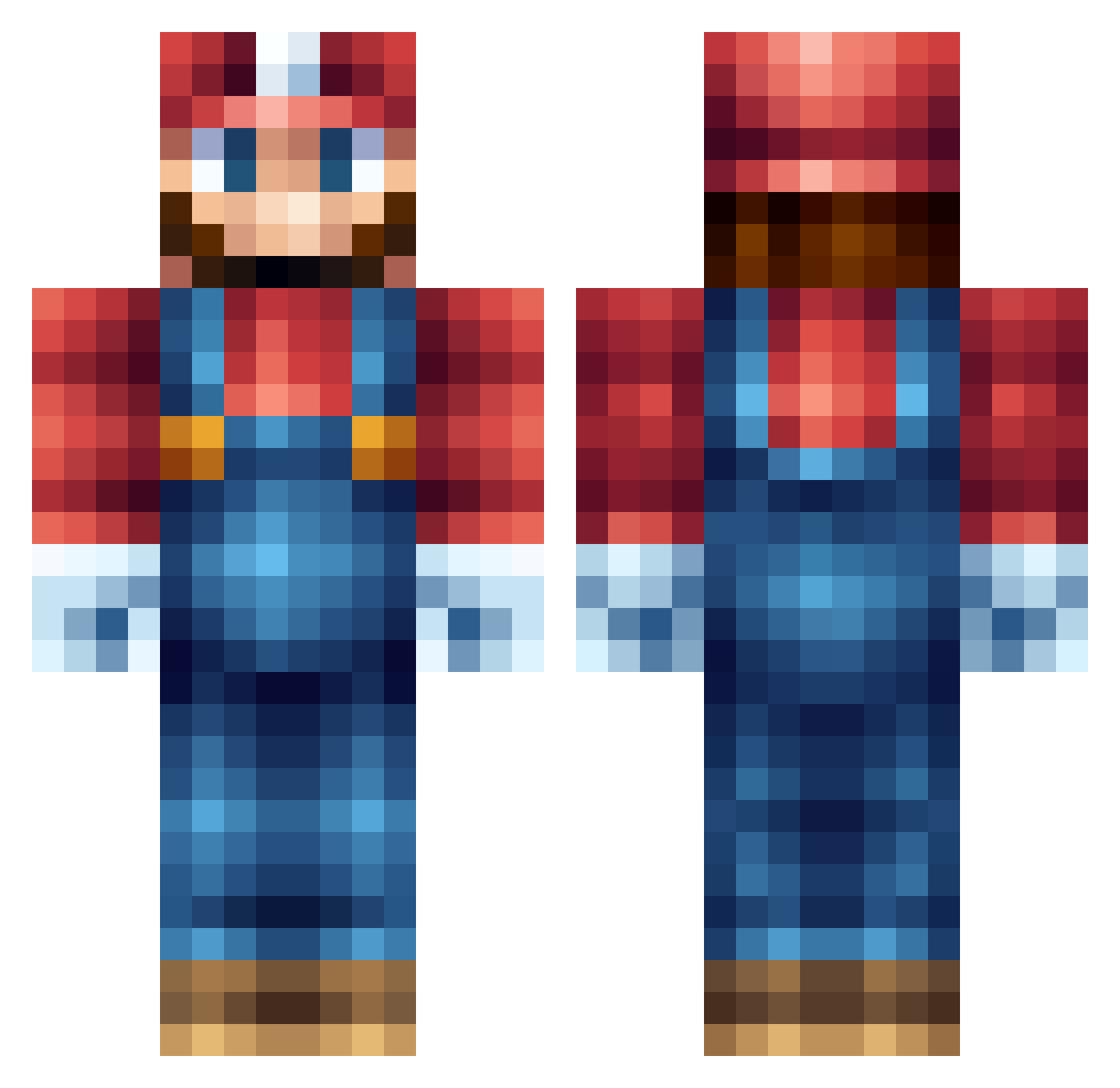
Current Minecraft skin of the player PJs_World, loaded from the official Mojang API. Rotate the 3D model with your mouse or finger, then download the skin as a PNG file and use it in Minecraft: Bedrock Edition or Java Edition for free. When PJs_World changes their skin, this page updates automatically and the old skin stays in the history below.
Other players with this skin (555)
PJs_World was the 16th player we have seen with this skin, first spotted on 24.07.2026. The same skin was seen on these players. Open a nickname to see their current skin and skin history.
 jermaine_moore DurryMuncha ShadowFall321 Gringocounter Vector747 StonePunisher Jukrai markus_craft234 darksideryder56 QueenOfBlade Brutality1O1 Zunix111 joshdude2013 retsok umi_boz maxxam02 jhatch13 Jonathan_Navarro bleufire777 JuanRyle PeterLOL coltman399 sinobuRS MasterKrump CorporateExpress Gamerboy781 TLKxNighTMarE 01Gorgonzola Basti_4898 ElDomi Snoove Aspi18 Ms_Jiggy xLegiit_Masterx pakload CreeperSam0 myselfalex takekou NanoKai2 Salmoncover ragsy88 DuckMiSyck ButcherBrother xQQzme TurboBlueApple GothicHD SatomeAlto ITGL12 stefanaap123 pompey11 PowerofDisco AngryTaco24 Seallll Morgrayne scruffsc FiftySixty PuReXOHIO13 YUCOP xUPSTARTx jacou
More Nintendo Minecraft skins
How to install the PJs_World skin
- Press the Download button above to save the skin as a PNG file.
- Minecraft: Bedrock Edition (PE): open the Dressing Room from the main menu (or tap your character → Edit Character), go to Classic Skins → Owned, press the + (new skin) button, choose the downloaded PNG and pick the Classic (Steve) model. Works on PC and mobile; consoles cannot import custom skins.
- Minecraft: Java Edition: open the Minecraft Launcher, go to the Skins tab, click New Skin, load the PNG, pick the Classic (Steve) model and press Save & Use. You can also upload it at minecraft.net → Profile → Change Skin.
The skin does not show up after import - what should I do?
Restart Minecraft and open the Dressing Room again - imported skins sometimes appear only after a restart. Also make sure you selected the imported skin and picked the Classic (Steve) model.
Which model should I choose, Classic or Slim?
This skin is designed for the Classic (Steve) model. If you pick the wrong model, the arms of the skin will look stretched or squeezed.
Is the skin of PJs_World free to download?
Yes. Press Download, save the PNG file and use it in Minecraft: Bedrock Edition or Java Edition - no payment or registration needed. The skin also works on multiplayer servers and Realms.
More skins
Looking for more? Go back to all Minecraft skins and check the top skins of the week, month and all time, or find any player's skin by nickname.