
Ossvein - Minecraft Skins & Skin History
Current Minecraft skin of the player Ossvein, loaded from the official Mojang API. Rotate the 3D model with your mouse or finger, then download the skin as a PNG file and use it in Minecraft: Bedrock Edition or Java Edition for free. When Ossvein changes their skin, this page updates automatically and the old skin stays in the history below.
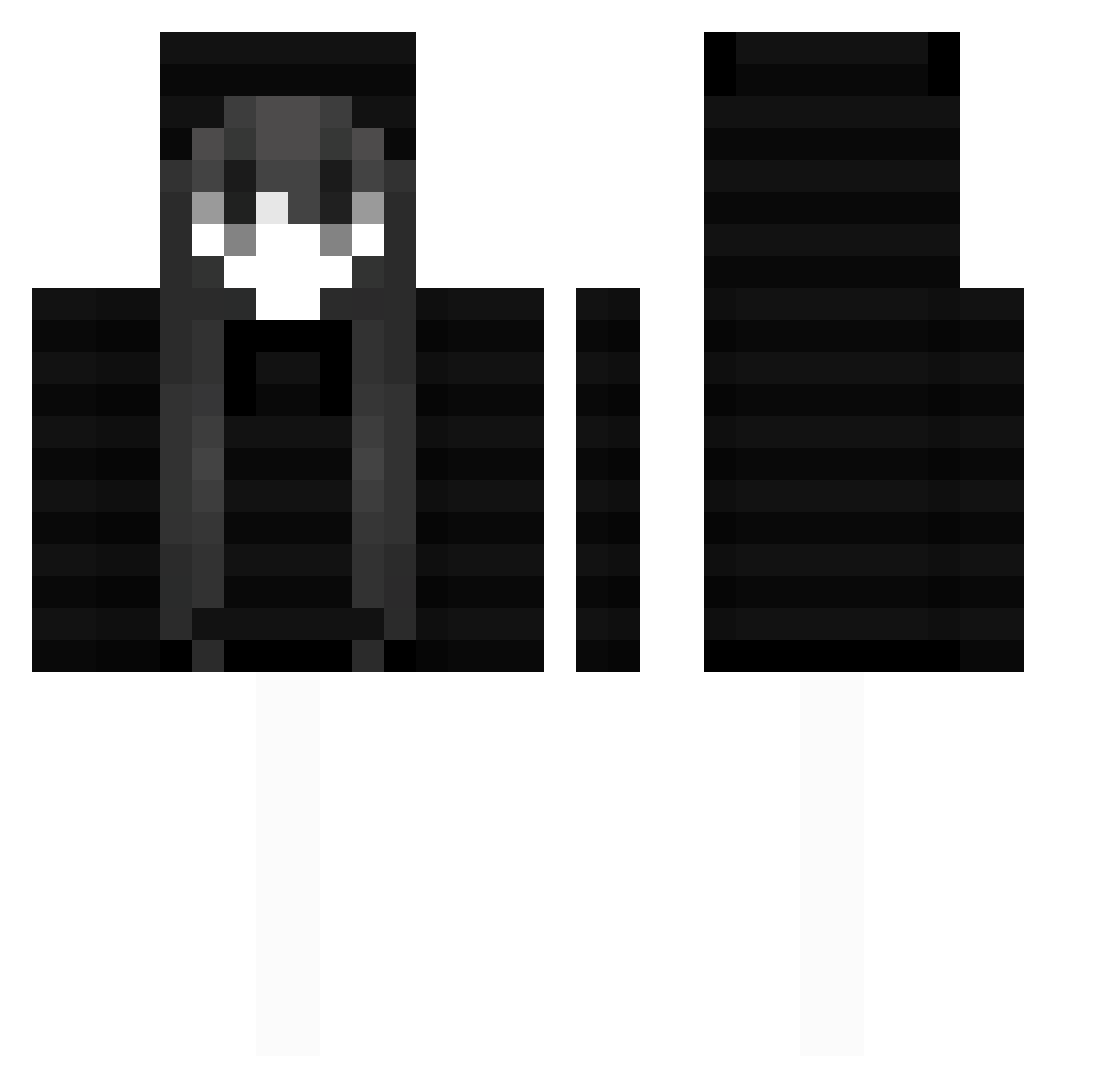
Other players with this skin (56)
Ossvein was the 21st player we have seen with this skin, first spotted on 10.09.2026. The same skin was seen on these players. Open a nickname to see their current skin and skin history.
 PLUSTARK FranzWoozy Plaw Amou19 qzbp ChataiNori Frwzcn lnsolent ShalafiHUN exmka_ FFulmoon PrimeCocoa XIAOCAI8 Kaina_Ch sweetbluefox CockFighting Itz_B4rt0szy
 Shijuza OwenHung xein3310 Wz3i rasari ticket_0 lvvh
 Leonymgrm Karry1998 PopOurPills LesMorins kyogo134 er4n_luv1 vprac I_Kaiiiii baiyichen13 X3zzzz MaNyonge mog4801 brisketlover999 Black_Potato_71 doohyun1 cashflexing From_the_Sky0222 cat8737193893616 plvu avuki _Mochen65 eovv Losinqbeth ContraMain DrunkTransGirl zhuzidt Exume ficca ShingSima kazuyaHEH snoopydoopygoopy csy23
More Face Mask Minecraft skins
How to install the Ossvein skin
- Press the Download button above to save the skin as a PNG file.
- Minecraft: Bedrock Edition (PE): open the Dressing Room from the main menu (or tap your character → Edit Character), go to Classic Skins → Owned, press the + (new skin) button, choose the downloaded PNG and pick the Classic (Steve) model. Works on PC and mobile; consoles cannot import custom skins.
- Minecraft: Java Edition: open the Minecraft Launcher, go to the Skins tab, click New Skin, load the PNG, pick the Classic (Steve) model and press Save & Use. You can also upload it at minecraft.net → Profile → Change Skin.
The skin does not show up after import - what should I do?
Restart Minecraft and open the Dressing Room again - imported skins sometimes appear only after a restart. Also make sure you selected the imported skin and picked the Classic (Steve) model.
Which model should I choose, Classic or Slim?
This skin is designed for the Classic (Steve) model. If you pick the wrong model, the arms of the skin will look stretched or squeezed.
Is the skin of Ossvein free to download?
Yes. Press Download, save the PNG file and use it in Minecraft: Bedrock Edition or Java Edition - no payment or registration needed. The skin also works on multiplayer servers and Realms.
More skins
Looking for more? Go back to all Minecraft skins and check the top skins of the week, month and all time, or find any player's skin by nickname.