
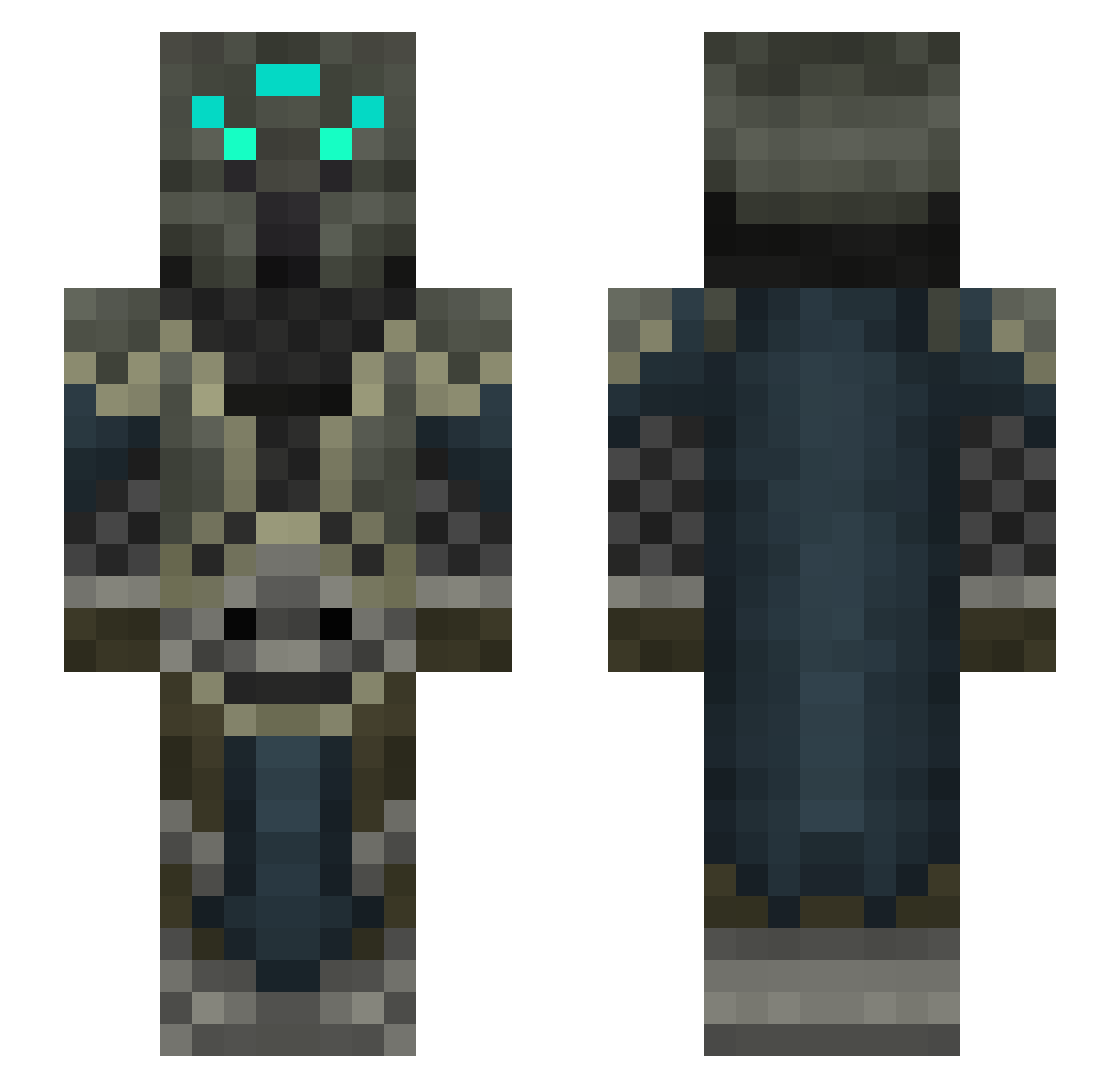
Current Minecraft skin of the player OrnateDragon, loaded from the official Mojang API. Rotate the 3D model with your mouse or finger, then download the skin as a PNG file and use it in Minecraft: Bedrock Edition or Java Edition for free. When OrnateDragon changes their skin, this page updates automatically and the old skin stays in the history below.
Other players with this skin (108)
OrnateDragon was the 72nd player we have seen with this skin, first spotted on 20.09.2026. The same skin was seen on these players. Open a nickname to see their current skin and skin history.
 JACKK__ JingTian666 _konaro_ Fuglycraft mushiren666 Lumise01 Jokerxstalker King_Meow Lucifer_The_66th DraginDeez69 NeuroticPsycho Angrynoodlez Lightking001 xandrokan Shirtless_Chad Dwarflord6699 GiveZeroFoxs DonAlexandre CTJJ89 FredrikFehrm AndyUnique noahisrad Rolfan OnlyDanse AvalonAVL DarkKn1ght909 saturnineEDJ Tessterossa WARP1G SoopahSalad TurtleBoi08 allaballa Jedde666 _Olieier1337 RiverBreaker536 Jeppeman123 TheMellow54 helavor Stink_Pand nocturnal_spring xSynciLe FrancoisFrank AyumiViolet Lucasart3214 JustCatchMe2 Custos1 LanceL0ttt Yolo_Man07 kinkin2002 meatmanqt edstarke5 Bubbuswow Xenosdruid Jurrasic_King HarambesLilBro SuIYuer meabearclaw NinjaSword2468 Atomboy_Refusion II_Eternal_II
More Daedric Warrior Minecraft skins
See all 4 Daedric Warrior skins
How to install the OrnateDragon skin
- Press the Download button above to save the skin as a PNG file.
- Minecraft: Bedrock Edition (PE): open the Dressing Room from the main menu (or tap your character → Edit Character), go to Classic Skins → Owned, press the + (new skin) button, choose the downloaded PNG and pick the Slim (Alex) model. Works on PC and mobile; consoles cannot import custom skins.
- Minecraft: Java Edition: open the Minecraft Launcher, go to the Skins tab, click New Skin, load the PNG, pick the Slim (Alex) model and press Save & Use. You can also upload it at minecraft.net → Profile → Change Skin.
The skin does not show up after import - what should I do?
Restart Minecraft and open the Dressing Room again - imported skins sometimes appear only after a restart. Also make sure you selected the imported skin and picked the Slim (Alex) model.
Which model should I choose, Classic or Slim?
This skin is designed for the Slim (Alex) model. If you pick the wrong model, the arms of the skin will look stretched or squeezed.
Is the skin of OrnateDragon free to download?
Yes. Press Download, save the PNG file and use it in Minecraft: Bedrock Edition or Java Edition - no payment or registration needed. The skin also works on multiplayer servers and Realms.
More skins
Looking for more? Go back to all Minecraft skins and check the top skins of the week, month and all time, or find any player's skin by nickname.