
OldMan_Moe - Minecraft Skins & Skin History
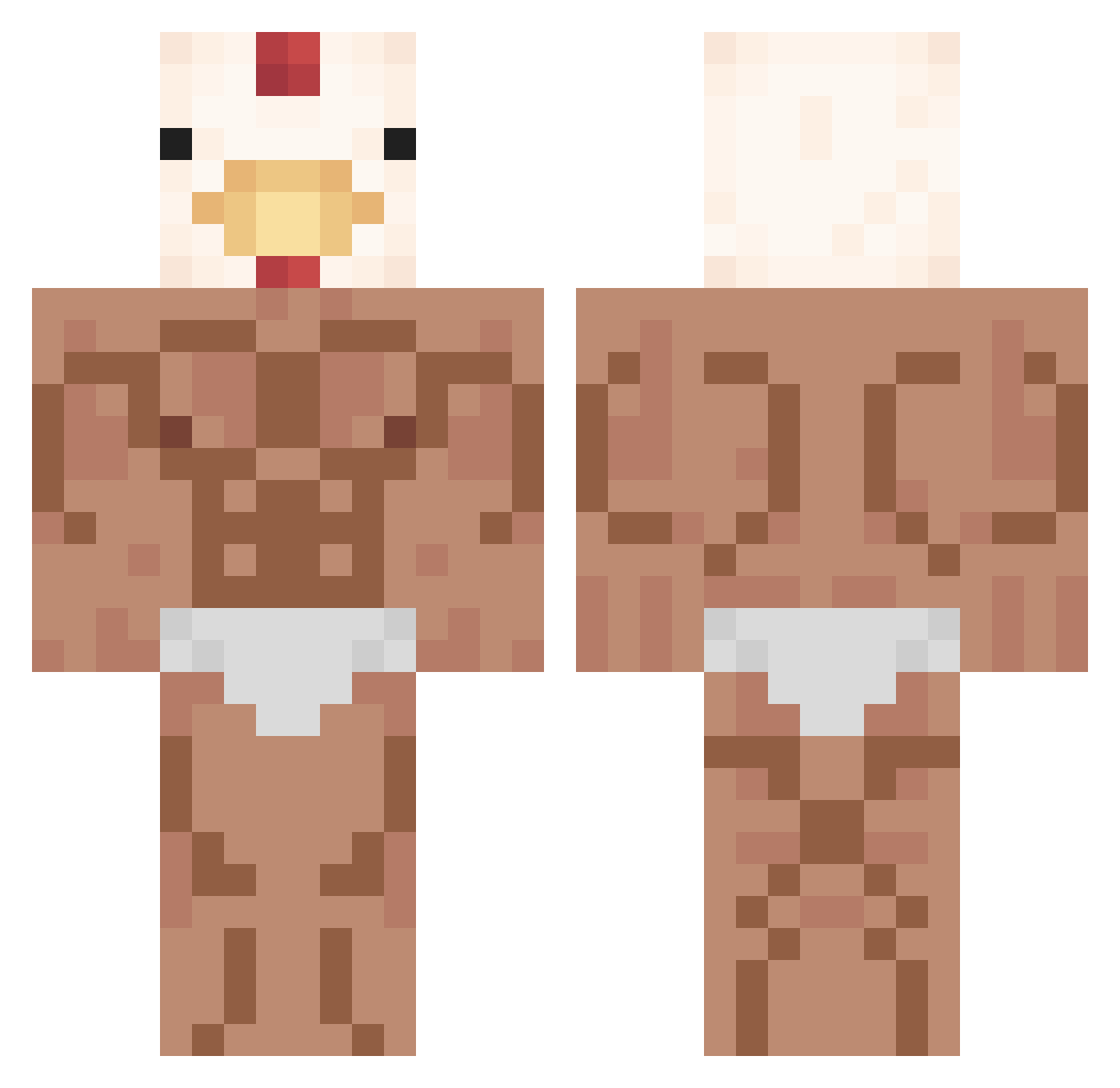
Current Minecraft skin of the player OldMan_Moe, loaded from the official Mojang API. Rotate the 3D model with your mouse or finger, then download the skin as a PNG file and use it in Minecraft: Bedrock Edition or Java Edition for free. When OldMan_Moe changes their skin, this page updates automatically and the old skin stays in the history below.
Other players with this skin (434)
OldMan_Moe was the 349th player we have seen with this skin, first spotted on 30.10.2026. The same skin was seen on these players. Open a nickname to see their current skin and skin history.
 cycynkaa ericgaming06 XI_gang_jiao ElDarkerFAX Naster1111 FshFingerr sanxious Xoxicago AXISLIGHTS AdrianShepard999 19_minsu Mechch SOUCEMAN nuggies5474 nanasi404 Pan_Kolega sebaparra mrspollo_ chik1519 RileyThorne123 Exceedminer otinpo_JP cabobyMC Xsebgab kingsuro batvodo pipyo56 _UltraGalo_ MoonKnight76 dogetar a101sahibi minwoo0406 OcToPuS111 3625 StudNubYT Bigfloopingcake RudkoTrtko _Mikesch_ MGAzir rafetpk Stop_Ho TH3W1LD avatar_PT_4 iloveubby mininki Rat0090 G_cmplee 5YEEE HappyLoneCat bamboo1233 thetonytiger97 gdflouflou 5blockheads babyc0w Thego06 jackHDwilliams Hydrax007 Snagel_ESP Bentxi wakland
More Chicken Minecraft skins
How to install the OldMan_Moe skin
- Press the Download button above to save the skin as a PNG file.
- Minecraft: Bedrock Edition (PE): open the Dressing Room from the main menu (or tap your character → Edit Character), go to Classic Skins → Owned, press the + (new skin) button, choose the downloaded PNG and pick the Classic (Steve) model. Works on PC and mobile; consoles cannot import custom skins.
- Minecraft: Java Edition: open the Minecraft Launcher, go to the Skins tab, click New Skin, load the PNG, pick the Classic (Steve) model and press Save & Use. You can also upload it at minecraft.net → Profile → Change Skin.
The skin does not show up after import - what should I do?
Restart Minecraft and open the Dressing Room again - imported skins sometimes appear only after a restart. Also make sure you selected the imported skin and picked the Classic (Steve) model.
Which model should I choose, Classic or Slim?
This skin is designed for the Classic (Steve) model. If you pick the wrong model, the arms of the skin will look stretched or squeezed.
Is the skin of OldMan_Moe free to download?
Yes. Press Download, save the PNG file and use it in Minecraft: Bedrock Edition or Java Edition - no payment or registration needed. The skin also works on multiplayer servers and Realms.
More skins
Looking for more? Go back to all Minecraft skins and check the top skins of the week, month and all time, or find any player's skin by nickname.