
Nqvy - Minecraft Skins & Skin History
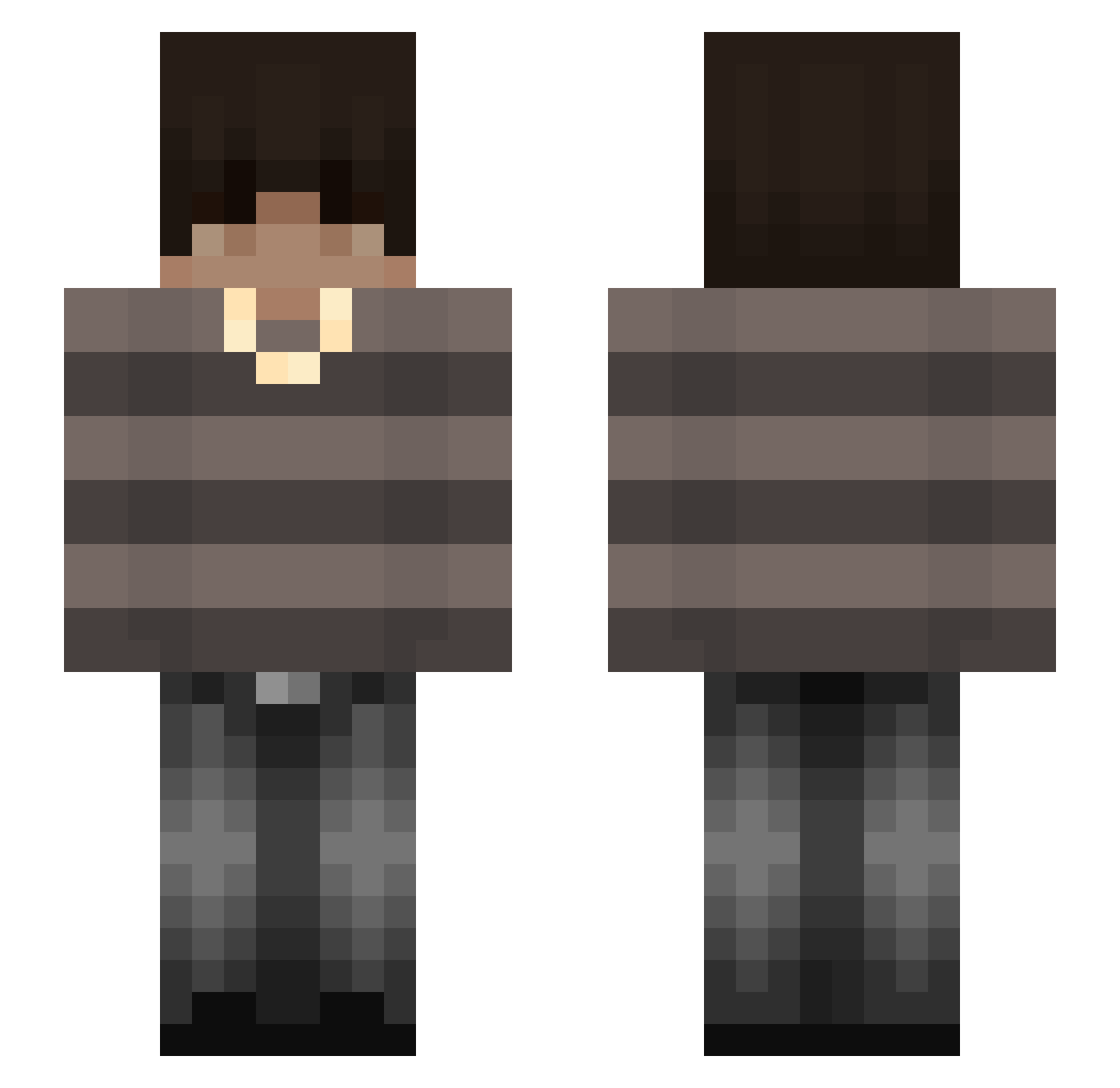
Current Minecraft skin of the player Nqvy, loaded from the official Mojang API. Rotate the 3D model with your mouse or finger, then download the skin as a PNG file and use it in Minecraft: Bedrock Edition or Java Edition for free. When Nqvy changes their skin, this page updates automatically and the old skin stays in the history below.
Other players with this skin (113)
Nqvy was the 1st player we have seen with this skin, first spotted on 20.07.2026. The same skin was seen on these players. Open a nickname to see their current skin and skin history.
 Euyevc thereturnofmar SmashGames
 DoneAlpaca10223 MaickCC Evoon ccoltt Kubulenkaa Dash030
 AmericKilometer CHITOS_123 justKLF 1dkwhy Shu1Gu1 Maiki_08 ZetnikZOV51 DaGlitch999 xhmsnn minecraft_feiyu neymarecorno hhuhwhat hx0wa_9 Limevizzle
 chaar_ ItzRealVodka Mxstrrs Robot508 miranboi21 HenHenPlays aatakee
 xkubix77 octavianok M4355 asi7 Pioterek13 11orror Fahi1 Jaydinnnn
 vZyth ShadoVex JustPakoh TyTyL_YT M4nuxX_ Homeless777 Klemi_GG Pollmall Adam_shadow8 Emmister AdaptedAlpha saka_110 Ayushg66 XQzero Acronix907 ItzSachin_ SMBXB T_E_T Yam_ouo alsoquasar Riosma32 Zgredegk
More Emo Minecraft skins
How to install the Nqvy skin
- Press the Download button above to save the skin as a PNG file.
- Minecraft: Bedrock Edition (PE): open the Dressing Room from the main menu (or tap your character → Edit Character), go to Classic Skins → Owned, press the + (new skin) button, choose the downloaded PNG and pick the Slim (Alex) model. Works on PC and mobile; consoles cannot import custom skins.
- Minecraft: Java Edition: open the Minecraft Launcher, go to the Skins tab, click New Skin, load the PNG, pick the Slim (Alex) model and press Save & Use. You can also upload it at minecraft.net → Profile → Change Skin.
The skin does not show up after import - what should I do?
Restart Minecraft and open the Dressing Room again - imported skins sometimes appear only after a restart. Also make sure you selected the imported skin and picked the Slim (Alex) model.
Which model should I choose, Classic or Slim?
This skin is designed for the Slim (Alex) model. If you pick the wrong model, the arms of the skin will look stretched or squeezed.
Is the skin of Nqvy free to download?
Yes. Press Download, save the PNG file and use it in Minecraft: Bedrock Edition or Java Edition - no payment or registration needed. The skin also works on multiplayer servers and Realms.
More skins
Looking for more? Go back to all Minecraft skins and check the top skins of the week, month and all time, or find any player's skin by nickname.