
NotXanji - Minecraft Skins & Skin History
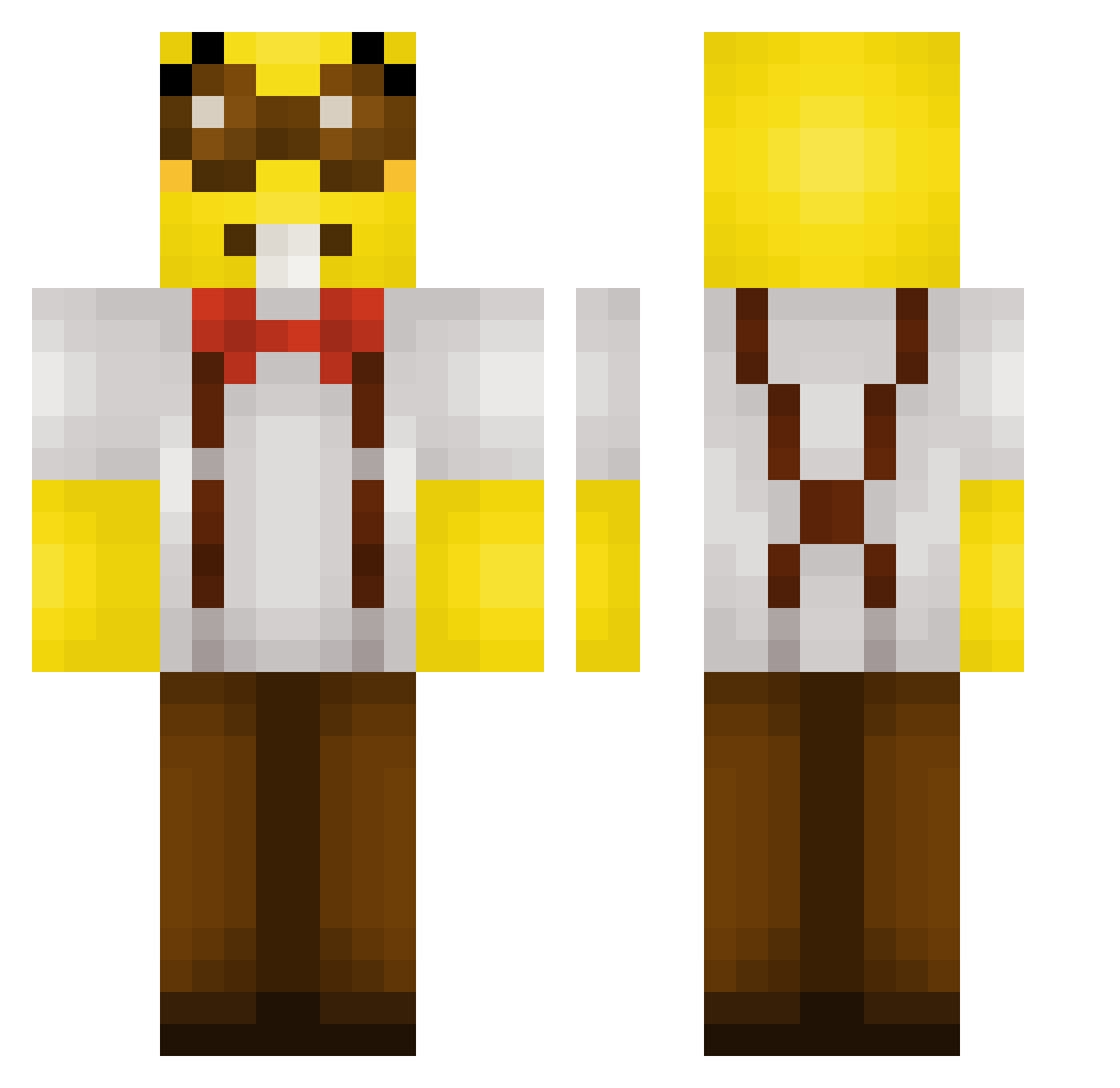
Current Minecraft skin of the player NotXanji, loaded from the official Mojang API. Rotate the 3D model with your mouse or finger, then download the skin as a PNG file and use it in Minecraft: Bedrock Edition or Java Edition for free. When NotXanji changes their skin, this page updates automatically and the old skin stays in the history below.
Other players with this skin (307)
NotXanji was the 286th player we have seen with this skin, first spotted on 01.11.2026. The same skin was seen on these players. Open a nickname to see their current skin and skin history.
 IntelligentNerd6 TheMoistDino Nyrom 0rif eairossa zxn7 Candisdk MrMan1560 bernie514 Gonso3934 Smurfik2137 loi864 froskies12 Jose_Anderson FranguBovino kwtty SaggyTacos CoolPerson3510 microwavable__ bollicaopsp kapat0 _LeVelix luca7k ILoveJenkins CLAS13 MIALMAEDWIN mathiaspro9910 WIIX_ YTCam1x Bythesea99 pvpsito ykhooks Area51HadCatGirl Kazimieux C136N tulip26 rektu1337 Koggen NinjaDude911 MC1goose Espadaaa_ Sunny404_ MathiasMB MikaKov The_MrMen JoeyDanger Orionthehunter34 zegisa Pansitohh kurizuzy Caitogg karekare0 GuippyLn Omerbabapro01 Darkzinnr Weeaver Danimfil vasjatko TaeMiner R3ZM4
More Minion Minecraft skins
How to install the NotXanji skin
- Press the Download button above to save the skin as a PNG file.
- Minecraft: Bedrock Edition (PE): open the Dressing Room from the main menu (or tap your character → Edit Character), go to Classic Skins → Owned, press the + (new skin) button, choose the downloaded PNG and pick the Classic (Steve) model. Works on PC and mobile; consoles cannot import custom skins.
- Minecraft: Java Edition: open the Minecraft Launcher, go to the Skins tab, click New Skin, load the PNG, pick the Classic (Steve) model and press Save & Use. You can also upload it at minecraft.net → Profile → Change Skin.
The skin does not show up after import - what should I do?
Restart Minecraft and open the Dressing Room again - imported skins sometimes appear only after a restart. Also make sure you selected the imported skin and picked the Classic (Steve) model.
Which model should I choose, Classic or Slim?
This skin is designed for the Classic (Steve) model. If you pick the wrong model, the arms of the skin will look stretched or squeezed.
Is the skin of NotXanji free to download?
Yes. Press Download, save the PNG file and use it in Minecraft: Bedrock Edition or Java Edition - no payment or registration needed. The skin also works on multiplayer servers and Realms.
More skins
Looking for more? Go back to all Minecraft skins and check the top skins of the week, month and all time, or find any player's skin by nickname.