
NotTehShadowMan - Minecraft Skins & Skin History
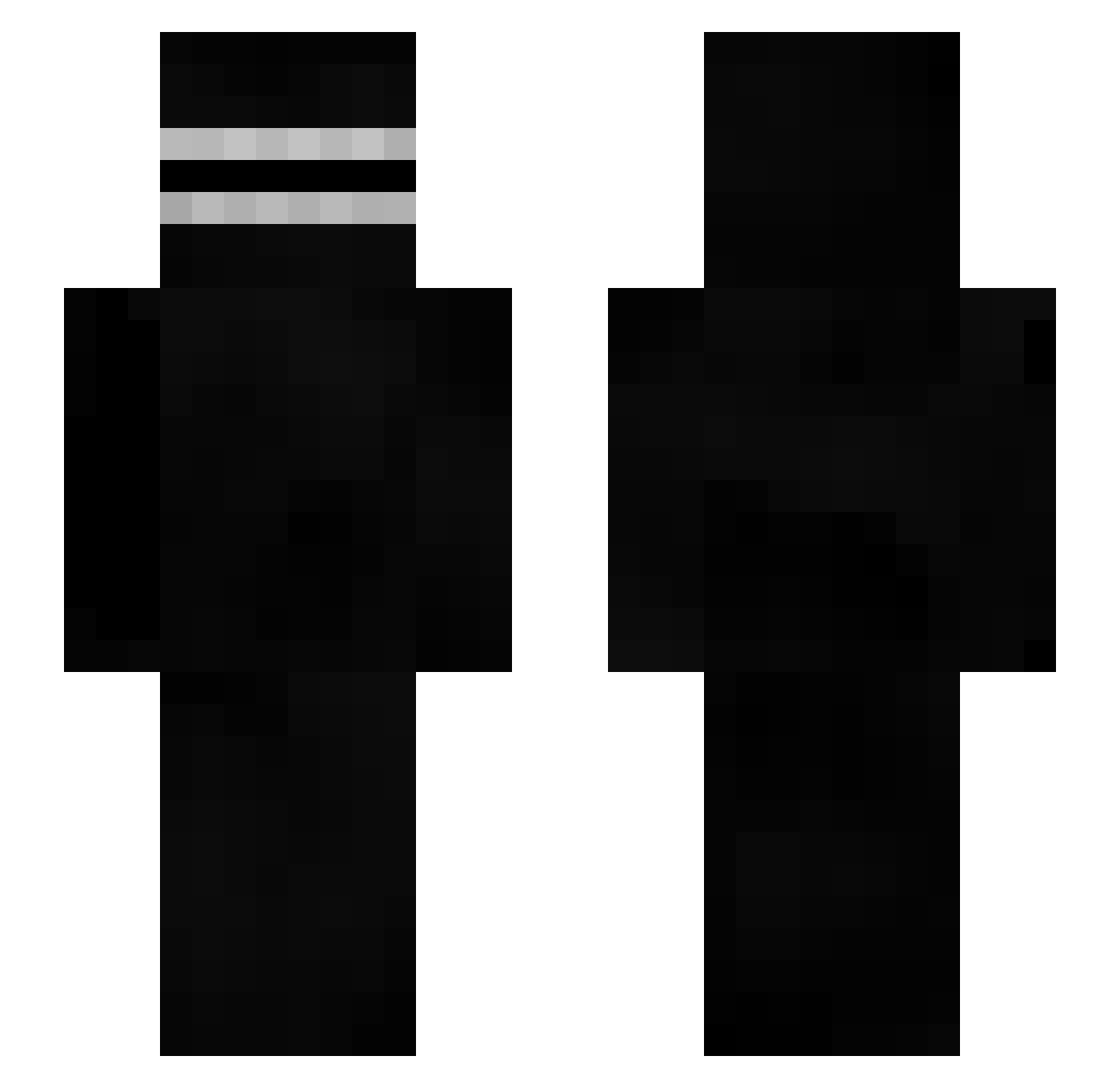
Current Minecraft skin of the player NotTehShadowMan, loaded from the official Mojang API. Rotate the 3D model with your mouse or finger, then download the skin as a PNG file and use it in Minecraft: Bedrock Edition or Java Edition for free. When NotTehShadowMan changes their skin, this page updates automatically and the old skin stays in the history below.
Other players with this skin (414)
NotTehShadowMan was the 132nd player we have seen with this skin, first spotted on 30.08.2026. The same skin was seen on these players. Open a nickname to see their current skin and skin history.
 ItayAlfon1 Drew_Low cybernetic_balls AzKaSi SANeito EshayBrother foily Reife Green519 Ezell_Zaza KermiTTiT tumarin25 S7MEFJU babaGh0st JackAsh1277 Ash_7X Zockerente Evviw smsm5544 CocoYamoi BeadySP GrabsoooN Jiaron soundy__ WhateverTV123 matteooo46 Swicks_lax BAKEMON18 LauGamerHD KimChunJa0329 Kaldurhan PandaCanard BostonCremeEgg SinistersSmile Croquetaman7 bellebrique sanekx CryTek1710 MiXu2001 Carano12 Sushix12 Tangero Neckros33 maarten4356 KaSARAPmo woomin149 kclr Sxnp4i lZyrax Dangaro CobraViper12 wshCodein
 j3nnymod_ Pomo karrrf05 SkibidiCat kamete0924 zStormHG Shockr0 SammysMcAlt
More Creepypasta Minecraft skins
How to install the NotTehShadowMan skin
- Press the Download button above to save the skin as a PNG file.
- Minecraft: Bedrock Edition (PE): open the Dressing Room from the main menu (or tap your character → Edit Character), go to Classic Skins → Owned, press the + (new skin) button, choose the downloaded PNG and pick the Slim (Alex) model. Works on PC and mobile; consoles cannot import custom skins.
- Minecraft: Java Edition: open the Minecraft Launcher, go to the Skins tab, click New Skin, load the PNG, pick the Slim (Alex) model and press Save & Use. You can also upload it at minecraft.net → Profile → Change Skin.
The skin does not show up after import - what should I do?
Restart Minecraft and open the Dressing Room again - imported skins sometimes appear only after a restart. Also make sure you selected the imported skin and picked the Slim (Alex) model.
Which model should I choose, Classic or Slim?
This skin is designed for the Slim (Alex) model. If you pick the wrong model, the arms of the skin will look stretched or squeezed.
Is the skin of NotTehShadowMan free to download?
Yes. Press Download, save the PNG file and use it in Minecraft: Bedrock Edition or Java Edition - no payment or registration needed. The skin also works on multiplayer servers and Realms.
More skins
Looking for more? Go back to all Minecraft skins and check the top skins of the week, month and all time, or find any player's skin by nickname.