
NotMvs99 - Minecraft Skins & Skin History
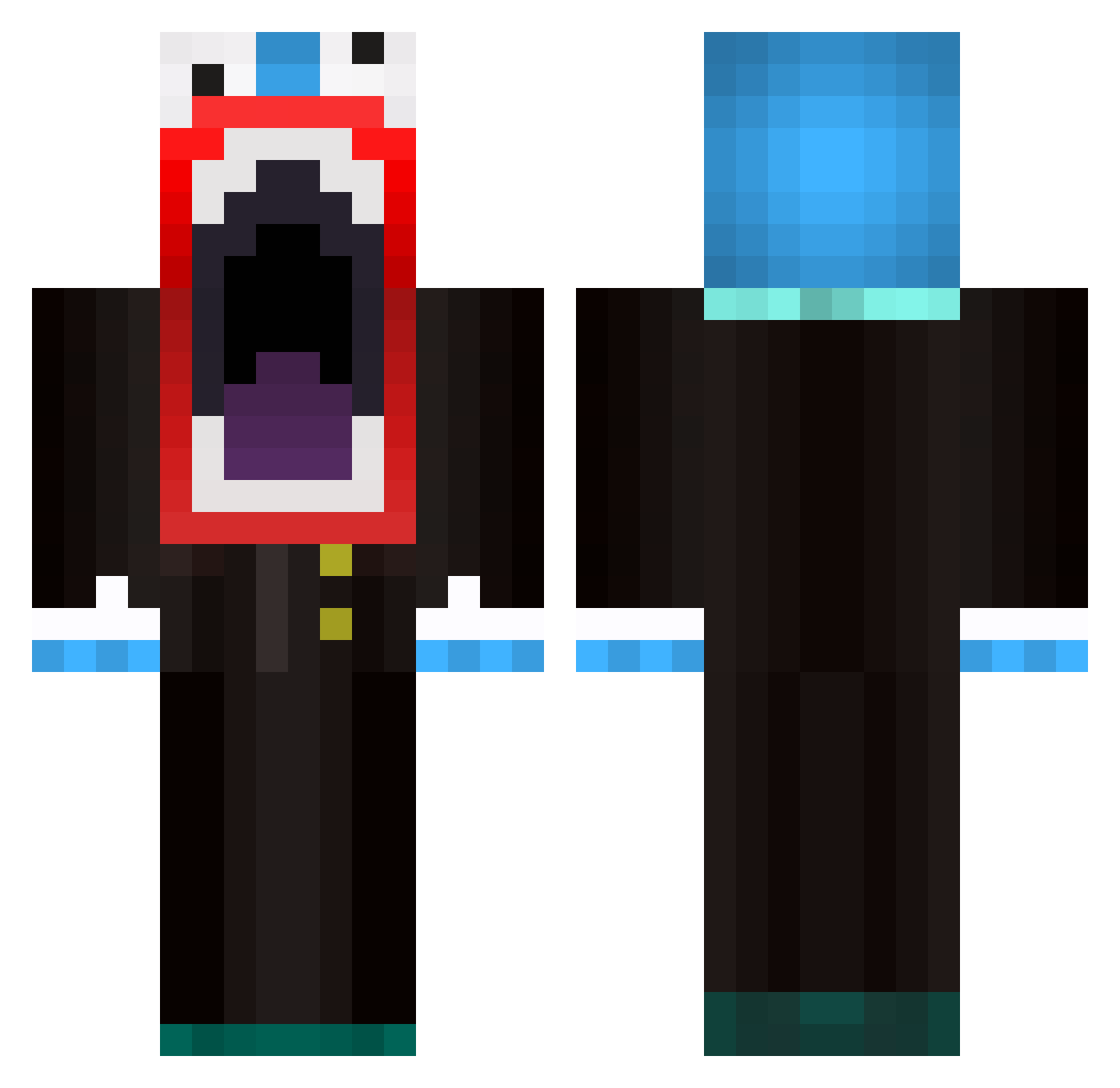
Current Minecraft skin of the player NotMvs99, loaded from the official Mojang API. Rotate the 3D model with your mouse or finger, then download the skin as a PNG file and use it in Minecraft: Bedrock Edition or Java Edition for free. When NotMvs99 changes their skin, this page updates automatically and the old skin stays in the history below.
Other players with this skin (595)
NotMvs99 was the 42nd player we have seen with this skin, first spotted on 01.08.2026. The same skin was seen on these players. Open a nickname to see their current skin and skin history.
 Mick_Loving fatjelly4 knightslayer1 anderson1204 Angelo1079 VibeXnitrO darthtman11 CaptainKniveZ NATERADE64 Amout LFC_Jake AwesomeAdmin iBallisticEnd3r 711mrcool elamre franfity4 scubafoxy CptFuzzy21 PKertime hamzisawesome Medic_MCPIII Crazyklefty xXDomenico2001Xx Greenert123 jkjacob1 dudecreeper travis_lax35 kjade15 kfw61003 SWEGSWAGSWOG iFenny blablaxxx herobrinek1ng michaelthestud CARS0NR0CKS GrumblyOrc84 oducks12 Purple_Devil batosai1234 ersguternuni Zack_Vicious RobinjNL SDGeneral raffaaaa polkia77 pk0wner AdleyWD DarCars Toxic_Persian xHarrrry do_money The_WizardKid poweredbychina Blackman_12 Loup07 Soups2000 zaco99 spratjack Crystall_Beast marikmarik
More The Amazing Digital Circus Caine Minecraft skins
See all 6 The Amazing Digital Circus Caine skins
How to install the NotMvs99 skin
- Press the Download button above to save the skin as a PNG file.
- Minecraft: Bedrock Edition (PE): open the Dressing Room from the main menu (or tap your character → Edit Character), go to Classic Skins → Owned, press the + (new skin) button, choose the downloaded PNG and pick the Classic (Steve) model. Works on PC and mobile; consoles cannot import custom skins.
- Minecraft: Java Edition: open the Minecraft Launcher, go to the Skins tab, click New Skin, load the PNG, pick the Classic (Steve) model and press Save & Use. You can also upload it at minecraft.net → Profile → Change Skin.
The skin does not show up after import - what should I do?
Restart Minecraft and open the Dressing Room again - imported skins sometimes appear only after a restart. Also make sure you selected the imported skin and picked the Classic (Steve) model.
Which model should I choose, Classic or Slim?
This skin is designed for the Classic (Steve) model. If you pick the wrong model, the arms of the skin will look stretched or squeezed.
Is the skin of NotMvs99 free to download?
Yes. Press Download, save the PNG file and use it in Minecraft: Bedrock Edition or Java Edition - no payment or registration needed. The skin also works on multiplayer servers and Realms.
More skins
Looking for more? Go back to all Minecraft skins and check the top skins of the week, month and all time, or find any player's skin by nickname.