
NoobDukem - Minecraft Skins & Skin History
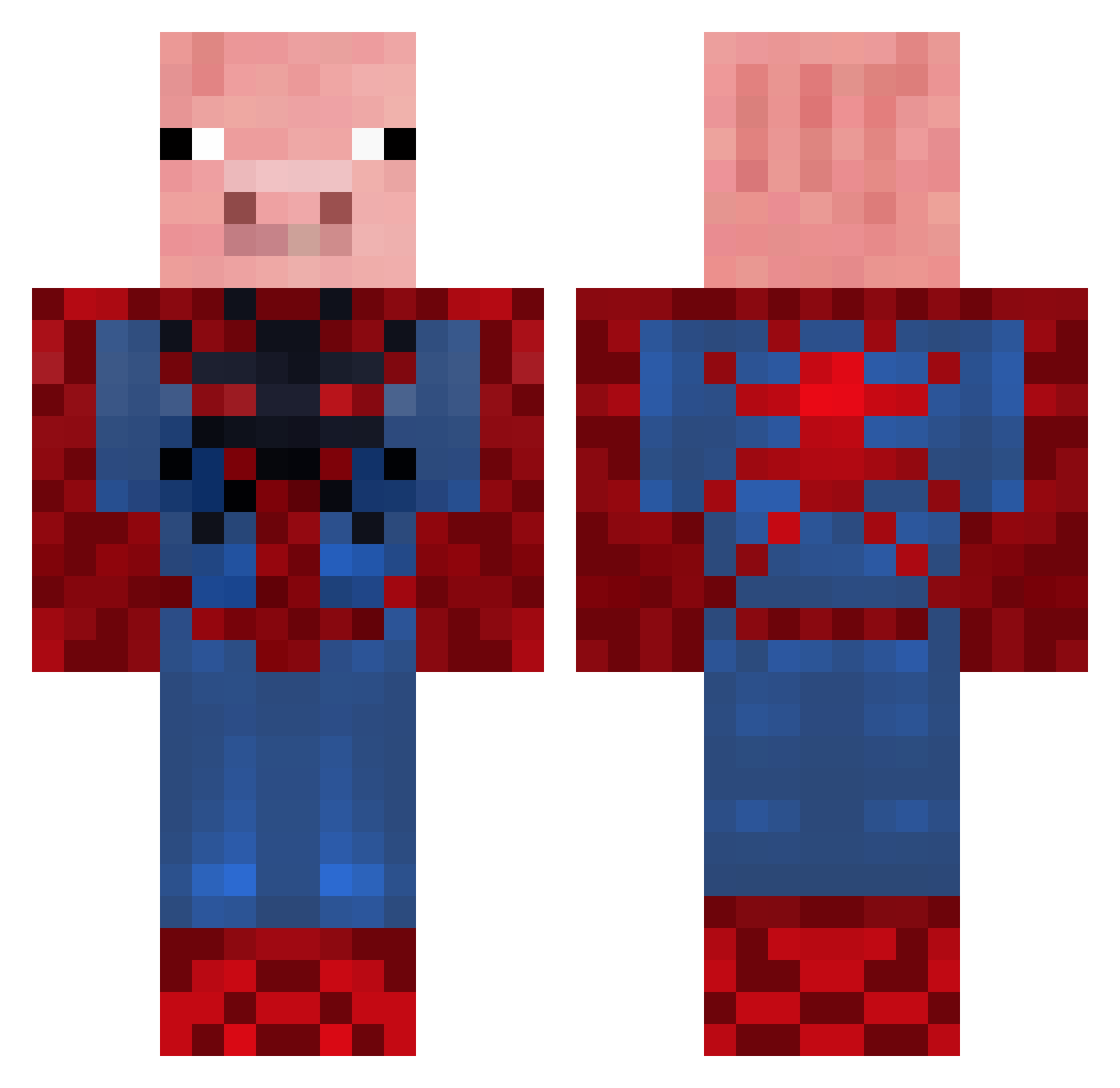
Current Minecraft skin of the player NoobDukem, loaded from the official Mojang API. Rotate the 3D model with your mouse or finger, then download the skin as a PNG file and use it in Minecraft: Bedrock Edition or Java Edition for free. When NoobDukem changes their skin, this page updates automatically and the old skin stays in the history below.
Other players with this skin (655)
NoobDukem was the 455th player we have seen with this skin, first spotted on 09.10.2026. The same skin was seen on these players. Open a nickname to see their current skin and skin history.
 bilkorv mewman3 diamondude59 zee_cooliest_guy yosalsa AceInTheHole13 hunter030104 liamfraser123 DinoShaft sniperbozz77 i_am_c001 mrfg900 brazilianlaxer london1108 bsawyer0309 flygandesmurf DeclanHill25 Jonasthemaster99 zachattack42201 PeterSchmalz DiseasedSkittle Jochum SpiderMan1313 joephooijmans dlwww Xmaskus Bubba700 mikeyhan96 HunSerFinUd Briswock Xaicin broncobanana Dante9780 fighter4u ink333 seaboy1998 ConnorTh3Bomb3r jhat06 cheese904 LazyArc62 PorcoAranha69 roy027 GolvBjorn EliteHunter2003 MinemanRy987 dragonlutin Carl_EP Gucci_Lime sir_trotters Nione7 JRB1315 Far5 PHURLS bigbadhog Mandario BOUBALF BilLybObMINES digdig22 lawyerman23 DylanMackay10
More Pig Minecraft skins
How to install the NoobDukem skin
- Press the Download button above to save the skin as a PNG file.
- Minecraft: Bedrock Edition (PE): open the Dressing Room from the main menu (or tap your character → Edit Character), go to Classic Skins → Owned, press the + (new skin) button, choose the downloaded PNG and pick the Classic (Steve) model. Works on PC and mobile; consoles cannot import custom skins.
- Minecraft: Java Edition: open the Minecraft Launcher, go to the Skins tab, click New Skin, load the PNG, pick the Classic (Steve) model and press Save & Use. You can also upload it at minecraft.net → Profile → Change Skin.
The skin does not show up after import - what should I do?
Restart Minecraft and open the Dressing Room again - imported skins sometimes appear only after a restart. Also make sure you selected the imported skin and picked the Classic (Steve) model.
Which model should I choose, Classic or Slim?
This skin is designed for the Classic (Steve) model. If you pick the wrong model, the arms of the skin will look stretched or squeezed.
Is the skin of NoobDukem free to download?
Yes. Press Download, save the PNG file and use it in Minecraft: Bedrock Edition or Java Edition - no payment or registration needed. The skin also works on multiplayer servers and Realms.
More skins
Looking for more? Go back to all Minecraft skins and check the top skins of the week, month and all time, or find any player's skin by nickname.