
Nolers - Minecraft Skins & Skin History
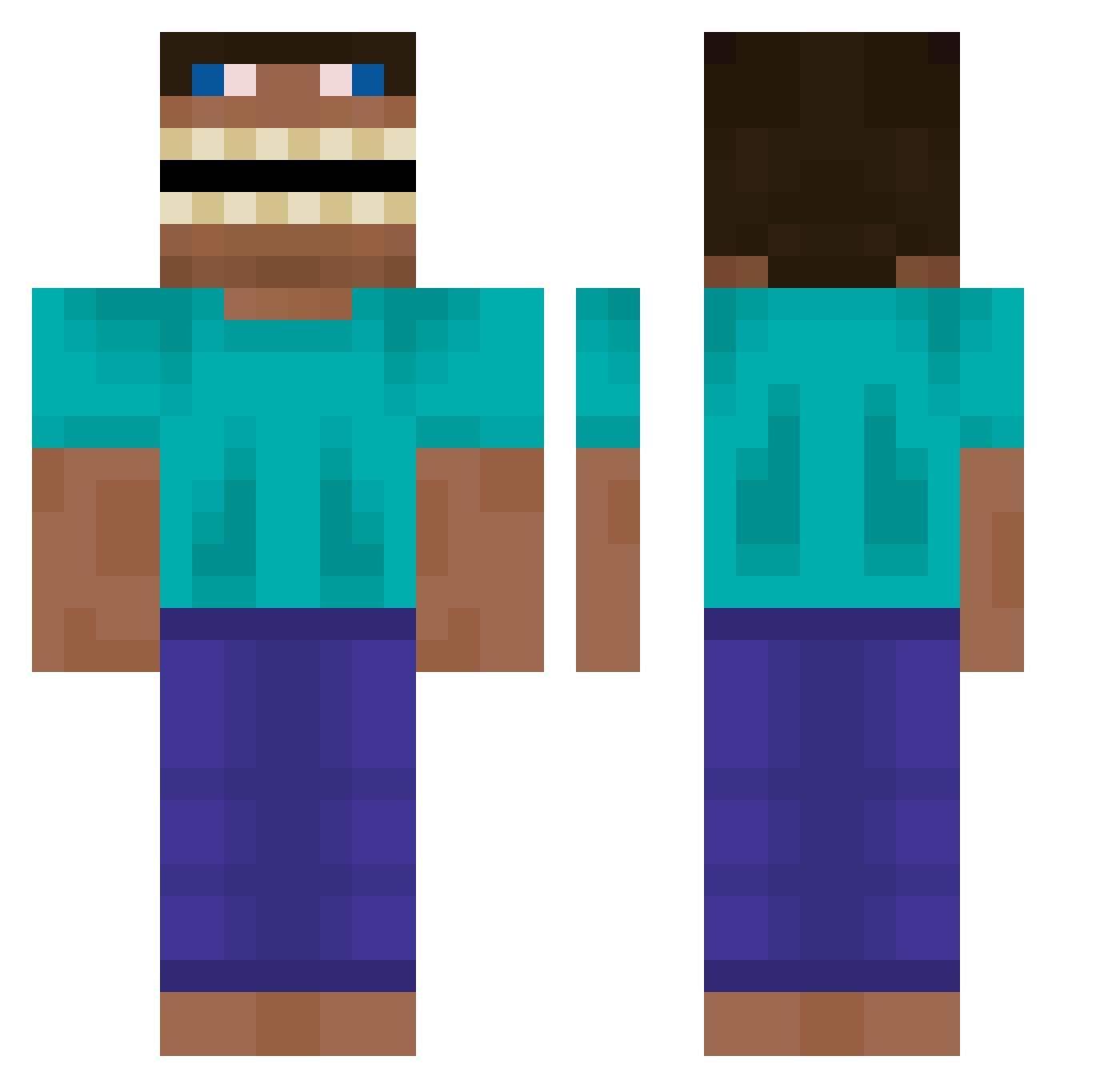
Current Minecraft skin of the player Nolers, loaded from the official Mojang API. Rotate the 3D model with your mouse or finger, then download the skin as a PNG file and use it in Minecraft: Bedrock Edition or Java Edition for free. When Nolers changes their skin, this page updates automatically and the old skin stays in the history below.
Other players with this skin (619)
Nolers was the 236th player we have seen with this skin, first spotted on 09.09.2026. The same skin was seen on these players. Open a nickname to see their current skin and skin history.
 salaminnn bibelabobabibu Lolliplop jdriver2308 JKim7 Devun samerderhammer PaidVolunteer kulja1 DannyBeQuiet Rick_GZ ChengFanDTong Jentorra AncientFactions abbycadoo Miryacho d3ncha Hiwc
 minka__kun JustinUHC Marp433 EMCKSTY IvanP_ xrllor JoseMadhouse GoopyManager836 AntFac Crackerjoe110 Brotherhood DomenicV3 Orzeszek2010 XAINGXAING CzolastyXd Bloverkrunsidd Luke_Stephan2 Impulseimpulse MrSquidward235 EVEYSS cajun_gator redox0818 Simon_Web BonelessAge neko0501 Imperial_Ifla Sacolao ZOOOBYKABER AmundB2 Dulkablya acrufox aMaquina_ ppuuppuuuu_ RGrand33 Szlifiera _Krhonos_ FlyingMcDonalds Ren4820 Jorjao_Pedreiro Blupulse Dadd98 WillySmile
More Funny Minecraft skins
How to install the Nolers skin
- Press the Download button above to save the skin as a PNG file.
- Minecraft: Bedrock Edition (PE): open the Dressing Room from the main menu (or tap your character → Edit Character), go to Classic Skins → Owned, press the + (new skin) button, choose the downloaded PNG and pick the Classic (Steve) model. Works on PC and mobile; consoles cannot import custom skins.
- Minecraft: Java Edition: open the Minecraft Launcher, go to the Skins tab, click New Skin, load the PNG, pick the Classic (Steve) model and press Save & Use. You can also upload it at minecraft.net → Profile → Change Skin.
The skin does not show up after import - what should I do?
Restart Minecraft and open the Dressing Room again - imported skins sometimes appear only after a restart. Also make sure you selected the imported skin and picked the Classic (Steve) model.
Which model should I choose, Classic or Slim?
This skin is designed for the Classic (Steve) model. If you pick the wrong model, the arms of the skin will look stretched or squeezed.
Is the skin of Nolers free to download?
Yes. Press Download, save the PNG file and use it in Minecraft: Bedrock Edition or Java Edition - no payment or registration needed. The skin also works on multiplayer servers and Realms.
More skins
Looking for more? Go back to all Minecraft skins and check the top skins of the week, month and all time, or find any player's skin by nickname.