
NikaTheMighty - Minecraft Skins & Skin History
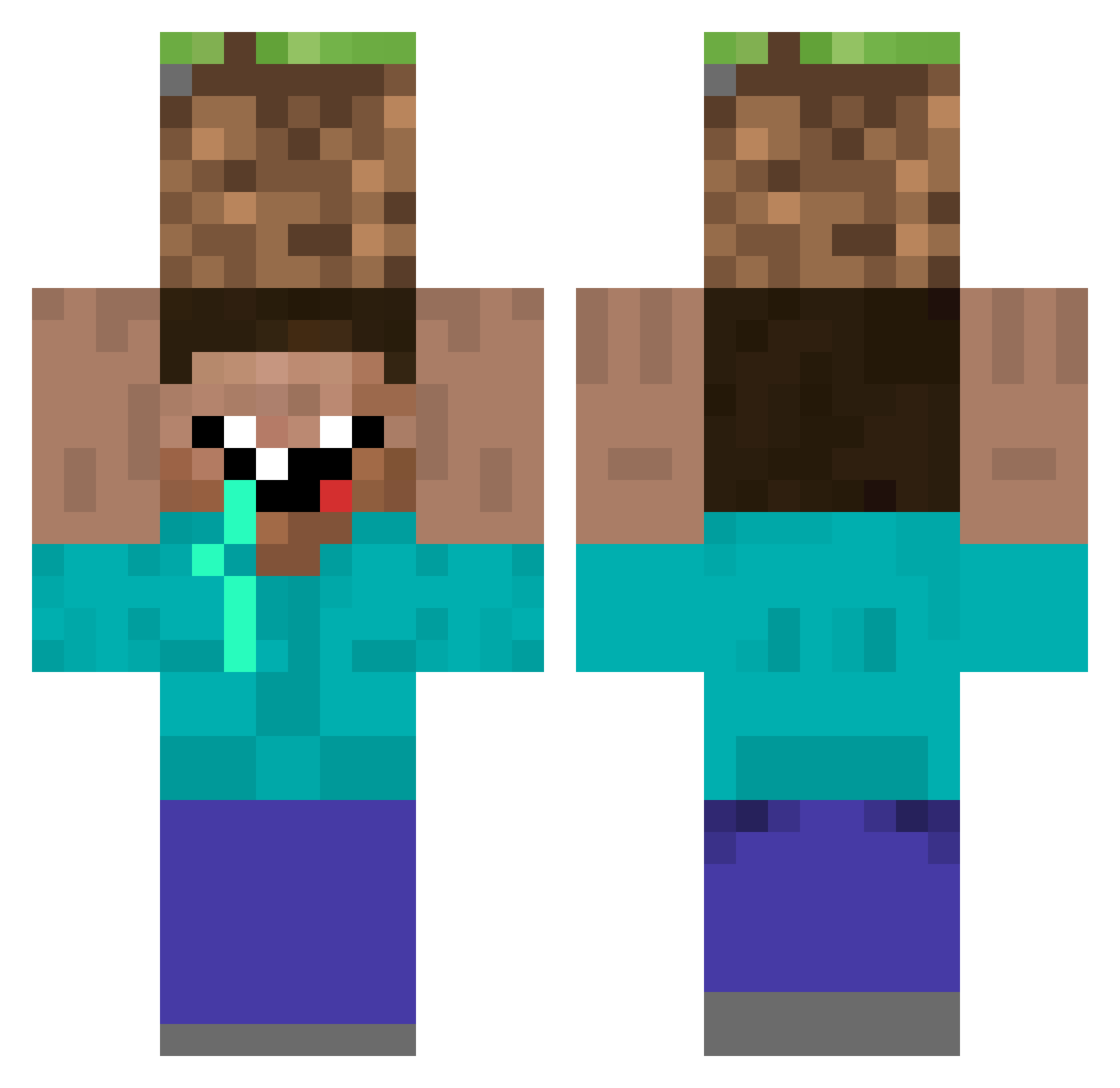
Current Minecraft skin of the player NikaTheMighty, loaded from the official Mojang API. Rotate the 3D model with your mouse or finger, then download the skin as a PNG file and use it in Minecraft: Bedrock Edition or Java Edition for free. When NikaTheMighty changes their skin, this page updates automatically and the old skin stays in the history below.
Other players with this skin (42)
NikaTheMighty was the 33rd player we have seen with this skin, first spotted on 15.10.2026. The same skin was seen on these players. Open a nickname to see their current skin and skin history.
 A_SmoothCriminal ExpiredGoatMilk visu FynnTM Frtokluf Bezzirker TooMuchAids Bouzid HuzuniSpotted carbonleon ThePlinex Golden_Shrek TheCabzProdigy Graeten jowdod iLandee patchip392 Craftermongo BurninGxPhoenix Padilha_Gamer ZAYZUKO David_Koran Natra22 carp108 ProfesorBerlin MFahys Colin_oder_so Rex_Agent LuXusBeast90 Autistic_Midget Gunilla_03 Bim_Umgifallt Vps_BR Joshgan McWaldek EpicDjango Samtanp xxx_scoper_xxx Filip_Mij Winars1 Evington RANGLIFF
More Dirt Block Minecraft skins
How to install the NikaTheMighty skin
- Press the Download button above to save the skin as a PNG file.
- Minecraft: Bedrock Edition (PE): open the Dressing Room from the main menu (or tap your character → Edit Character), go to Classic Skins → Owned, press the + (new skin) button, choose the downloaded PNG and pick the Classic (Steve) model. Works on PC and mobile; consoles cannot import custom skins.
- Minecraft: Java Edition: open the Minecraft Launcher, go to the Skins tab, click New Skin, load the PNG, pick the Classic (Steve) model and press Save & Use. You can also upload it at minecraft.net → Profile → Change Skin.
The skin does not show up after import - what should I do?
Restart Minecraft and open the Dressing Room again - imported skins sometimes appear only after a restart. Also make sure you selected the imported skin and picked the Classic (Steve) model.
Which model should I choose, Classic or Slim?
This skin is designed for the Classic (Steve) model. If you pick the wrong model, the arms of the skin will look stretched or squeezed.
Is the skin of NikaTheMighty free to download?
Yes. Press Download, save the PNG file and use it in Minecraft: Bedrock Edition or Java Edition - no payment or registration needed. The skin also works on multiplayer servers and Realms.
More skins
Looking for more? Go back to all Minecraft skins and check the top skins of the week, month and all time, or find any player's skin by nickname.