
Nightmare2222 - Minecraft Skins & Skin History
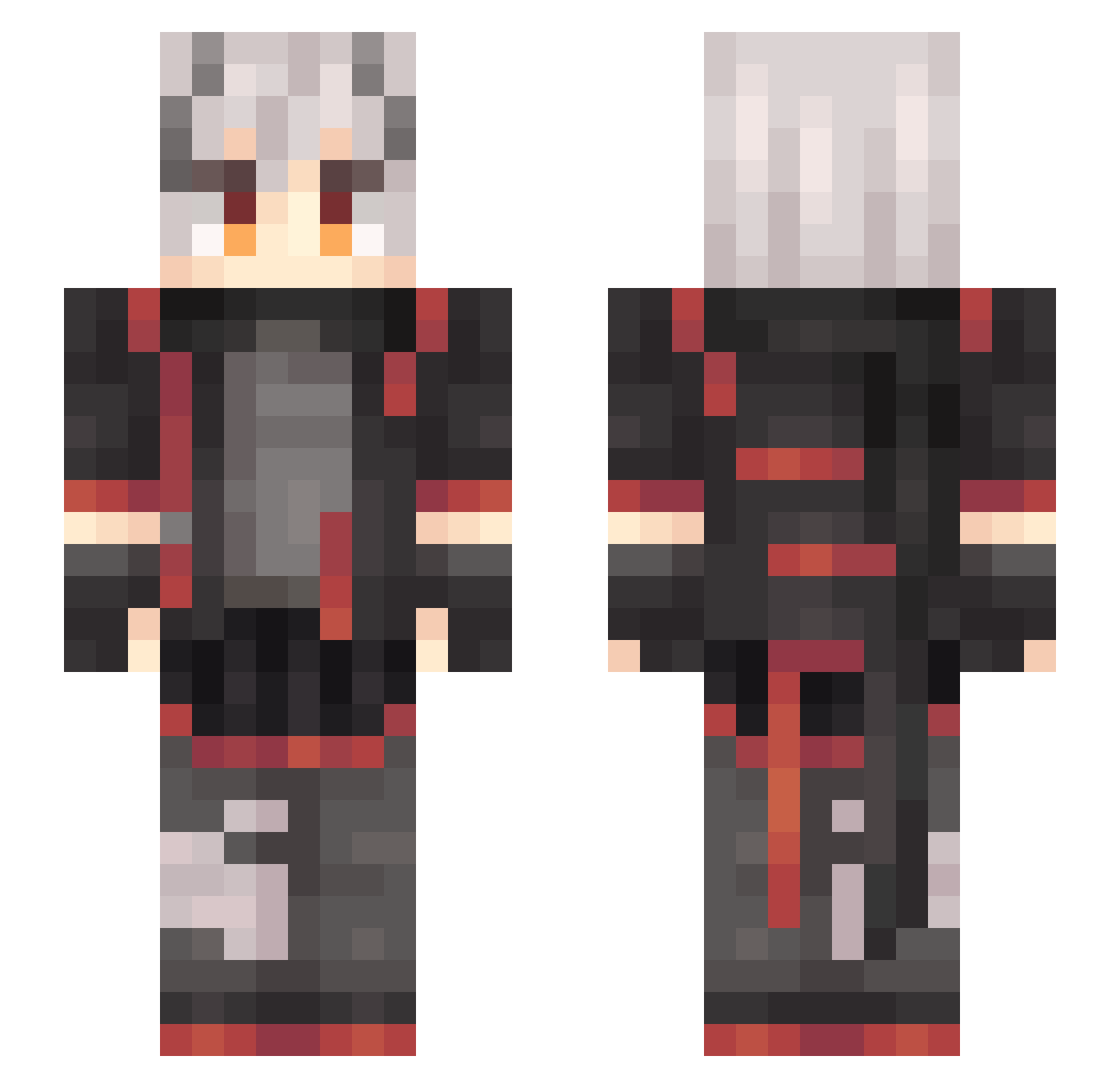
Current Minecraft skin of the player Nightmare2222, loaded from the official Mojang API. Rotate the 3D model with your mouse or finger, then download the skin as a PNG file and use it in Minecraft: Bedrock Edition or Java Edition for free. When Nightmare2222 changes their skin, this page updates automatically and the old skin stays in the history below.
Other players with this skin (637)
Nightmare2222 was the 42nd player we have seen with this skin, first spotted on 31.07.2026. The same skin was seen on these players. Open a nickname to see their current skin and skin history.
 PugNewb Red_huntsman huhu_180 Renko_MC yang852 Jiebrother6 Amatelashu Vin0Veritas Vita3282 YUHOUQQ T_nSa jfjfggg WXdan_ webkit666 Guzimi juhaojunya Tokashi_kazuto 0mitei0 Nerfmemore ClickView Hydra2604
 YNSSD_Marine aloneRIP LLXTBL ALang0 Aoki_Shiki Airaua yeyng Badabada Lucky_Snakes LEEKAHONE Ar_cadia VXcharizardXV Mute_Allll wentiren Cmoonlight KASI_MIO ChefAY Stariverse YakumoLei Kastastrophe_ 13321 Abyssal_Hunters xiaohuolong1 xiaochouII CRoss_LiMing TYu1015 Meinerieve Lantern_Wood Gur1 bcoyid Amos_Robert Wz2HSY GNXRM0 Kurosaki_17go DarkSoap Cheeto78 Mezzaw jylsds junruyi2
More Cyberpunk Minecraft skins
How to install the Nightmare2222 skin
- Press the Download button above to save the skin as a PNG file.
- Minecraft: Bedrock Edition (PE): open the Dressing Room from the main menu (or tap your character → Edit Character), go to Classic Skins → Owned, press the + (new skin) button, choose the downloaded PNG and pick the Slim (Alex) model. Works on PC and mobile; consoles cannot import custom skins.
- Minecraft: Java Edition: open the Minecraft Launcher, go to the Skins tab, click New Skin, load the PNG, pick the Slim (Alex) model and press Save & Use. You can also upload it at minecraft.net → Profile → Change Skin.
The skin does not show up after import - what should I do?
Restart Minecraft and open the Dressing Room again - imported skins sometimes appear only after a restart. Also make sure you selected the imported skin and picked the Slim (Alex) model.
Which model should I choose, Classic or Slim?
This skin is designed for the Slim (Alex) model. If you pick the wrong model, the arms of the skin will look stretched or squeezed.
Is the skin of Nightmare2222 free to download?
Yes. Press Download, save the PNG file and use it in Minecraft: Bedrock Edition or Java Edition - no payment or registration needed. The skin also works on multiplayer servers and Realms.
More skins
Looking for more? Go back to all Minecraft skins and check the top skins of the week, month and all time, or find any player's skin by nickname.