
Nico_775 - Minecraft Skins & Skin History
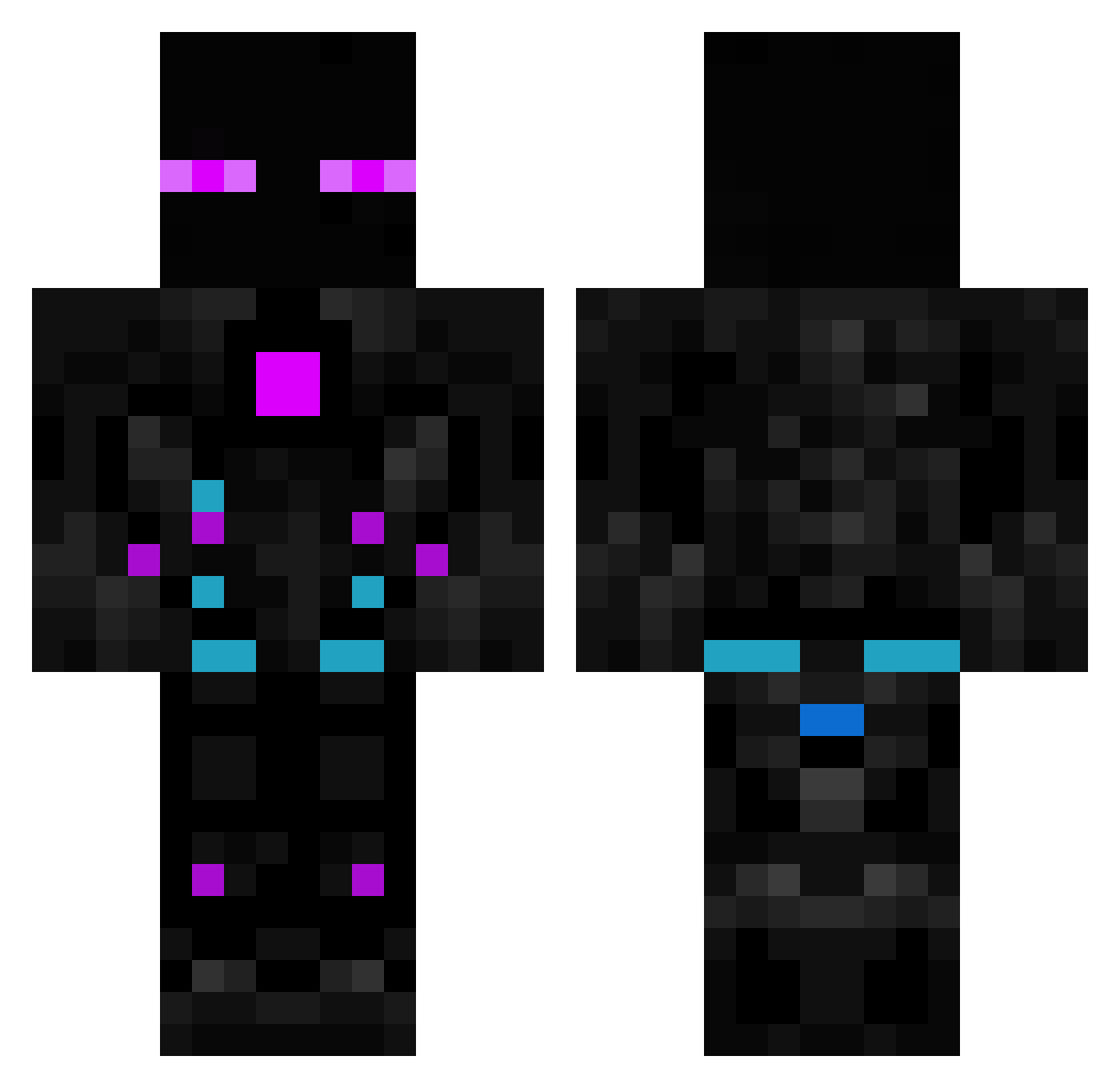
Current Minecraft skin of the player Nico_775, loaded from the official Mojang API. Rotate the 3D model with your mouse or finger, then download the skin as a PNG file and use it in Minecraft: Bedrock Edition or Java Edition for free. When Nico_775 changes their skin, this page updates automatically and the old skin stays in the history below.
Other players with this skin (614)
Nico_775 was the 26th player we have seen with this skin, first spotted on 29.07.2026. The same skin was seen on these players. Open a nickname to see their current skin and skin history.
 shawyu devilmannis lambie8 Mr_Jacob ThemexXYT fredis03 RomatroNN LunaNewbie_ sinkGP Nerd0_x Lancelot8221 yui3395 ForbidZZz2603 UnidentifiedPpl elatry NewCactus2 rlHypr Captain_Galaxy01 Katchi03 luanr6 AXZEMAN sanoo332 flxskrrt VAG4NTE BebertClinton Z3K00 zushti xelox1234 TheRealSkrilx Napolitan52 bryanbo10
 Hinotaka berkaykaya39 EKmeatbuns Zenix23 JN316 D4RKN3SS616 DIEGOBM862 Purvesh enter9455 lztxdy LIvanov mrckrt ssjthead 8Akahebis8 SirChintipote Ian1200 Samu_666 Shadeco GrantTheftAuto RaynarRBX Flaredonut BabbleGum_ DivusAaron Abj3226 sekoul4 Artex01 FinnHd2004 inject0r_ louisroi
More Cyborg Minecraft skins
How to install the Nico_775 skin
- Press the Download button above to save the skin as a PNG file.
- Minecraft: Bedrock Edition (PE): open the Dressing Room from the main menu (or tap your character → Edit Character), go to Classic Skins → Owned, press the + (new skin) button, choose the downloaded PNG and pick the Classic (Steve) model. Works on PC and mobile; consoles cannot import custom skins.
- Minecraft: Java Edition: open the Minecraft Launcher, go to the Skins tab, click New Skin, load the PNG, pick the Classic (Steve) model and press Save & Use. You can also upload it at minecraft.net → Profile → Change Skin.
The skin does not show up after import - what should I do?
Restart Minecraft and open the Dressing Room again - imported skins sometimes appear only after a restart. Also make sure you selected the imported skin and picked the Classic (Steve) model.
Which model should I choose, Classic or Slim?
This skin is designed for the Classic (Steve) model. If you pick the wrong model, the arms of the skin will look stretched or squeezed.
Is the skin of Nico_775 free to download?
Yes. Press Download, save the PNG file and use it in Minecraft: Bedrock Edition or Java Edition - no payment or registration needed. The skin also works on multiplayer servers and Realms.
More skins
Looking for more? Go back to all Minecraft skins and check the top skins of the week, month and all time, or find any player's skin by nickname.