
NeoTeK_J - Minecraft Skins & Skin History
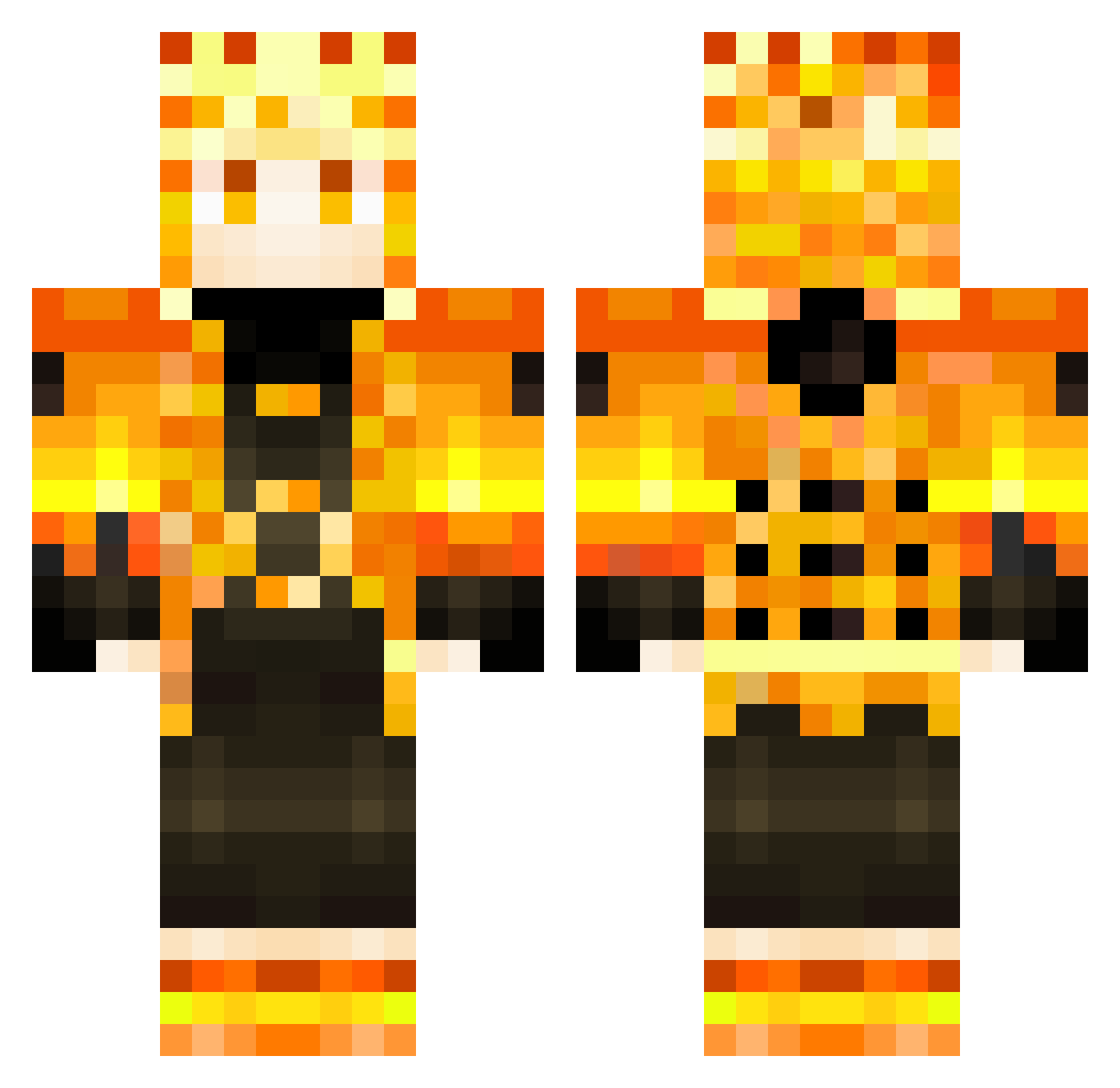
Current Minecraft skin of the player NeoTeK_J, loaded from the official Mojang API. Rotate the 3D model with your mouse or finger, then download the skin as a PNG file and use it in Minecraft: Bedrock Edition or Java Edition for free. When NeoTeK_J changes their skin, this page updates automatically and the old skin stays in the history below.
Other players with this skin (353)
NeoTeK_J was the 133rd player we have seen with this skin, first spotted on 08.09.2026. The same skin was seen on these players. Open a nickname to see their current skin and skin history.
 SvTHuci Akamitsus Mineja1760 Fiurer88 AddOwen KrinDleKrax26 LeJoliePatou jhonatta DavosMC minecraft93 sikowitss Ttitus Daniel050517 LuxR3i Pierrocosto GiveMeMoney2001 Jboy9 davzao VapasNC Lebron_james225 RedBlond13 mussy_404 TitusChloe JSB6 xNILSOUx Jason303030 tangina_bobo SSaturday Meriodasu0126 Luis272113 Cxndu_Playz lexuss RockPenguin2897 PingwonPl NarutoMKC sacrat_ Byram_ Zooport151 cleosellin MuriloNoite Fluxyy4 EgeThunder05 Yaninou gabjumper YdZ_Melih Sasuke067 NiJOoo7 nonomb04 SatukKhan SkyHazeAlt Mrhaon softball_22_abc Pixelprincess135 Dc_Gringo mikaduki175 _Niqo gaming_kautilya Lukiano10 DragonHX Alefawn
More Zenitsu Agatsuma Minecraft skins
See all 205 Zenitsu Agatsuma skins
How to install the NeoTeK_J skin
- Press the Download button above to save the skin as a PNG file.
- Minecraft: Bedrock Edition (PE): open the Dressing Room from the main menu (or tap your character → Edit Character), go to Classic Skins → Owned, press the + (new skin) button, choose the downloaded PNG and pick the Classic (Steve) model. Works on PC and mobile; consoles cannot import custom skins.
- Minecraft: Java Edition: open the Minecraft Launcher, go to the Skins tab, click New Skin, load the PNG, pick the Classic (Steve) model and press Save & Use. You can also upload it at minecraft.net → Profile → Change Skin.
The skin does not show up after import - what should I do?
Restart Minecraft and open the Dressing Room again - imported skins sometimes appear only after a restart. Also make sure you selected the imported skin and picked the Classic (Steve) model.
Which model should I choose, Classic or Slim?
This skin is designed for the Classic (Steve) model. If you pick the wrong model, the arms of the skin will look stretched or squeezed.
Is the skin of NeoTeK_J free to download?
Yes. Press Download, save the PNG file and use it in Minecraft: Bedrock Edition or Java Edition - no payment or registration needed. The skin also works on multiplayer servers and Realms.
More skins
Looking for more? Go back to all Minecraft skins and check the top skins of the week, month and all time, or find any player's skin by nickname.