
Neffnex_ - Minecraft Skins & Skin History
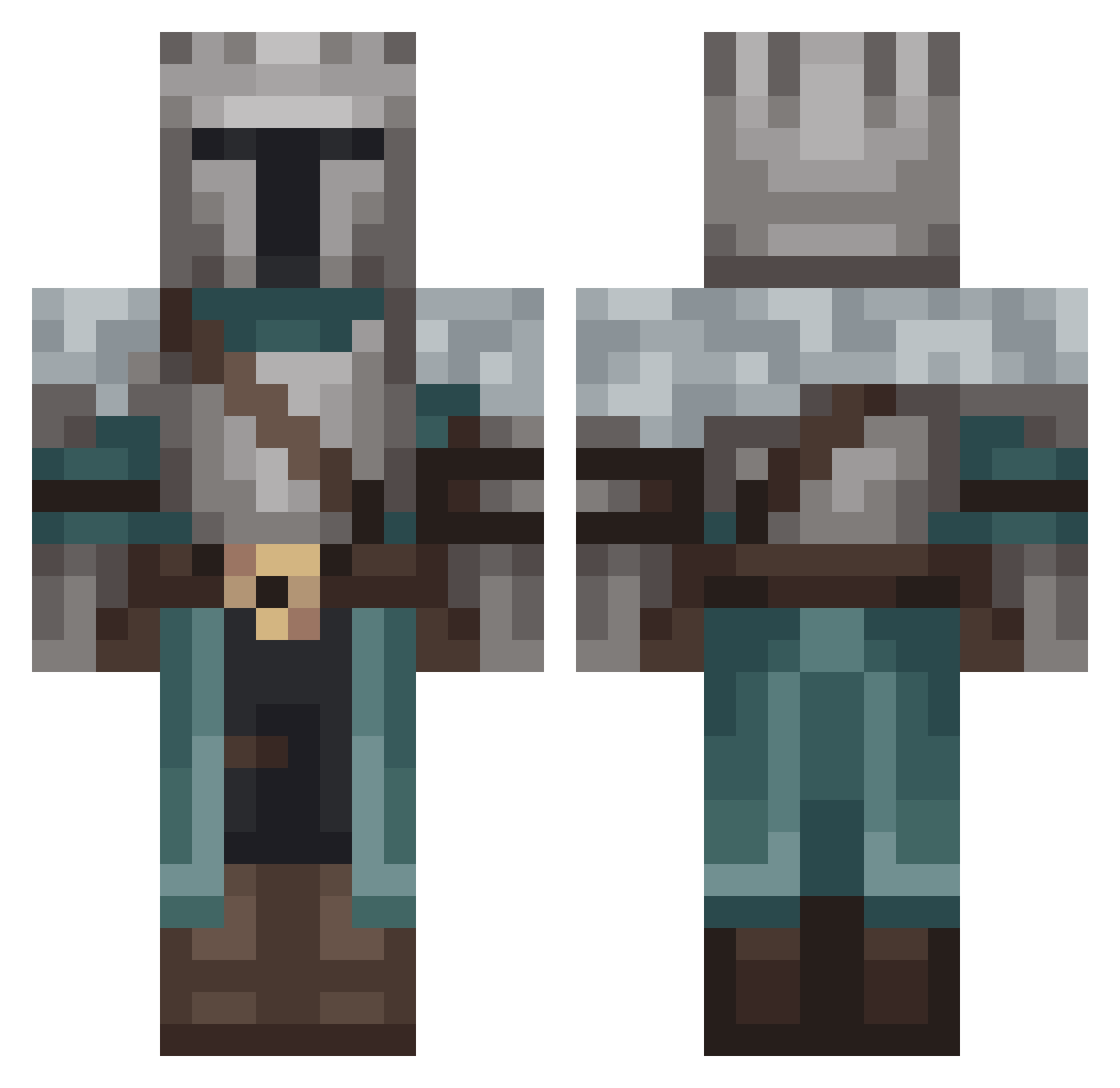
Current Minecraft skin of the player Neffnex_, loaded from the official Mojang API. Rotate the 3D model with your mouse or finger, then download the skin as a PNG file and use it in Minecraft: Bedrock Edition or Java Edition for free. When Neffnex_ changes their skin, this page updates automatically and the old skin stays in the history below.
Other players with this skin (135)
Neffnex_ was the 48th player we have seen with this skin, first spotted on 30.08.2026. The same skin was seen on these players. Open a nickname to see their current skin and skin history.
 DoggishSpider Igniver Jzega21 biohazarddz pokebol sErniczki Konant _MORTE_ Dragboy Prince1131 Matrz_ IHohenheim Mhyonn Chromemetic75 CyberPapa777 Grufle Cerulean_Warbler
 GreenWoods_ Proxisatum99 dakmys64 toronjo878 Berseck65 grafur Dwenty25 Tall_Guy_ RayLiZz sperk__ SunDrifter Cacut wyllzen Vpuarax RaVizo elgamine FLO_sleeping Aaron_96 JolyWolf SiroTori0201 KittyRitual jan1234567890 Yltuss RazeShogun DragonX7589 _Razhay_ Knopsii Bojtek DATAFRUITZ Lexsmelliott HavelXx197 Chun851020 Ray4600 GabyJumper Galubel Tratymn Soullord56 HossBonaventure Cerise00 NotYodaa gunesin_kopegi niTaku ScoobyIsDog
More Medieval Minecraft skins
How to install the Neffnex_ skin
- Press the Download button above to save the skin as a PNG file.
- Minecraft: Bedrock Edition (PE): open the Dressing Room from the main menu (or tap your character → Edit Character), go to Classic Skins → Owned, press the + (new skin) button, choose the downloaded PNG and pick the Classic (Steve) model. Works on PC and mobile; consoles cannot import custom skins.
- Minecraft: Java Edition: open the Minecraft Launcher, go to the Skins tab, click New Skin, load the PNG, pick the Classic (Steve) model and press Save & Use. You can also upload it at minecraft.net → Profile → Change Skin.
The skin does not show up after import - what should I do?
Restart Minecraft and open the Dressing Room again - imported skins sometimes appear only after a restart. Also make sure you selected the imported skin and picked the Classic (Steve) model.
Which model should I choose, Classic or Slim?
This skin is designed for the Classic (Steve) model. If you pick the wrong model, the arms of the skin will look stretched or squeezed.
Is the skin of Neffnex_ free to download?
Yes. Press Download, save the PNG file and use it in Minecraft: Bedrock Edition or Java Edition - no payment or registration needed. The skin also works on multiplayer servers and Realms.
More skins
Looking for more? Go back to all Minecraft skins and check the top skins of the week, month and all time, or find any player's skin by nickname.