
Natasha07 - Minecraft Skins & Skin History
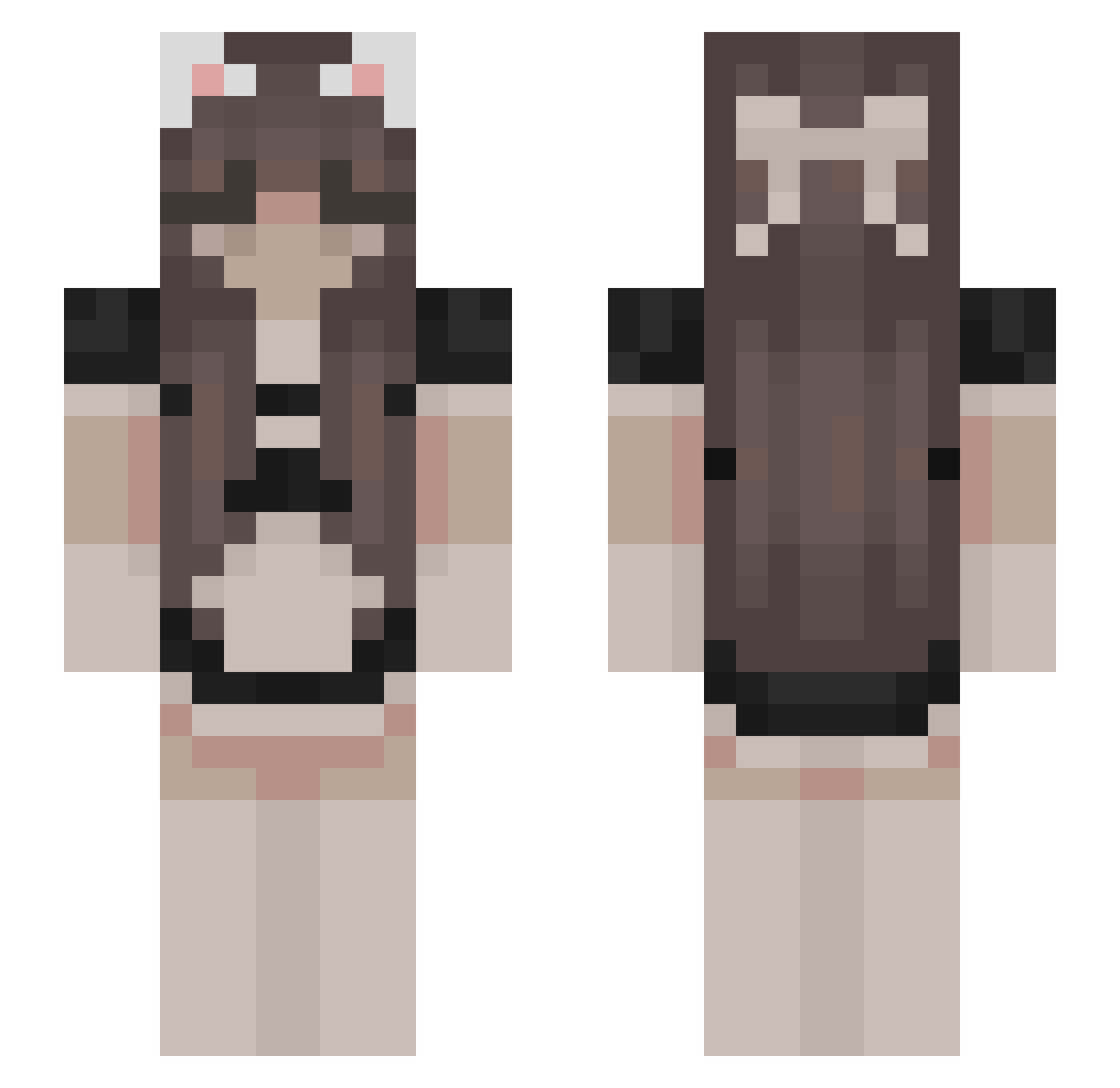
Current Minecraft skin of the player Natasha07, loaded from the official Mojang API. Rotate the 3D model with your mouse or finger, then download the skin as a PNG file and use it in Minecraft: Bedrock Edition or Java Edition for free. When Natasha07 changes their skin, this page updates automatically and the old skin stays in the history below.
Other players with this skin (478)
Natasha07 was the 296th player we have seen with this skin, first spotted on 26.09.2026. The same skin was seen on these players. Open a nickname to see their current skin and skin history.
 hellsgyal CherryBlossom18 Obeys hyygk beetIes Fastrovic KuroBri Fortin lilakk lileul MisiaRen9 aniusia_uwu Oldestam TorresGade MILA_BLIN13 peeshysheeshy Tekomimi s3bas_mc LittleAnty Nisck0 Dlenerin dummythick_dino ZC99 GweanTea Yukio213 Ralo1223 strawymeow IKlaniaserI DarkUwUness SevenDZH AkunaMan Etharne hatsunemadi CrinJuice HELLOIDK123ABC Kicia800 _Perlynka_ KalabazoGG Tsuna_a ss0g 230621 MrDirtyDan1 snmcnm Normsicle_ SarahWaifu ReaperBlack10 MrYuko El_Kingo_ Bradydo reallypoor WhiteStone1026 potatotomatosac suqarbunny FreakyTubbs taiaka gomaabura2 kunky Filithan yungdemii shxrv
More Bow Minecraft skins
How to install the Natasha07 skin
- Press the Download button above to save the skin as a PNG file.
- Minecraft: Bedrock Edition (PE): open the Dressing Room from the main menu (or tap your character → Edit Character), go to Classic Skins → Owned, press the + (new skin) button, choose the downloaded PNG and pick the Slim (Alex) model. Works on PC and mobile; consoles cannot import custom skins.
- Minecraft: Java Edition: open the Minecraft Launcher, go to the Skins tab, click New Skin, load the PNG, pick the Slim (Alex) model and press Save & Use. You can also upload it at minecraft.net → Profile → Change Skin.
The skin does not show up after import - what should I do?
Restart Minecraft and open the Dressing Room again - imported skins sometimes appear only after a restart. Also make sure you selected the imported skin and picked the Slim (Alex) model.
Which model should I choose, Classic or Slim?
This skin is designed for the Slim (Alex) model. If you pick the wrong model, the arms of the skin will look stretched or squeezed.
Is the skin of Natasha07 free to download?
Yes. Press Download, save the PNG file and use it in Minecraft: Bedrock Edition or Java Edition - no payment or registration needed. The skin also works on multiplayer servers and Realms.
More skins
Looking for more? Go back to all Minecraft skins and check the top skins of the week, month and all time, or find any player's skin by nickname.