
Myloo69 - Minecraft Skins & Skin History
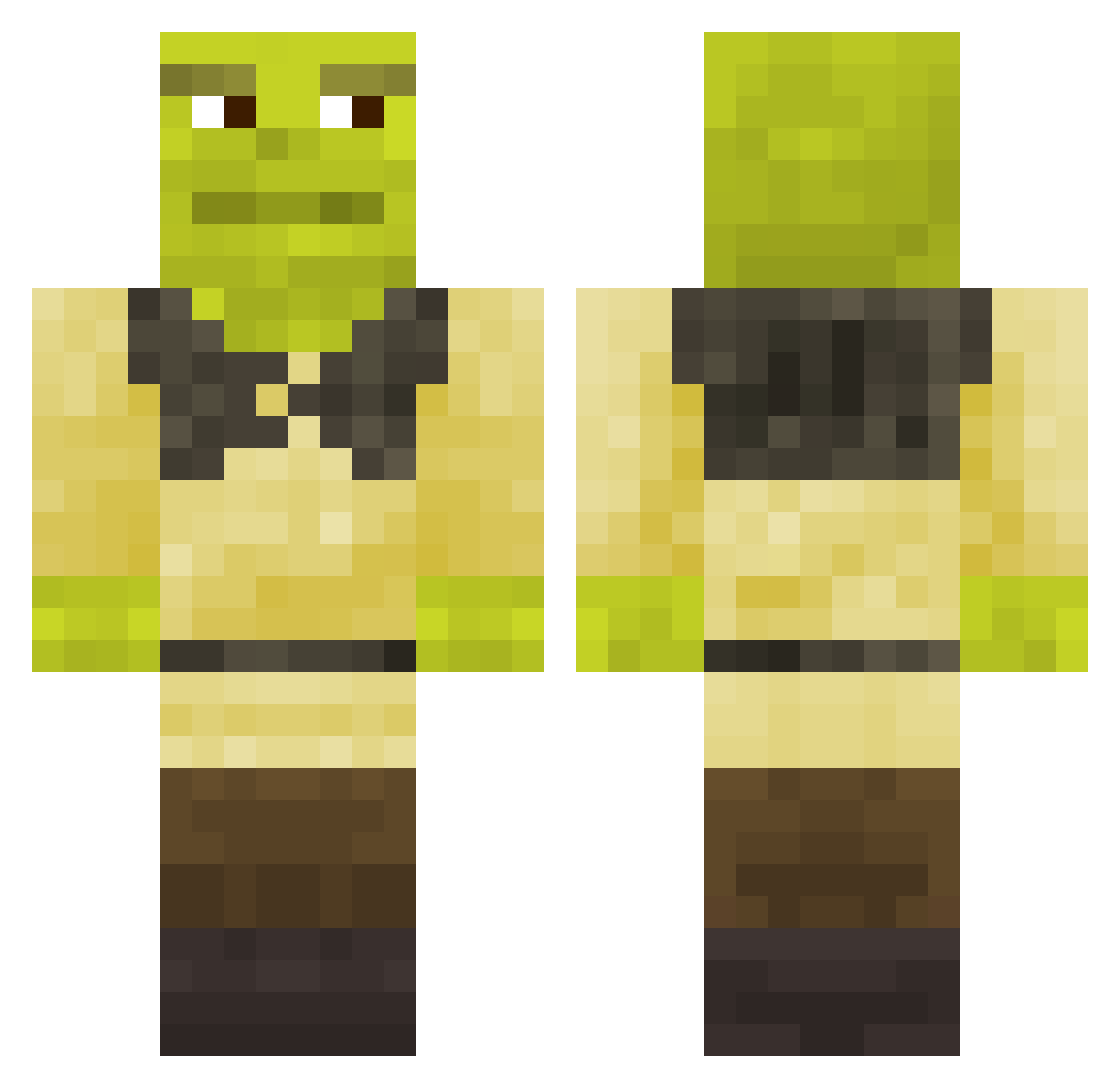
Current Minecraft skin of the player Myloo69, loaded from the official Mojang API. Rotate the 3D model with your mouse or finger, then download the skin as a PNG file and use it in Minecraft: Bedrock Edition or Java Edition for free. When Myloo69 changes their skin, this page updates automatically and the old skin stays in the history below.
Other players with this skin (743)
Myloo69 was the 677th player we have seen with this skin, first spotted on 24.10.2026. The same skin was seen on these players. Open a nickname to see their current skin and skin history.
 TheCrispyOne1 DanilTaGiL 8cla77nitsa Jeffax_ Alpata Lenku_Siaubas iamfrnotabot YoStevee Biyaku_ B1gZ1g Filip8064 Wolfemanz musoooo Scrantonstrnglr Tomsonvisual The_Fluffinator1 Niskler toybarn1 xiario34 mis987 err_banano_ssj robinomalo xamilos TallNerdTV VICTOR210 Qnaxx Tim998 joel987 Plant_Princess Panda_YaY MadalineSymes SPIKEdeath360 GayDisliker KillerMazali XSirbloodX M15X sam07424 TIKTOK999 fefolosynho elliepb JackStranger Flexkid09 SeVIInzhur ExpressedKitty Fitoxis rallethebest RickyNoT97 Sweaty_Az NicoBigSus spathic_ mmirianthopoulos Glandouillon em3838 dieterdirty YoloSwagYeti B0ns5 AlexElDestructor Pheodys JDMN10 Arnaubergine
More Shrek Minecraft skins
How to install the Myloo69 skin
- Press the Download button above to save the skin as a PNG file.
- Minecraft: Bedrock Edition (PE): open the Dressing Room from the main menu (or tap your character → Edit Character), go to Classic Skins → Owned, press the + (new skin) button, choose the downloaded PNG and pick the Classic (Steve) model. Works on PC and mobile; consoles cannot import custom skins.
- Minecraft: Java Edition: open the Minecraft Launcher, go to the Skins tab, click New Skin, load the PNG, pick the Classic (Steve) model and press Save & Use. You can also upload it at minecraft.net → Profile → Change Skin.
The skin does not show up after import - what should I do?
Restart Minecraft and open the Dressing Room again - imported skins sometimes appear only after a restart. Also make sure you selected the imported skin and picked the Classic (Steve) model.
Which model should I choose, Classic or Slim?
This skin is designed for the Classic (Steve) model. If you pick the wrong model, the arms of the skin will look stretched or squeezed.
Is the skin of Myloo69 free to download?
Yes. Press Download, save the PNG file and use it in Minecraft: Bedrock Edition or Java Edition - no payment or registration needed. The skin also works on multiplayer servers and Realms.
More skins
Looking for more? Go back to all Minecraft skins and check the top skins of the week, month and all time, or find any player's skin by nickname.