
Musa98 - Minecraft Skins & Skin History
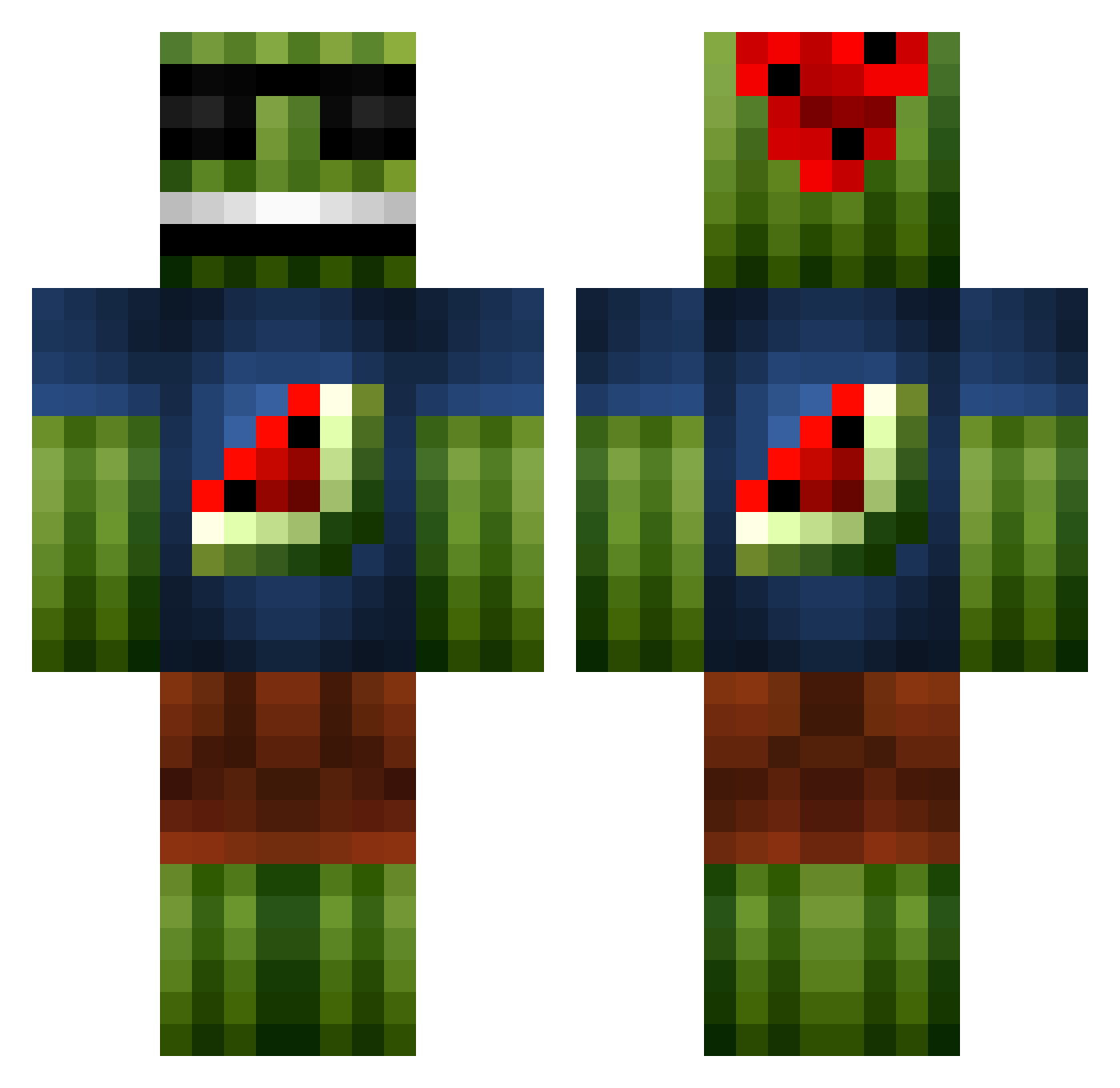
Current Minecraft skin of the player Musa98, loaded from the official Mojang API. Rotate the 3D model with your mouse or finger, then download the skin as a PNG file and use it in Minecraft: Bedrock Edition or Java Edition for free. When Musa98 changes their skin, this page updates automatically and the old skin stays in the history below.
Other players with this skin (1096)
Musa98 was the 399th player we have seen with this skin, first spotted on 04.09.2026. The same skin was seen on these players. Open a nickname to see their current skin and skin history.
 aaron123dunn CheeseInSpace forbon Ellerkampas maxXx_20 iiMellown xTheLoris Diamondking478 annamus1234 Zanedr Originalitee _Vitao_ williamergod99 JacobsenOG DjengKhan purplepeper666 devisawesummmmm kinkong555 Gildeaa Gaiser splash1320 Chano_OPE donaghegan KangarooWorld coolboy006 antman3942 EPeezy25 YeOldSmith Thebestplayer11 ShappyV1 2000mcs SixGuns69 albertabe lawrenceawesome Starkilla1234 colemiller2005 Lost_Kiwi_ BGamingB mrjones79 melonmannn JigglingChunder ErixTF Monfils KasperPants Glamis619 CrispyChippies JoKErGaming64 phone18 BOB54854 523761561 prosuchti11 nikolayxd KubickRubick zemuatalisk Huuubsch inyourmomsface Weird_Jay mathiasdyr jkjake ArsenicIV
More Watermelon Minecraft skins
How to install the Musa98 skin
- Press the Download button above to save the skin as a PNG file.
- Minecraft: Bedrock Edition (PE): open the Dressing Room from the main menu (or tap your character → Edit Character), go to Classic Skins → Owned, press the + (new skin) button, choose the downloaded PNG and pick the Classic (Steve) model. Works on PC and mobile; consoles cannot import custom skins.
- Minecraft: Java Edition: open the Minecraft Launcher, go to the Skins tab, click New Skin, load the PNG, pick the Classic (Steve) model and press Save & Use. You can also upload it at minecraft.net → Profile → Change Skin.
The skin does not show up after import - what should I do?
Restart Minecraft and open the Dressing Room again - imported skins sometimes appear only after a restart. Also make sure you selected the imported skin and picked the Classic (Steve) model.
Which model should I choose, Classic or Slim?
This skin is designed for the Classic (Steve) model. If you pick the wrong model, the arms of the skin will look stretched or squeezed.
Is the skin of Musa98 free to download?
Yes. Press Download, save the PNG file and use it in Minecraft: Bedrock Edition or Java Edition - no payment or registration needed. The skin also works on multiplayer servers and Realms.
More skins
Looking for more? Go back to all Minecraft skins and check the top skins of the week, month and all time, or find any player's skin by nickname.