
Mun1a - Minecraft Skins & Skin History
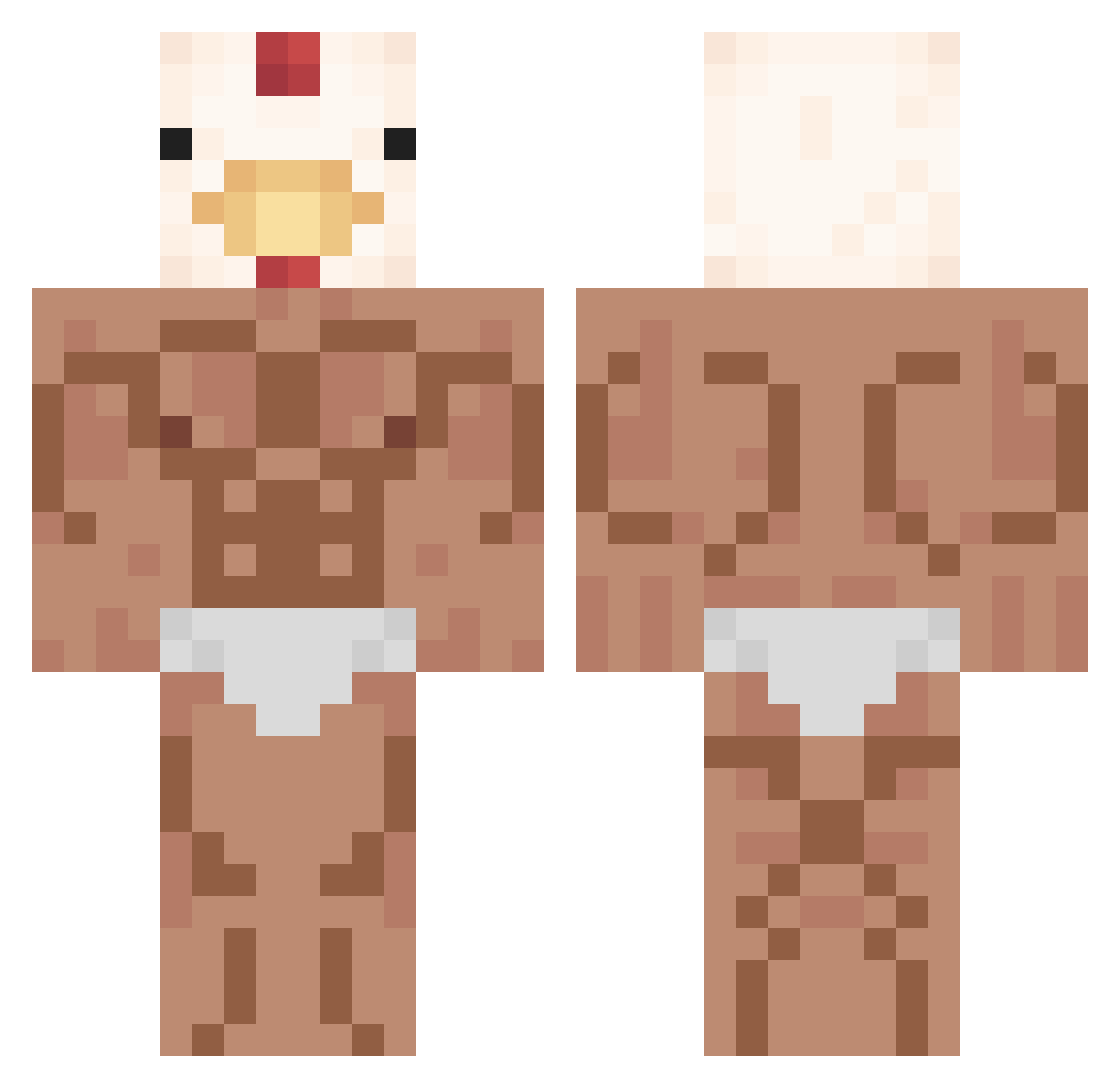
Current Minecraft skin of the player Mun1a, loaded from the official Mojang API. Rotate the 3D model with your mouse or finger, then download the skin as a PNG file and use it in Minecraft: Bedrock Edition or Java Edition for free. When Mun1a changes their skin, this page updates automatically and the old skin stays in the history below.
Other players with this skin (352)
Mun1a was the 231st player we have seen with this skin, first spotted on 01.10.2026. The same skin was seen on these players. Open a nickname to see their current skin and skin history.
 ALTER__ turboblanket1 VieranN61 Squishyclock28 Pavinator345 goldenblue1 GetshupHD KITN_CH GerbOG1026 SpeedStarWood LuzzMC BeanIsAwesome DATboii420 dj_lan3 hiimgogi UglyAssKid muniman01 MonarqueCheese scndies Hugo27405 Moyono MrMagenta DaxHaney lolouis3012 _Aluin t4inov Chunky_Owl_B ilikesoso twoj_stary420 potatoninja012 OwEr7513 PhatB0ner datisalex Crriiss mm7022888 VanneLim PGE_iron DOOFUaki0 Babyboi_Jpeg SmellyCheeseCans ThatGuy8756 eljonatan998 Sawwax bi__ba_biii sciaobelo Ro0n2 youngjun_S2 _Ivanito Chickenlittlest TTv_bishyboy ThePhnatoM FeNuggetHD JohnnyKnoxville_ ChloDH _TugrAlp khm2004 LE_TIGRE_MECHANT JeanBat_Man tinylittlecow Alexpoupoule
More Chicken Minecraft skins
How to install the Mun1a skin
- Press the Download button above to save the skin as a PNG file.
- Minecraft: Bedrock Edition (PE): open the Dressing Room from the main menu (or tap your character → Edit Character), go to Classic Skins → Owned, press the + (new skin) button, choose the downloaded PNG and pick the Classic (Steve) model. Works on PC and mobile; consoles cannot import custom skins.
- Minecraft: Java Edition: open the Minecraft Launcher, go to the Skins tab, click New Skin, load the PNG, pick the Classic (Steve) model and press Save & Use. You can also upload it at minecraft.net → Profile → Change Skin.
The skin does not show up after import - what should I do?
Restart Minecraft and open the Dressing Room again - imported skins sometimes appear only after a restart. Also make sure you selected the imported skin and picked the Classic (Steve) model.
Which model should I choose, Classic or Slim?
This skin is designed for the Classic (Steve) model. If you pick the wrong model, the arms of the skin will look stretched or squeezed.
Is the skin of Mun1a free to download?
Yes. Press Download, save the PNG file and use it in Minecraft: Bedrock Edition or Java Edition - no payment or registration needed. The skin also works on multiplayer servers and Realms.
More skins
Looking for more? Go back to all Minecraft skins and check the top skins of the week, month and all time, or find any player's skin by nickname.