
Mucaro - Minecraft Skins & Skin History
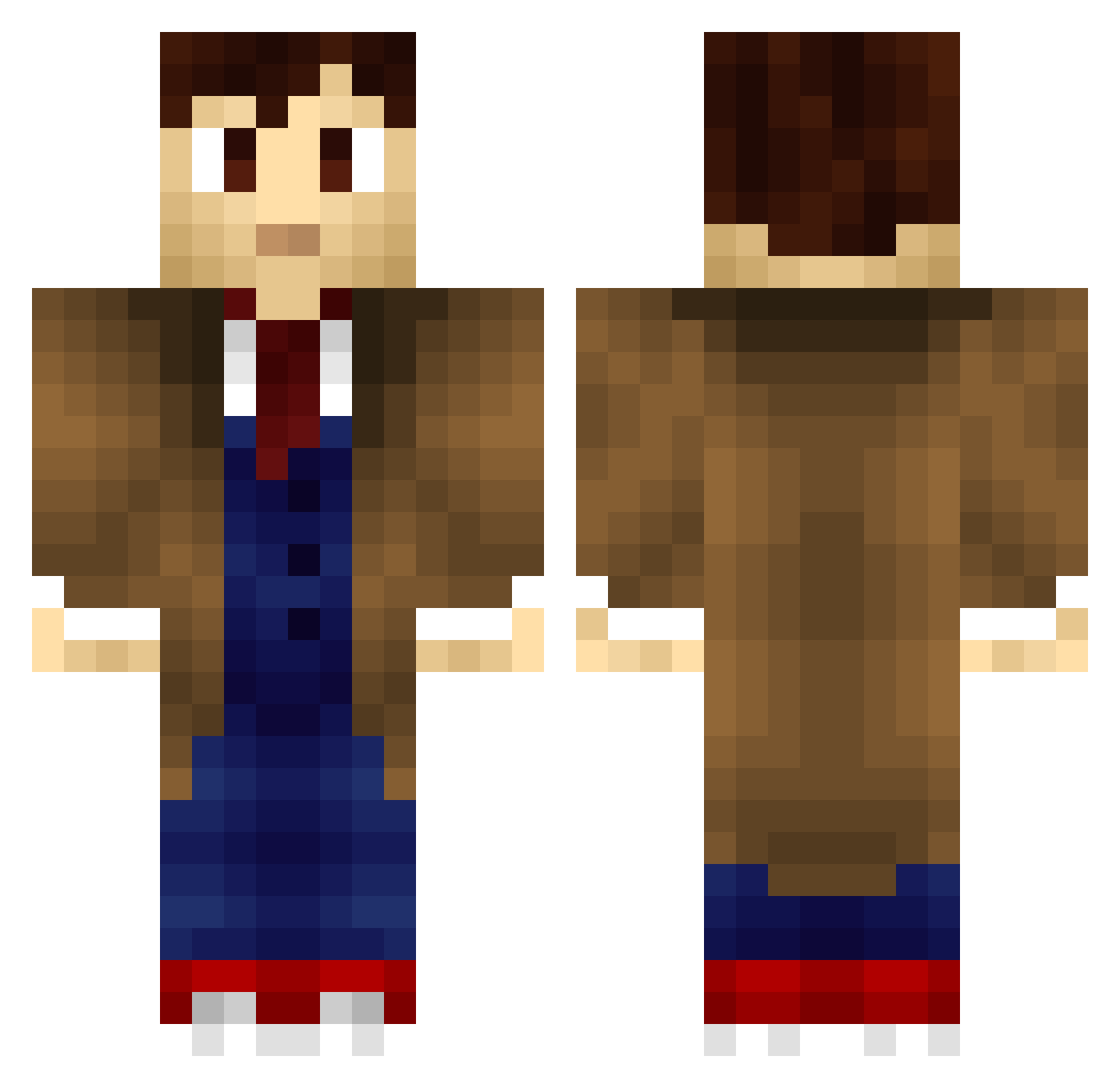
Current Minecraft skin of the player Mucaro, loaded from the official Mojang API. Rotate the 3D model with your mouse or finger, then download the skin as a PNG file and use it in Minecraft: Bedrock Edition or Java Edition for free. When Mucaro changes their skin, this page updates automatically and the old skin stays in the history below.
Other players with this skin (705)
Mucaro was the 268th player we have seen with this skin, first spotted on 06.09.2026. The same skin was seen on these players. Open a nickname to see their current skin and skin history.
 Energon809 Andrew1027 RJKingNZ ConnorTX docwho girlonfire_99 rjtorn22 DiamondBack662 Snofield Rogueblade42 BloodyGips 2bcoffee ianhand01 Gluesticker Atrus96 hoticecube ravenj8 BadWolfGabe miles_cisnt Hroofitz itsmebella black_angel04 MarineOrdie Wa1farer Vett2004 colden55 cyng924 _mjnoack LovelyZero jarthur14 shamwowIx MSaavik backso ConorFrosty waterboy205 Shadowsky27 EndOfPi Fireball1986 imrofli Reggyrob Polfull devinddevin Mr_Tuxed0 TimeMeddler Eskeroo dioscondiscos FollowHim EMIAH TripleRRR 22104 connor2001 Zybn OnyxMine SuperEXOBang Libsy92 MadDog148 azaellikesmen ManaOnTheMove I0001110101 Danissue
More Timelord Minecraft skins
How to install the Mucaro skin
- Press the Download button above to save the skin as a PNG file.
- Minecraft: Bedrock Edition (PE): open the Dressing Room from the main menu (or tap your character → Edit Character), go to Classic Skins → Owned, press the + (new skin) button, choose the downloaded PNG and pick the Classic (Steve) model. Works on PC and mobile; consoles cannot import custom skins.
- Minecraft: Java Edition: open the Minecraft Launcher, go to the Skins tab, click New Skin, load the PNG, pick the Classic (Steve) model and press Save & Use. You can also upload it at minecraft.net → Profile → Change Skin.
The skin does not show up after import - what should I do?
Restart Minecraft and open the Dressing Room again - imported skins sometimes appear only after a restart. Also make sure you selected the imported skin and picked the Classic (Steve) model.
Which model should I choose, Classic or Slim?
This skin is designed for the Classic (Steve) model. If you pick the wrong model, the arms of the skin will look stretched or squeezed.
Is the skin of Mucaro free to download?
Yes. Press Download, save the PNG file and use it in Minecraft: Bedrock Edition or Java Edition - no payment or registration needed. The skin also works on multiplayer servers and Realms.
More skins
Looking for more? Go back to all Minecraft skins and check the top skins of the week, month and all time, or find any player's skin by nickname.