
MsDeity - Minecraft Skins & Skin History
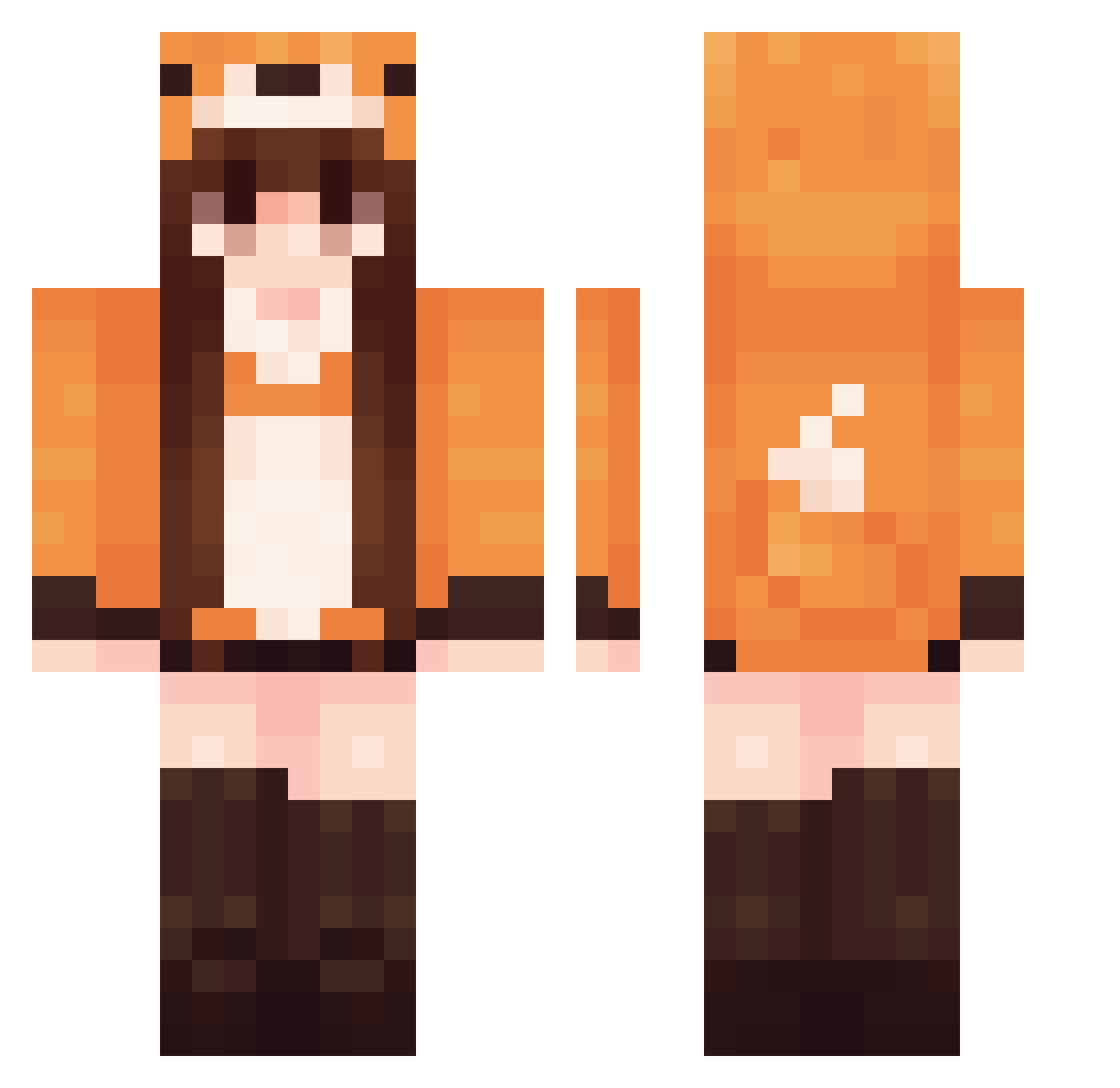
Current Minecraft skin of the player MsDeity, loaded from the official Mojang API. Rotate the 3D model with your mouse or finger, then download the skin as a PNG file and use it in Minecraft: Bedrock Edition or Java Edition for free. When MsDeity changes their skin, this page updates automatically and the old skin stays in the history below.
Other players with this skin (570)
MsDeity was the 136th player we have seen with this skin, first spotted on 19.08.2026. The same skin was seen on these players. Open a nickname to see their current skin and skin history.
 Koneko84 sunshinetropics Biscuitbe Kalemo2003 POPPYHOUSE Cl0uddyy KIITSUNE2 JuliBaker_ Lishengcc Rumiko88 RosePanda67 flawless05 Samiralove387 426c7565546978 lenilolz hiroeri
 Y4m11ii
 ToastingToastey Lundemiel Buss93 takoyaking32 Kitsunet0 Laarisz kanechisu Janye0750 Sakura_Tatsu Bombaychaat _Dxf lcx327501 SoyBasura_ Cylasz Rainbownnixx chm13 Lammt Snutka rhegbrkcjf0321 Lviix linglfeng TheCarmelek Memaw333 Reginaa31 arcanafoxalt hipohop Kitsunemimi_ Lamovau Alfea15 maddylibrary ashababy115 arcticvulpes120 Potetgaga Snot562 Lisica16 PAULAA__ Bzda spiederman wasntrying Mathildooo MessiRonaldo13 hollsx ShadowRose1514
More Fox Tail Minecraft skins
How to install the MsDeity skin
- Press the Download button above to save the skin as a PNG file.
- Minecraft: Bedrock Edition (PE): open the Dressing Room from the main menu (or tap your character → Edit Character), go to Classic Skins → Owned, press the + (new skin) button, choose the downloaded PNG and pick the Classic (Steve) model. Works on PC and mobile; consoles cannot import custom skins.
- Minecraft: Java Edition: open the Minecraft Launcher, go to the Skins tab, click New Skin, load the PNG, pick the Classic (Steve) model and press Save & Use. You can also upload it at minecraft.net → Profile → Change Skin.
The skin does not show up after import - what should I do?
Restart Minecraft and open the Dressing Room again - imported skins sometimes appear only after a restart. Also make sure you selected the imported skin and picked the Classic (Steve) model.
Which model should I choose, Classic or Slim?
This skin is designed for the Classic (Steve) model. If you pick the wrong model, the arms of the skin will look stretched or squeezed.
Is the skin of MsDeity free to download?
Yes. Press Download, save the PNG file and use it in Minecraft: Bedrock Edition or Java Edition - no payment or registration needed. The skin also works on multiplayer servers and Realms.
More skins
Looking for more? Go back to all Minecraft skins and check the top skins of the week, month and all time, or find any player's skin by nickname.