
Mrlolcakes - Minecraft Skins & Skin History
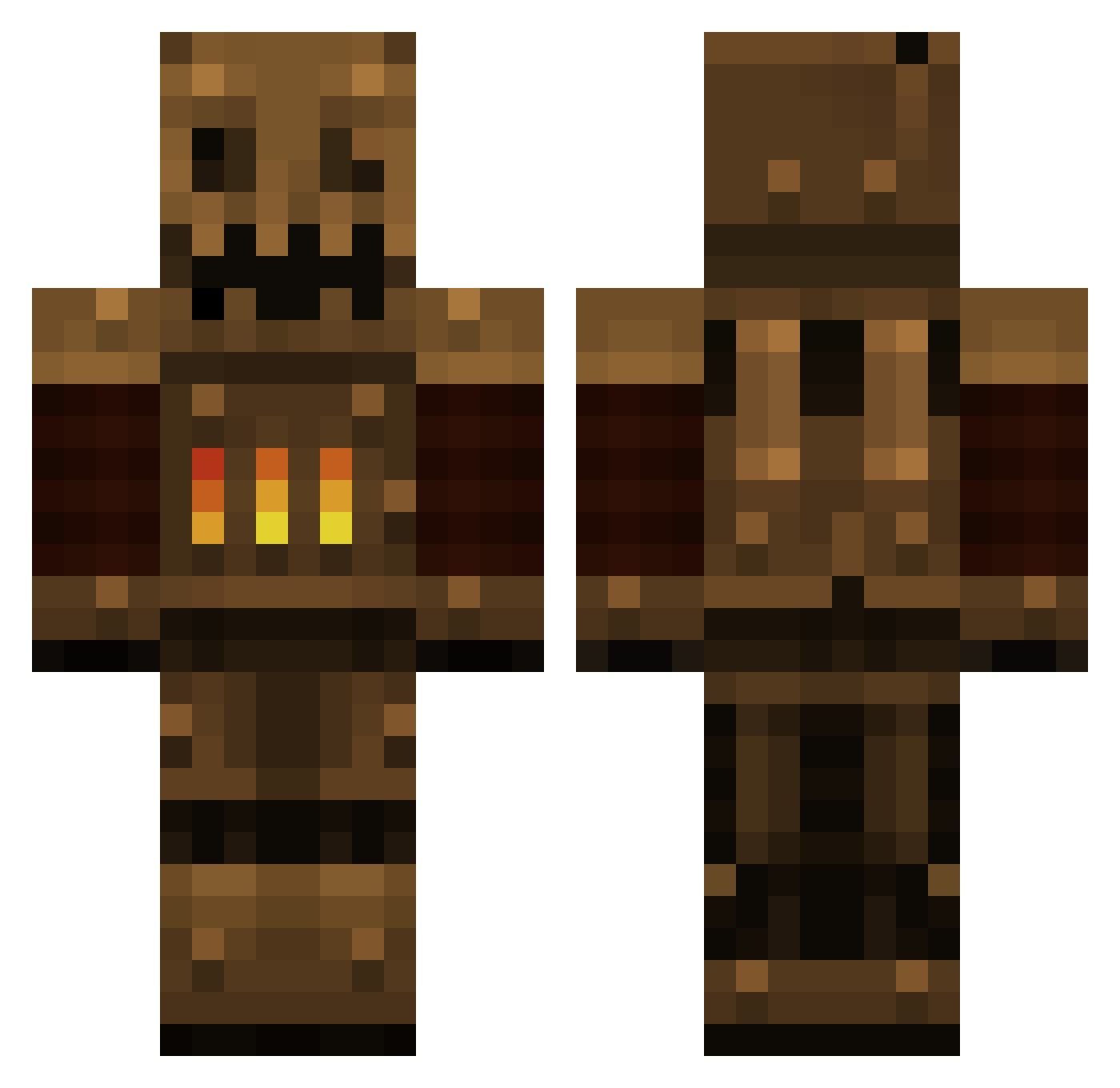
Current Minecraft skin of the player Mrlolcakes, loaded from the official Mojang API. Rotate the 3D model with your mouse or finger, then download the skin as a PNG file and use it in Minecraft: Bedrock Edition or Java Edition for free. When Mrlolcakes changes their skin, this page updates automatically and the old skin stays in the history below.
Other players with this skin (107)
Mrlolcakes was the 35th player we have seen with this skin, first spotted on 25.08.2026. The same skin was seen on these players. Open a nickname to see their current skin and skin history.
 GiFoX Shenhen Codereign I_Am_Haus OriDisciple IInfinityblade ebot9001 theStormyEyes AtlasWay kairosbolt Pixels_on_Pixels DirtmanKing Questos EmeraldTrade Doomihuvudet VLARINT3G SoulfulGryphon4 dushanbe7 WorldWar3000 RoboPirate Piggy_BunnyDecay mikalf642 TaruRea Padeiro_Gamer LYH_HC is_tweety DoctorAbsurdity Xhaler FarbKlexx Stronmaus not_tropical polarbear610 PizzaDragon4819 Peybot_ nat1g bulbarocket21 iVikingDragon LobsterFish MildMrButt14 weaselwax_01 nathan70253 Vobal Jastrov Taamin HyperZ6187 ceedon aerends Scizariel ChainsawsTuF PeeHype R3belz_NL Roy_Daniel Davin_ Doorman1810 DeadlyHare Edsups Fhace TechTylord PaperCrowns DustbinS
More Scarecrow Minecraft skins
How to install the Mrlolcakes skin
- Press the Download button above to save the skin as a PNG file.
- Minecraft: Bedrock Edition (PE): open the Dressing Room from the main menu (or tap your character → Edit Character), go to Classic Skins → Owned, press the + (new skin) button, choose the downloaded PNG and pick the Classic (Steve) model. Works on PC and mobile; consoles cannot import custom skins.
- Minecraft: Java Edition: open the Minecraft Launcher, go to the Skins tab, click New Skin, load the PNG, pick the Classic (Steve) model and press Save & Use. You can also upload it at minecraft.net → Profile → Change Skin.
The skin does not show up after import - what should I do?
Restart Minecraft and open the Dressing Room again - imported skins sometimes appear only after a restart. Also make sure you selected the imported skin and picked the Classic (Steve) model.
Which model should I choose, Classic or Slim?
This skin is designed for the Classic (Steve) model. If you pick the wrong model, the arms of the skin will look stretched or squeezed.
Is the skin of Mrlolcakes free to download?
Yes. Press Download, save the PNG file and use it in Minecraft: Bedrock Edition or Java Edition - no payment or registration needed. The skin also works on multiplayer servers and Realms.
More skins
Looking for more? Go back to all Minecraft skins and check the top skins of the week, month and all time, or find any player's skin by nickname.