
Mr_Leviathan97 - Minecraft Skins & Skin History
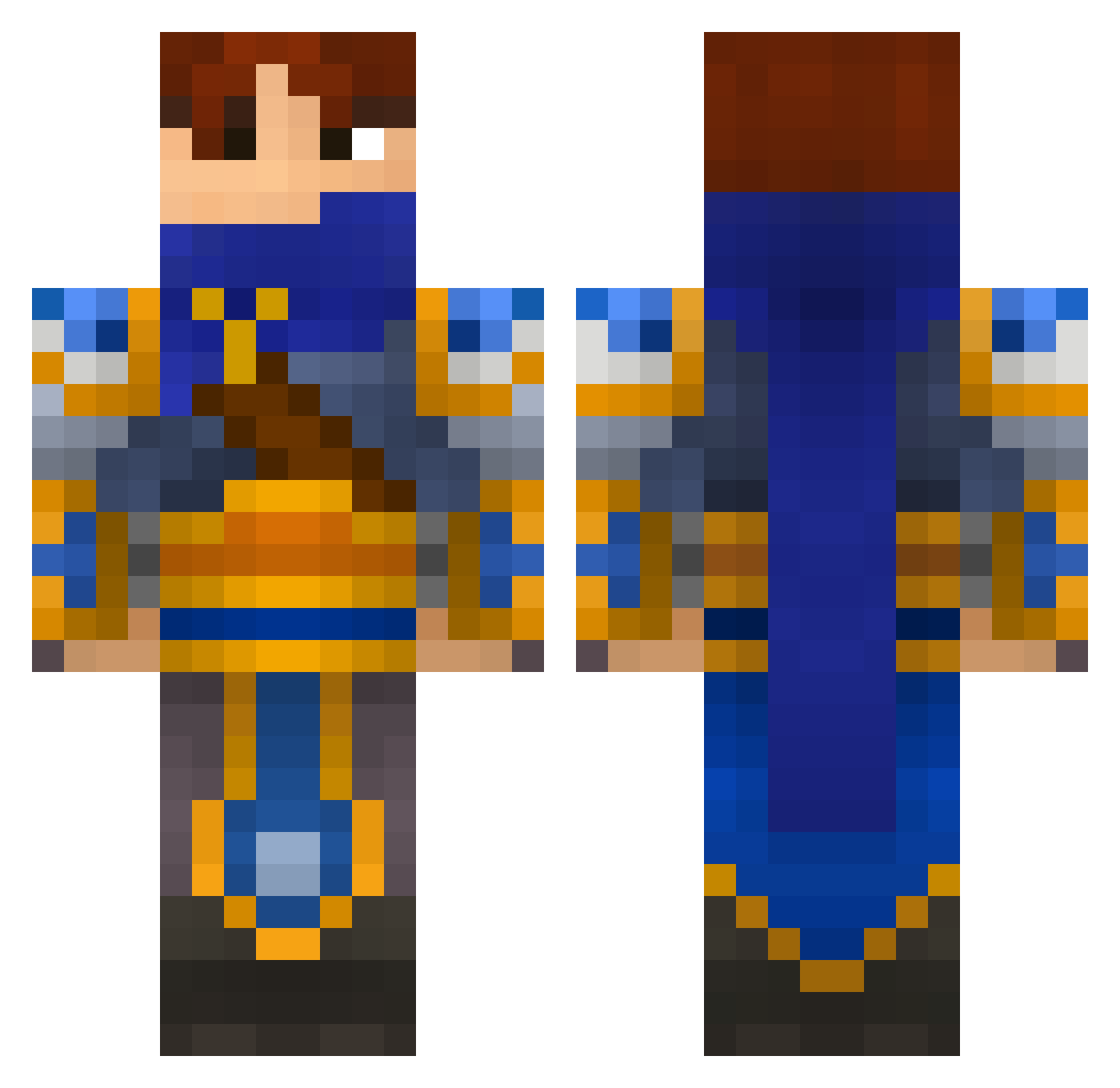
Current Minecraft skin of the player Mr_Leviathan97, loaded from the official Mojang API. Rotate the 3D model with your mouse or finger, then download the skin as a PNG file and use it in Minecraft: Bedrock Edition or Java Edition for free. When Mr_Leviathan97 changes their skin, this page updates automatically and the old skin stays in the history below.
Other players with this skin (695)
Mr_Leviathan97 was the 126th player we have seen with this skin, first spotted on 17.08.2026. The same skin was seen on these players. Open a nickname to see their current skin and skin history.
 EmiT Zukajin haeryos06 SCVroker7253 boulazorro BAVENHUR peterxio Ally199 cpcpowell8 kibao Sn0Bi ironimed WoodguardA Chyson CaptainBalu chuckscc BestSingedNA Pullataikina100 Sh0k0la FarleyMorris lucasse Nguyen23Dasright Gerry_97 Dieguinho08 DoomWhite M4R_CUS GoDz_ii_PsYcHo_x MrMineHeads MrBockinizer SupperJin MetzSucks Down_Viter kidzu nintentofu gentledoom GaNgStEr990 ThatGuySmith viktorotto lore94 miner28er Poisonblades funkikai Profettjes jdma2m ArisildeDamal Wraith_Thermos Kash1wagi gekkostate Toaster_Warrior HailedDuke FatalxTerror Salomon Aeolius Ryoga03 julius1231 Mindoiar RustyCallum Elden97 Janiku8Gamer SeanManning
More Warrior Minecraft skins
How to install the Mr_Leviathan97 skin
- Press the Download button above to save the skin as a PNG file.
- Minecraft: Bedrock Edition (PE): open the Dressing Room from the main menu (or tap your character → Edit Character), go to Classic Skins → Owned, press the + (new skin) button, choose the downloaded PNG and pick the Classic (Steve) model. Works on PC and mobile; consoles cannot import custom skins.
- Minecraft: Java Edition: open the Minecraft Launcher, go to the Skins tab, click New Skin, load the PNG, pick the Classic (Steve) model and press Save & Use. You can also upload it at minecraft.net → Profile → Change Skin.
The skin does not show up after import - what should I do?
Restart Minecraft and open the Dressing Room again - imported skins sometimes appear only after a restart. Also make sure you selected the imported skin and picked the Classic (Steve) model.
Which model should I choose, Classic or Slim?
This skin is designed for the Classic (Steve) model. If you pick the wrong model, the arms of the skin will look stretched or squeezed.
Is the skin of Mr_Leviathan97 free to download?
Yes. Press Download, save the PNG file and use it in Minecraft: Bedrock Edition or Java Edition - no payment or registration needed. The skin also works on multiplayer servers and Realms.
More skins
Looking for more? Go back to all Minecraft skins and check the top skins of the week, month and all time, or find any player's skin by nickname.