
Mr_BryanL - Minecraft Skins & Skin History
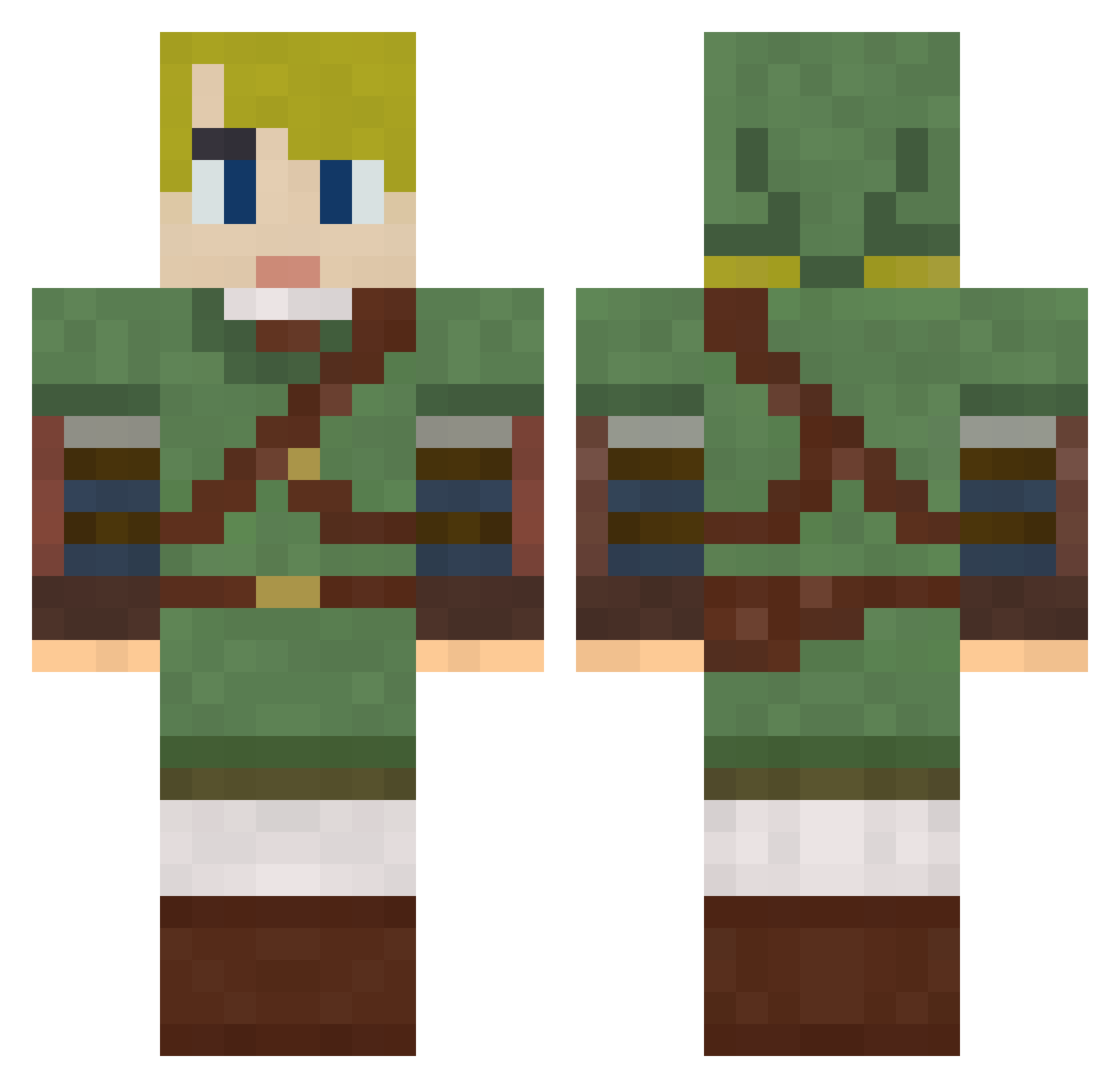
Current Minecraft skin of the player Mr_BryanL, loaded from the official Mojang API. Rotate the 3D model with your mouse or finger, then download the skin as a PNG file and use it in Minecraft: Bedrock Edition or Java Edition for free. When Mr_BryanL changes their skin, this page updates automatically and the old skin stays in the history below.
Other players with this skin (792)
Mr_BryanL was the 260th player we have seen with this skin, first spotted on 29.08.2026. The same skin was seen on these players. Open a nickname to see their current skin and skin history.
 Id3Nv3R eveslage15 funafuna3 mrdriller21 pad3509 Delta69Gorbag JazzyNeff MrEskill SuperAssassinGuy unstealthyogre XDMadman02DX holdenm1 _Lumos_ Twiice89 Novazion Koleon5 veggie_omelette Alendi DistinctDna Allis02 demiure Nectaris2 Guitar_Hero666 BabyKittens herooffallen kiwiLink ruthger5 IniquityEU Katy_Perrys_Dad nickcannon2000 zalinn Acnologia13 Johondar Nodeemus andreas17 dino974 razze00 Yhujiko Krenboy DivadYug Chaoticleaves BachelorBadger SCameron Darth_Blitz_ Rappy99 curtain99 Ryell Sprinter94 N3v3rShoutMik3y TheOptimime bokuko JohnnyRascal CheeseHeaded lilac_kaguya Elementti90 CoolcopyX Azrael1969 Malibu_love TheLastEnting ZebDawg
More Zelda Minecraft skins
How to install the Mr_BryanL skin
- Press the Download button above to save the skin as a PNG file.
- Minecraft: Bedrock Edition (PE): open the Dressing Room from the main menu (or tap your character → Edit Character), go to Classic Skins → Owned, press the + (new skin) button, choose the downloaded PNG and pick the Classic (Steve) model. Works on PC and mobile; consoles cannot import custom skins.
- Minecraft: Java Edition: open the Minecraft Launcher, go to the Skins tab, click New Skin, load the PNG, pick the Classic (Steve) model and press Save & Use. You can also upload it at minecraft.net → Profile → Change Skin.
The skin does not show up after import - what should I do?
Restart Minecraft and open the Dressing Room again - imported skins sometimes appear only after a restart. Also make sure you selected the imported skin and picked the Classic (Steve) model.
Which model should I choose, Classic or Slim?
This skin is designed for the Classic (Steve) model. If you pick the wrong model, the arms of the skin will look stretched or squeezed.
Is the skin of Mr_BryanL free to download?
Yes. Press Download, save the PNG file and use it in Minecraft: Bedrock Edition or Java Edition - no payment or registration needed. The skin also works on multiplayer servers and Realms.
More skins
Looking for more? Go back to all Minecraft skins and check the top skins of the week, month and all time, or find any player's skin by nickname.