
MrMunchkinK - Minecraft Skins & Skin History
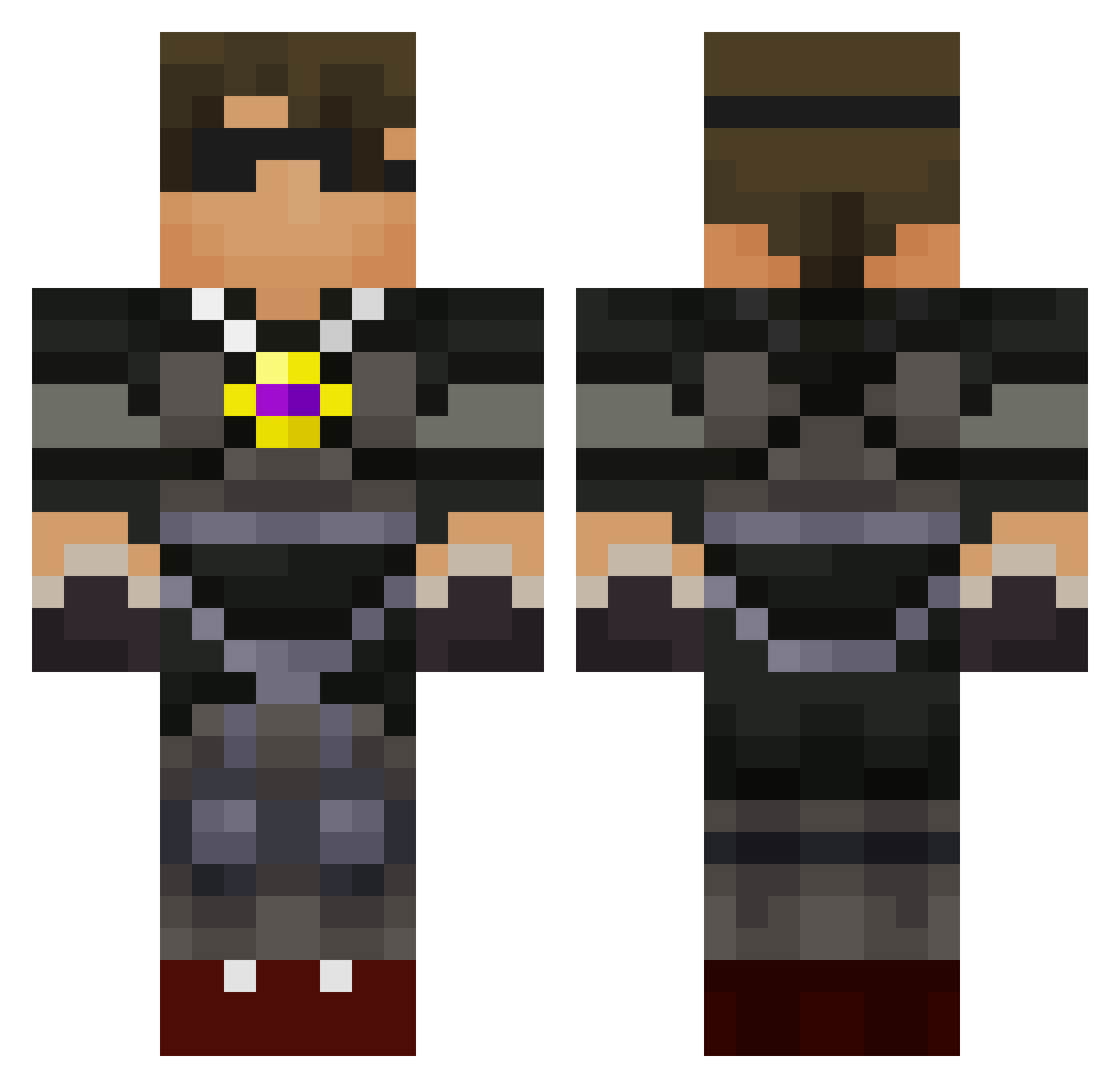
Current Minecraft skin of the player MrMunchkinK, loaded from the official Mojang API. Rotate the 3D model with your mouse or finger, then download the skin as a PNG file and use it in Minecraft: Bedrock Edition or Java Edition for free. When MrMunchkinK changes their skin, this page updates automatically and the old skin stays in the history below.
Other players with this skin (95)
MrMunchkinK was the 75th player we have seen with this skin, first spotted on 01.10.2026. The same skin was seen on these players. Open a nickname to see their current skin and skin history.
 Brownie91605 charlie7703 chickenwing2004 certified14 soccerplyr131 usamaoffical gamerboy925 Coffeepotlove ashtoncornwell rough92 emilio562 BeachBum2008 ttayllan sixlocos Tristan_987 GoldenMaster24 Milokyle xxUnaskedCoderxx Epro1 fibersinew2 chistogo BrysonHall Alexander1027 robert10000655 lachieh1 geartkiller connorcrozier bolton89 Super_sniper57 Tythekid100 jgboy11 AydenHigdon bloodystabber990 handsomeboy06 Tai06 Vinboy8 JakePC11 Kingshockey27 overlord11501 mikess1211 Gabedroid Inderhunter TeNcVoL setserashton ry923 jud317 mattbillimore KoLangley sqSquishyLemonsq _Crazy_legs_ lachyplaysmc gabrossard smartkiddies cllbqz thecreeps19191 sms886 Kyfitzy TTT311 epiccreeper0101 pencilsmith
More Combat Gear Minecraft skins
How to install the MrMunchkinK skin
- Press the Download button above to save the skin as a PNG file.
- Minecraft: Bedrock Edition (PE): open the Dressing Room from the main menu (or tap your character → Edit Character), go to Classic Skins → Owned, press the + (new skin) button, choose the downloaded PNG and pick the Classic (Steve) model. Works on PC and mobile; consoles cannot import custom skins.
- Minecraft: Java Edition: open the Minecraft Launcher, go to the Skins tab, click New Skin, load the PNG, pick the Classic (Steve) model and press Save & Use. You can also upload it at minecraft.net → Profile → Change Skin.
The skin does not show up after import - what should I do?
Restart Minecraft and open the Dressing Room again - imported skins sometimes appear only after a restart. Also make sure you selected the imported skin and picked the Classic (Steve) model.
Which model should I choose, Classic or Slim?
This skin is designed for the Classic (Steve) model. If you pick the wrong model, the arms of the skin will look stretched or squeezed.
Is the skin of MrMunchkinK free to download?
Yes. Press Download, save the PNG file and use it in Minecraft: Bedrock Edition or Java Edition - no payment or registration needed. The skin also works on multiplayer servers and Realms.
More skins
Looking for more? Go back to all Minecraft skins and check the top skins of the week, month and all time, or find any player's skin by nickname.