
MoshiQAQ - Minecraft Skins & Skin History
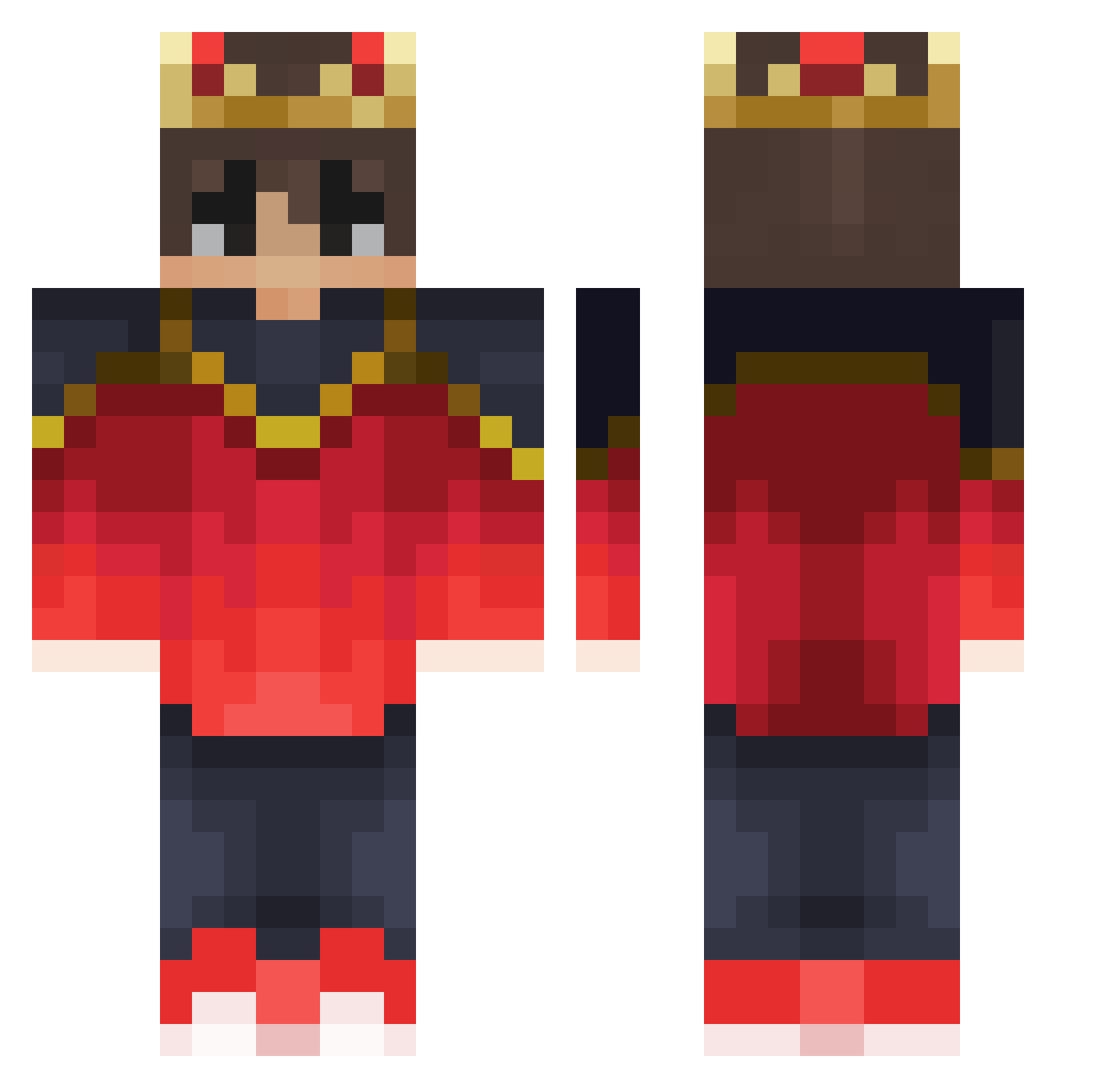
Current Minecraft skin of the player MoshiQAQ, loaded from the official Mojang API. Rotate the 3D model with your mouse or finger, then download the skin as a PNG file and use it in Minecraft: Bedrock Edition or Java Edition for free. When MoshiQAQ changes their skin, this page updates automatically and the old skin stays in the history below.
Other players with this skin (366)
MoshiQAQ was the 244th player we have seen with this skin, first spotted on 15.10.2026. The same skin was seen on these players. Open a nickname to see their current skin and skin history.
 saantucho13 Flazer672 Chenlong615 SkyForx MinecraftCN2022 Twentix OxiLeZebi Lycheeboii _mixu dapaw IisusMc villan_yt Andy0630 Cupertino789 Sakura_Mogul Itz_FreeZz FYxxx_ loxiiiii Cloraz DerKapuzenBoy ddonggo09 zPunisher_G0D chixpax24 yungondre TosterowyTost Pixiriffs Qchancito Lil_Storm101 Aelf55 _Sparky_22 yodahie EDDY_TxT Gonzxa7 Nado_05 KyssedYew Leooooo_TW Saimon2224 notcherdreamer LaRocque16 MigMagSola iGusma wyssb liujian2570 IAV2021 porpios __pm__ ELPULPO25 Carlasplund lidisch Byonek enesbaba35 Pottercito OmegaLouis Boupendza Zeeleon Grano747 LeViCo_07 qolleh DEDRockTV MarmotaFox
More Technoblade Minecraft skins
See all 4722 Technoblade skins
How to install the MoshiQAQ skin
- Press the Download button above to save the skin as a PNG file.
- Minecraft: Bedrock Edition (PE): open the Dressing Room from the main menu (or tap your character → Edit Character), go to Classic Skins → Owned, press the + (new skin) button, choose the downloaded PNG and pick the Classic (Steve) model. Works on PC and mobile; consoles cannot import custom skins.
- Minecraft: Java Edition: open the Minecraft Launcher, go to the Skins tab, click New Skin, load the PNG, pick the Classic (Steve) model and press Save & Use. You can also upload it at minecraft.net → Profile → Change Skin.
The skin does not show up after import - what should I do?
Restart Minecraft and open the Dressing Room again - imported skins sometimes appear only after a restart. Also make sure you selected the imported skin and picked the Classic (Steve) model.
Which model should I choose, Classic or Slim?
This skin is designed for the Classic (Steve) model. If you pick the wrong model, the arms of the skin will look stretched or squeezed.
Is the skin of MoshiQAQ free to download?
Yes. Press Download, save the PNG file and use it in Minecraft: Bedrock Edition or Java Edition - no payment or registration needed. The skin also works on multiplayer servers and Realms.
More skins
Looking for more? Go back to all Minecraft skins and check the top skins of the week, month and all time, or find any player's skin by nickname.