
MoraleTt - Minecraft Skins & Skin History
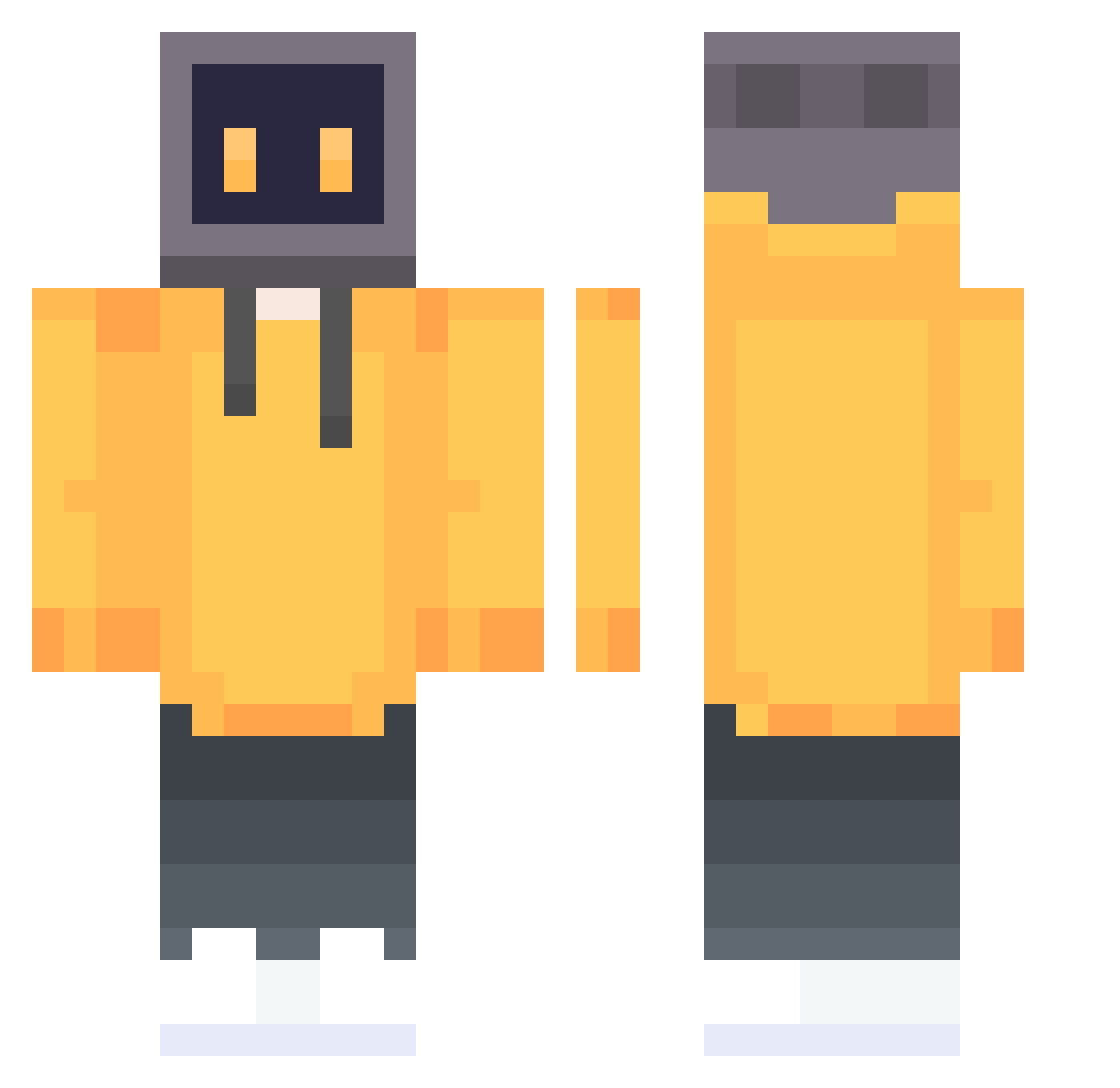
Current Minecraft skin of the player MoraleTt, loaded from the official Mojang API. Rotate the 3D model with your mouse or finger, then download the skin as a PNG file and use it in Minecraft: Bedrock Edition or Java Edition for free. When MoraleTt changes their skin, this page updates automatically and the old skin stays in the history below.
Other players with this skin (647)
MoraleTt was the 537th player we have seen with this skin, first spotted on 10.10.2026. The same skin was seen on these players. Open a nickname to see their current skin and skin history.
 hikiri1412 R7End11 MikeTheMemer Mythioss ferret663 mojingyi66 VeeGaming Uldrassyx narik2007z 93oo Aaaa_ha mooncraftbosspro EL_bass Seafarer66 MAPLE23333333 Suani420 tarkov1 Ayatoshino Parker1ee Vigeoff Rajitani AmateurGoodGuy Siliperj NitroSys_Pro KR_ZZ akutagawa04 Way2Close RealRick_ Kanaifu wenduo02 Playmer33 _dawn1998 LiuLinger MuLiiiii backfish33 PapyRyuma BeaGu MTONGU SmokeGhost_815 AnodyneCore kill_all Sentivon Mayguel__ butterfy Hong_Tea_ calvinludwig czazs Nero_God Ys101 STELLA_BIG Morbid_m uclvho_ EvanSnow SimoFrost masomisha zhaisheng _OMS MumuStellar xiaoBJ aconative
More TV Head Minecraft skins
How to install the MoraleTt skin
- Press the Download button above to save the skin as a PNG file.
- Minecraft: Bedrock Edition (PE): open the Dressing Room from the main menu (or tap your character → Edit Character), go to Classic Skins → Owned, press the + (new skin) button, choose the downloaded PNG and pick the Classic (Steve) model. Works on PC and mobile; consoles cannot import custom skins.
- Minecraft: Java Edition: open the Minecraft Launcher, go to the Skins tab, click New Skin, load the PNG, pick the Classic (Steve) model and press Save & Use. You can also upload it at minecraft.net → Profile → Change Skin.
The skin does not show up after import - what should I do?
Restart Minecraft and open the Dressing Room again - imported skins sometimes appear only after a restart. Also make sure you selected the imported skin and picked the Classic (Steve) model.
Which model should I choose, Classic or Slim?
This skin is designed for the Classic (Steve) model. If you pick the wrong model, the arms of the skin will look stretched or squeezed.
Is the skin of MoraleTt free to download?
Yes. Press Download, save the PNG file and use it in Minecraft: Bedrock Edition or Java Edition - no payment or registration needed. The skin also works on multiplayer servers and Realms.
More skins
Looking for more? Go back to all Minecraft skins and check the top skins of the week, month and all time, or find any player's skin by nickname.