
Moonovo10 - Minecraft Skins & Skin History
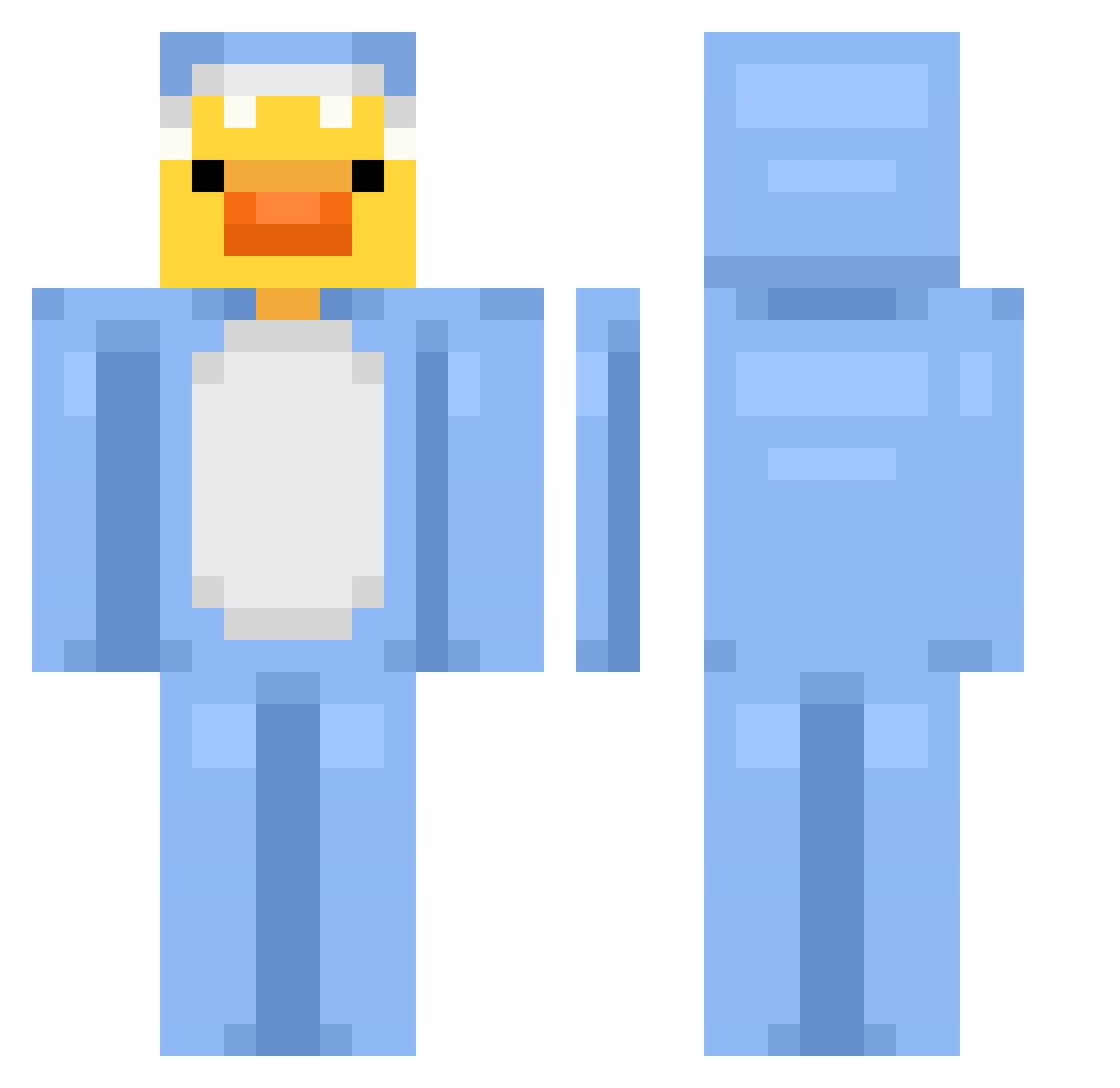
Current Minecraft skin of the player Moonovo10, loaded from the official Mojang API. Rotate the 3D model with your mouse or finger, then download the skin as a PNG file and use it in Minecraft: Bedrock Edition or Java Edition for free. When Moonovo10 changes their skin, this page updates automatically and the old skin stays in the history below.
Other players with this skin (677)
Moonovo10 was the 544th player we have seen with this skin, first spotted on 06.10.2026. The same skin was seen on these players. Open a nickname to see their current skin and skin history.
 DreiKueste12832 Gebers curryworst4324 MelatoninMunchr magnequ NotMe9495 RrozGG marssols riniiii ASAWINZ shuupoww mesut3544 SOOHYUN85 Kev1_n Saaaimon 1erAbi therainbowdude1 ChrissyOffical14 Ariant_ Leylaluvy Ente1945 wolfychase11 JackBug0328 alexnotfake Nymph17 MomokoJang bellagena natisaanchezz BambusLan JamesTheSixth TisPerson LeaBrauner tommyrockwell Akemi_Miyano GrayShadow08 Brendan0524 Duckize planetgoober Drewskiie SamPagii lil_Angel_Baby Rupert2005 Jigbuuls eul_e RanBi7 Matiouxx CuriousPanda_ pumKINGseeds Patisho12 z7v_ Jamessypoo Gin01230410 kasiaa08 7c__ Knatterrina Glassyspore919 safesunx mewcury97 camille1134 Selahsue
More Onesie Minecraft skins
How to install the Moonovo10 skin
- Press the Download button above to save the skin as a PNG file.
- Minecraft: Bedrock Edition (PE): open the Dressing Room from the main menu (or tap your character → Edit Character), go to Classic Skins → Owned, press the + (new skin) button, choose the downloaded PNG and pick the Classic (Steve) model. Works on PC and mobile; consoles cannot import custom skins.
- Minecraft: Java Edition: open the Minecraft Launcher, go to the Skins tab, click New Skin, load the PNG, pick the Classic (Steve) model and press Save & Use. You can also upload it at minecraft.net → Profile → Change Skin.
The skin does not show up after import - what should I do?
Restart Minecraft and open the Dressing Room again - imported skins sometimes appear only after a restart. Also make sure you selected the imported skin and picked the Classic (Steve) model.
Which model should I choose, Classic or Slim?
This skin is designed for the Classic (Steve) model. If you pick the wrong model, the arms of the skin will look stretched or squeezed.
Is the skin of Moonovo10 free to download?
Yes. Press Download, save the PNG file and use it in Minecraft: Bedrock Edition or Java Edition - no payment or registration needed. The skin also works on multiplayer servers and Realms.
More skins
Looking for more? Go back to all Minecraft skins and check the top skins of the week, month and all time, or find any player's skin by nickname.