
Jigbuuls - Minecraft Skins & Skin History
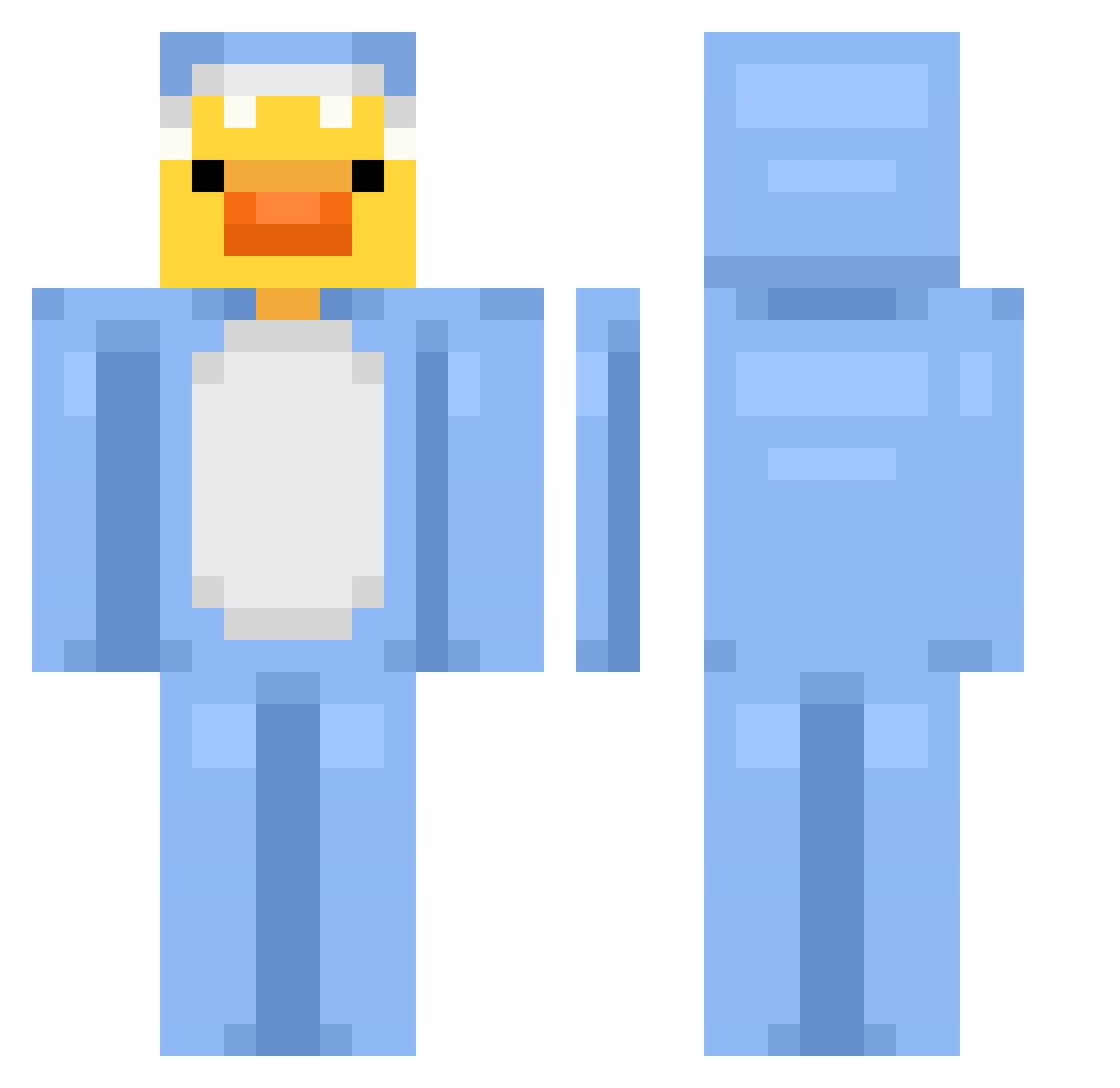
Current Minecraft skin of the player Jigbuuls, loaded from the official Mojang API. Rotate the 3D model with your mouse or finger, then download the skin as a PNG file and use it in Minecraft: Bedrock Edition or Java Edition for free. When Jigbuuls changes their skin, this page updates automatically and the old skin stays in the history below.
Other players with this skin (677)
Jigbuuls was the 523rd player we have seen with this skin, first spotted on 03.10.2026. The same skin was seen on these players. Open a nickname to see their current skin and skin history.
 Rupert2005 lil_Angel_Baby RanBi7 Matiouxx pumKINGseeds planetgoober Jamessypoo Duckize Gin01230410 Brendan0524 LeaBrauner TisPerson mewcury97 toxic_duckyy natisaanchezz MaJ_PAj Klakier_01 kodiackjack Dino_Nuggi3s lucy_066 JackBug0328 Ente1945 Luperionatron HatChu HUNNYtv1887 ELIYAH12312 Matheus_Ian Ariant_ Lookadis banmh2 therainbowdude1 GotBeanJuice 1erAbi GoofyGoober_IsMe wisdomed Kev1_n SOOHYUN85 mesut3544 RustyBullet101 me_am_nairda qikala1 Yrmelo Bangpun2012 RrozGG wrlod Teamfiqht MelatoninMunchr curryworst4324 CallmeChosenOne DreiKueste12832 Moonovo10 Gebers kyotowx ddong053o RollaPolla magnequ 136_SharkSiBaMC NotMe9495 marssols riniiii
More Onesie Minecraft skins
How to install the Jigbuuls skin
- Press the Download button above to save the skin as a PNG file.
- Minecraft: Bedrock Edition (PE): open the Dressing Room from the main menu (or tap your character → Edit Character), go to Classic Skins → Owned, press the + (new skin) button, choose the downloaded PNG and pick the Classic (Steve) model. Works on PC and mobile; consoles cannot import custom skins.
- Minecraft: Java Edition: open the Minecraft Launcher, go to the Skins tab, click New Skin, load the PNG, pick the Classic (Steve) model and press Save & Use. You can also upload it at minecraft.net → Profile → Change Skin.
The skin does not show up after import - what should I do?
Restart Minecraft and open the Dressing Room again - imported skins sometimes appear only after a restart. Also make sure you selected the imported skin and picked the Classic (Steve) model.
Which model should I choose, Classic or Slim?
This skin is designed for the Classic (Steve) model. If you pick the wrong model, the arms of the skin will look stretched or squeezed.
Is the skin of Jigbuuls free to download?
Yes. Press Download, save the PNG file and use it in Minecraft: Bedrock Edition or Java Edition - no payment or registration needed. The skin also works on multiplayer servers and Realms.
More skins
Looking for more? Go back to all Minecraft skins and check the top skins of the week, month and all time, or find any player's skin by nickname.