
MonsoonAlt8 - Minecraft Skins & Skin History
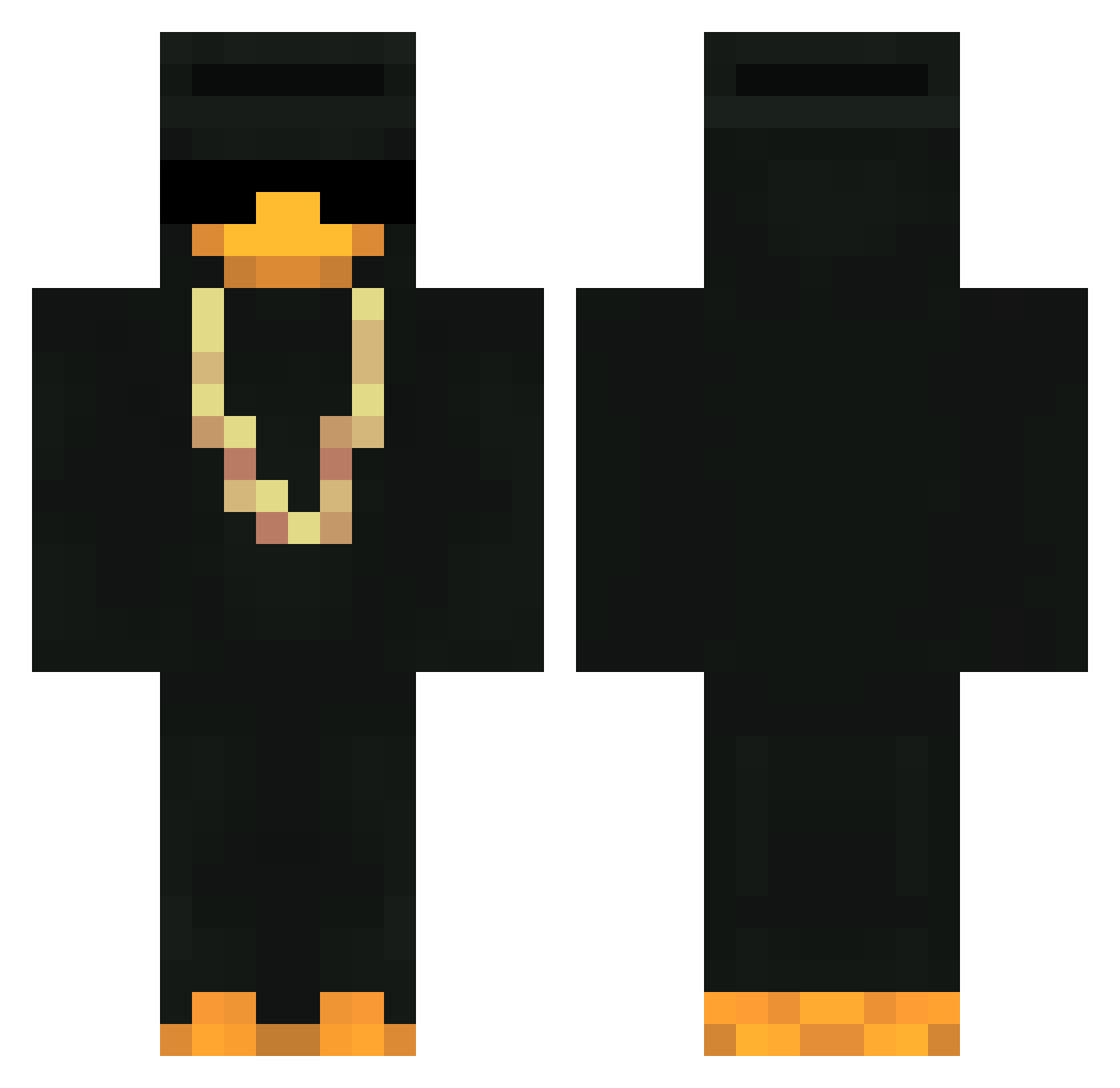
Current Minecraft skin of the player MonsoonAlt8, loaded from the official Mojang API. Rotate the 3D model with your mouse or finger, then download the skin as a PNG file and use it in Minecraft: Bedrock Edition or Java Edition for free. When MonsoonAlt8 changes their skin, this page updates automatically and the old skin stays in the history below.
Other players with this skin (435)
MonsoonAlt8 was the 110th player we have seen with this skin, first spotted on 22.08.2026. The same skin was seen on these players. Open a nickname to see their current skin and skin history.
 CannabisQT LordSegsII LockopInk CatConsumer2627 EstevesHub Moxie6601 Marcraft593 vinizin2 SYLOUWU Not_Kino Inba_jason Youngnoodle8032 MrStef92 Owner8B WounzyXI stiroh BeHappey Gerchotas Suwshy grl_gabs Dodger120 RayoKrippy DragonLama25 Jorge870 markymark7 HudoGamer Babayhev ImQainez ItsMeBekon Jx_zone NightFall_on_Top XBlackTraXx 333Wiz CapAntonio mo_onrang Juzzux MILOUQLF Dakiiiiii_ MugThem Dipjol Killer1870 helzero MrMafiaHit OrKmsxD chillax_xx RogyElF22 Clown_X Javah_ merpeem ReDragon43 7Ron LordFett VapeMemberPEPS ALMIGHTYDUCK01 elpanapizza Deadwish 64645 MathSrab Neox007 Abzar21
More Gold Chain Minecraft skins
How to install the MonsoonAlt8 skin
- Press the Download button above to save the skin as a PNG file.
- Minecraft: Bedrock Edition (PE): open the Dressing Room from the main menu (or tap your character → Edit Character), go to Classic Skins → Owned, press the + (new skin) button, choose the downloaded PNG and pick the Classic (Steve) model. Works on PC and mobile; consoles cannot import custom skins.
- Minecraft: Java Edition: open the Minecraft Launcher, go to the Skins tab, click New Skin, load the PNG, pick the Classic (Steve) model and press Save & Use. You can also upload it at minecraft.net → Profile → Change Skin.
The skin does not show up after import - what should I do?
Restart Minecraft and open the Dressing Room again - imported skins sometimes appear only after a restart. Also make sure you selected the imported skin and picked the Classic (Steve) model.
Which model should I choose, Classic or Slim?
This skin is designed for the Classic (Steve) model. If you pick the wrong model, the arms of the skin will look stretched or squeezed.
Is the skin of MonsoonAlt8 free to download?
Yes. Press Download, save the PNG file and use it in Minecraft: Bedrock Edition or Java Edition - no payment or registration needed. The skin also works on multiplayer servers and Realms.
More skins
Looking for more? Go back to all Minecraft skins and check the top skins of the week, month and all time, or find any player's skin by nickname.