
Monemati - Minecraft Skins & Skin History
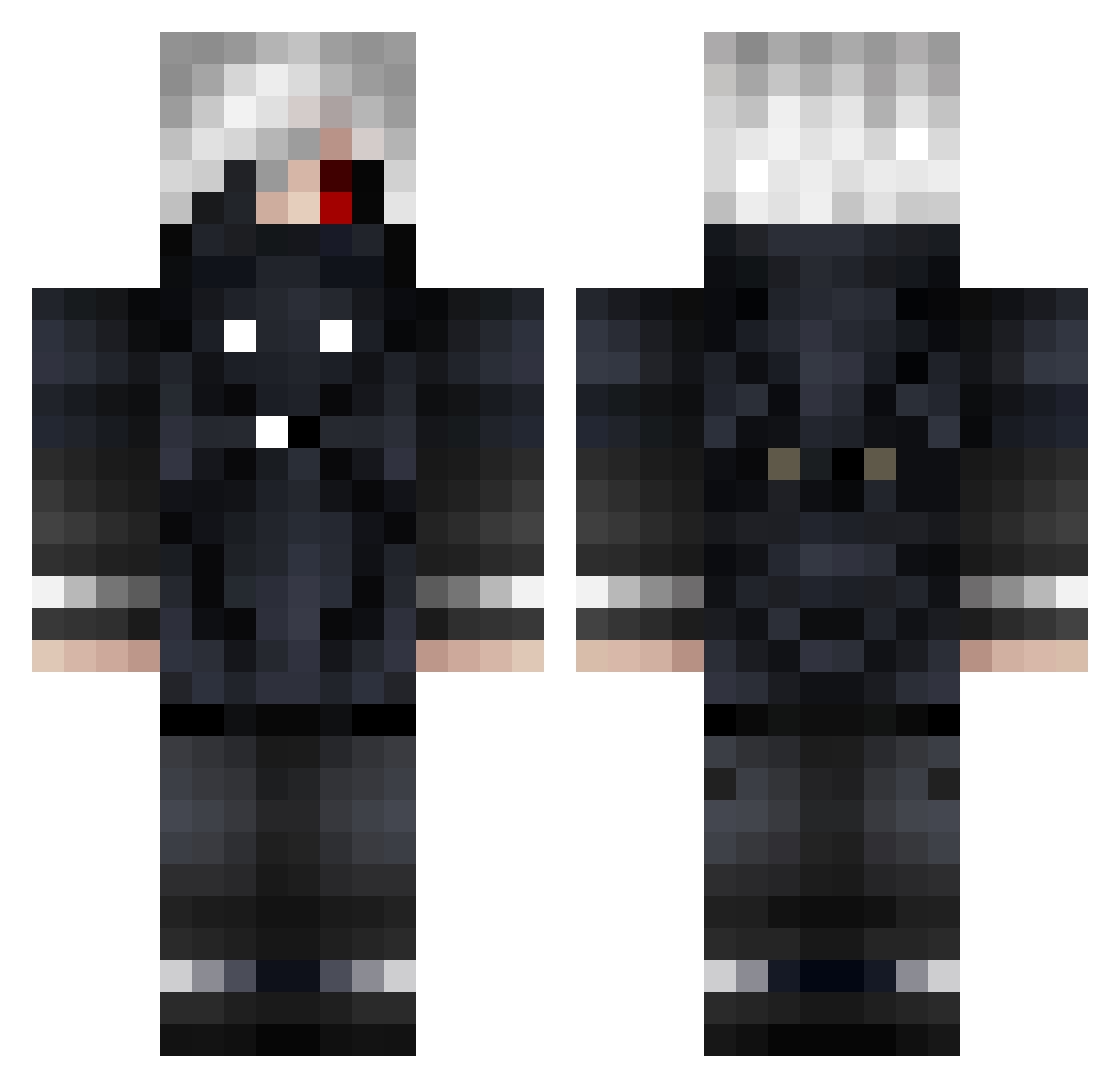
Current Minecraft skin of the player Monemati, loaded from the official Mojang API. Rotate the 3D model with your mouse or finger, then download the skin as a PNG file and use it in Minecraft: Bedrock Edition or Java Edition for free. When Monemati changes their skin, this page updates automatically and the old skin stays in the history below.
Other players with this skin (669)
Monemati was the 114th player we have seen with this skin, first spotted on 09.08.2026. The same skin was seen on these players. Open a nickname to see their current skin and skin history.
 Bestdugscid Mimej001 kuasaki louikau CualquierCosa Tuna_77 kimminhyuk1 ElliottWasTaken zxcurs0r Nurhoo DiegoTheDogo Odexz1 taeyeonieo D1CKT4T0R_ HugiDouBiDou wukile bartel69 Elit3_ToxicZz _itsRem JACOBSONESKI RetyDer Ray_D_0710 AToMiKe6200 DarthTeo jst1zzy HalePegasus1359
 Firedragon867 NIKELPROPRE caasaanoovaa__ Crimson_Karma99 zixxwg Aky1ra Clabado miles_oh1 Megatutur proma0528 RBJUN
 Etaemon OYNYILDIZLARIYT OneillxPR Iaknill Nab771 imrum GuzZ_X5 SpacexError McGiba2004 RaidingScience Diablomilo03 Luccoro Logelas2004 DoujiAsaha sempie_ kychee1 andrody Scorp20f GexonID Juwimo77 antonyyxl Natsuo3 PixelRogue23
More Mask Minecraft skins
How to install the Monemati skin
- Press the Download button above to save the skin as a PNG file.
- Minecraft: Bedrock Edition (PE): open the Dressing Room from the main menu (or tap your character → Edit Character), go to Classic Skins → Owned, press the + (new skin) button, choose the downloaded PNG and pick the Classic (Steve) model. Works on PC and mobile; consoles cannot import custom skins.
- Minecraft: Java Edition: open the Minecraft Launcher, go to the Skins tab, click New Skin, load the PNG, pick the Classic (Steve) model and press Save & Use. You can also upload it at minecraft.net → Profile → Change Skin.
The skin does not show up after import - what should I do?
Restart Minecraft and open the Dressing Room again - imported skins sometimes appear only after a restart. Also make sure you selected the imported skin and picked the Classic (Steve) model.
Which model should I choose, Classic or Slim?
This skin is designed for the Classic (Steve) model. If you pick the wrong model, the arms of the skin will look stretched or squeezed.
Is the skin of Monemati free to download?
Yes. Press Download, save the PNG file and use it in Minecraft: Bedrock Edition or Java Edition - no payment or registration needed. The skin also works on multiplayer servers and Realms.
More skins
Looking for more? Go back to all Minecraft skins and check the top skins of the week, month and all time, or find any player's skin by nickname.